Join us at FabCon Atlanta from March 16 - 20, 2026, for the ultimate Fabric, Power BI, AI and SQL community-led event. Save $200 with code FABCOMM.
Register now!The Power BI Data Visualization World Championships is back! Get ahead of the game and start preparing now! Learn more
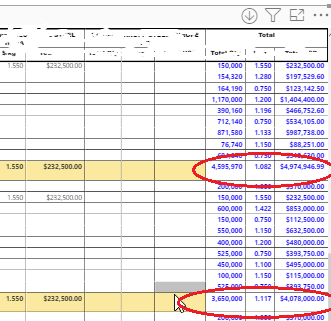
I have the matrix table like below photo
Those highlighted in yellow are my row subtotals.
Those in Blue font are my column subtotals.
Is possible to extend my highlight up to the column subtotal that I have encircled?
I tried putting background color to the column subtotal but it highlights the whole column.
Thank you in advance
Solved! Go to Solution.
Hi @mussaenda,
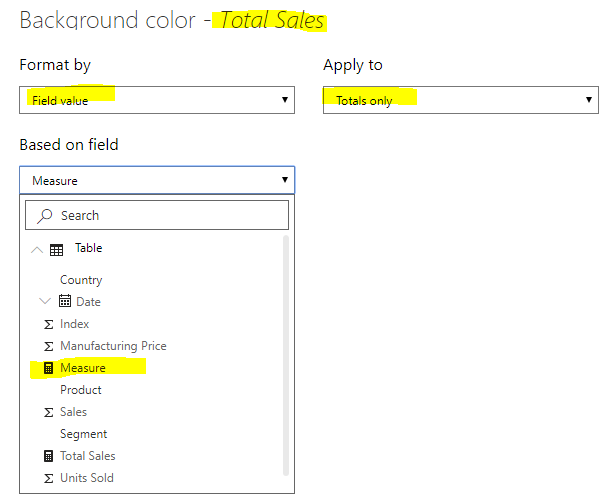
Please try like this:
Measure =
var a = CALCULATE(SUM('Table'[Sales]),ALLSELECTED('Table'[Segment]))
return
IF([Total Sales] = a,"RED",BLANK())
Thank you for this suggestion,
May I know where I can find this feature? On my latest version of Power BI desktop, I cannot find it. Or maybe I don't know where to find.
Hi @mussaenda ,
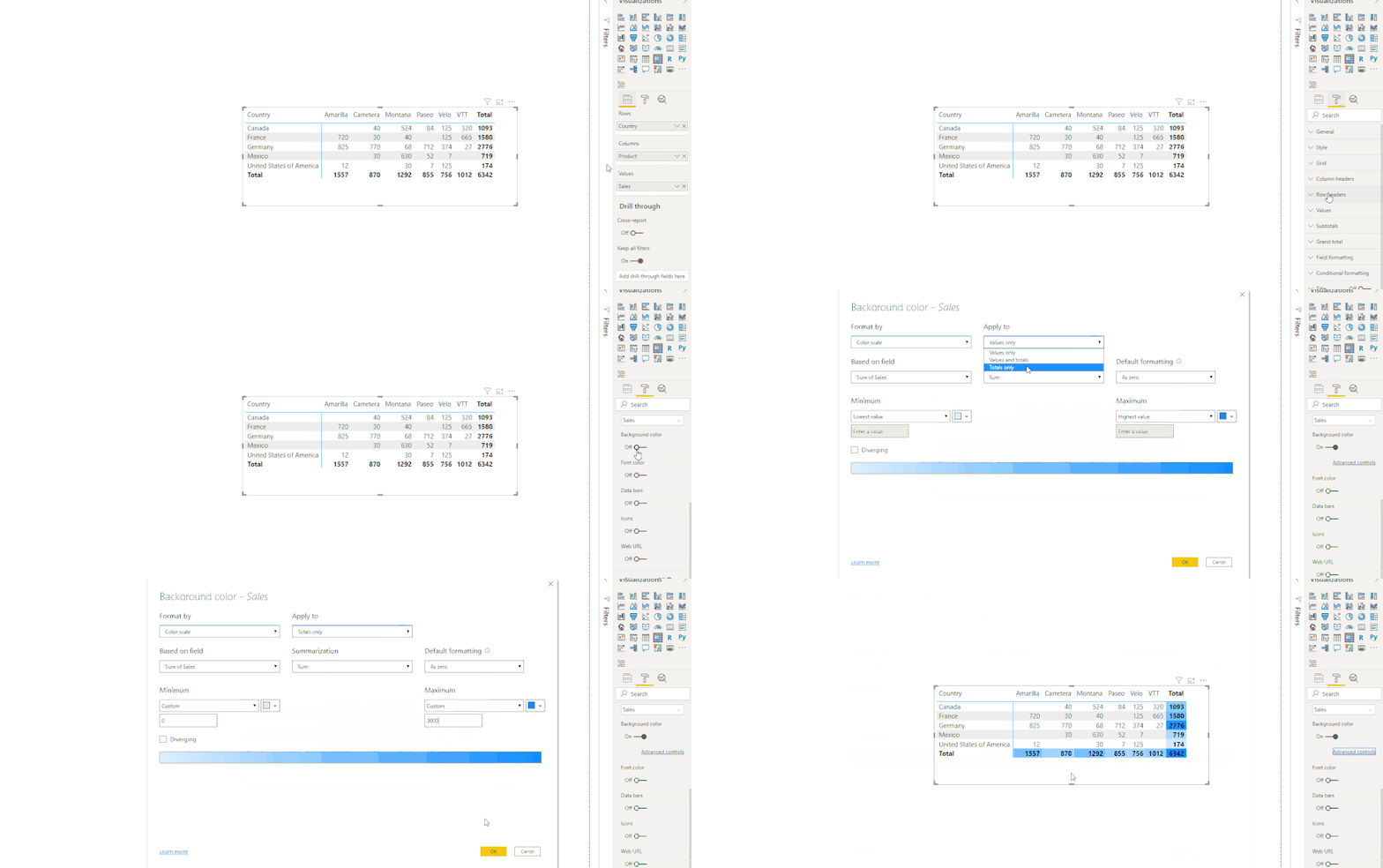
We need to use at least April 2020 version of Power BI Desktop to use it. You could download a latest one from: https://www.microsoft.com/en-us/download/details.aspx?id=58494.
Reference:
Finally, I found it.
Thank you @v-xuding-msft !
But what I wanted to do is only highlight the column total where there is row subtotal.
On the photo I attached before. I have highlighted the whole row subtotal. But the total of the row subtotal is what I want to highlight only.
Would that be possible?
Hi @mussaenda,
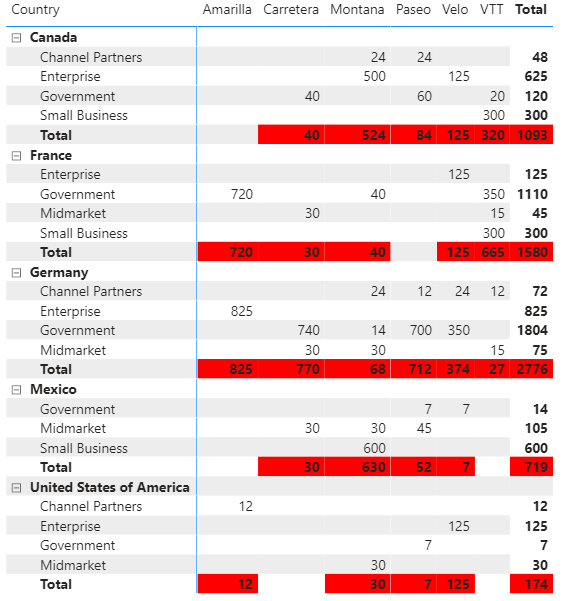
Please try like this:
Measure =
var a = CALCULATE(SUM('Table'[Sales]),ALLSELECTED('Table'[Segment]))
return
IF([Total Sales] = a,"RED",BLANK())
The Power BI Data Visualization World Championships is back! Get ahead of the game and start preparing now!
| User | Count |
|---|---|
| 38 | |
| 36 | |
| 33 | |
| 33 | |
| 29 |
| User | Count |
|---|---|
| 134 | |
| 96 | |
| 78 | |
| 67 | |
| 65 |