This is best Fabric, Power BI, SQL and AI community event. How do we know? The last event sold out! Save €200 with code FABCMTY200.
Register nowA new Data Days event is coming soon! This time we’re going bigger than ever. Fabric, Power BI, SQL, AI and more. Don't miss out.
(Moved from Developer Forum)
Hi everybody.
Looked around but didn't found a solution for this.
my scenario:
I have an SSAS cube with a Suppliers dimension. In it i have several fields to geo-reference the single supplier (Nation, Province, Town, Address and Post Code, plus a CompleteAddress which is the the concatenation in CSV format of previous fields)
This dimension is built on a regular table in SqlServer, with exactly same attributes, included the complete address.
In a report my customer asked me to show the supplier's location on a Map.
If i built the report upon the table in SqlServer (location = CompleteAddress) the map shows well.
The same, if i read the CompleteAddress from SSAS doesn't show on Map or is showned in a bad place (i.e. an Italian supplier showned in USA!!!!)
Note that if a copy/past the complete address in Bing Maps via browser the map show correct as well.... So not seems a bad formatted address.
I already forced the right category (i suppose) to completeAddress field via SSDT as specified in this thread: https://docs.microsoft.com/it-it/power-bi/power-bi-map-tips-and-tricks
Any help is appreciated.
thanks in advance.
Roberto
Hi @BobMcPen,
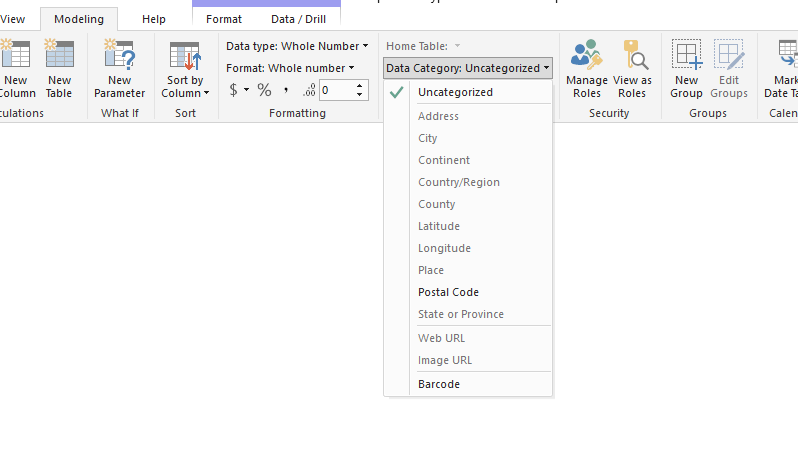
First please check the Data Category option of this field at both SQL Server table and SSAS side in Power BI. Choose this filed -> Modeling -> Date Category and verify the difference.
And could you please share us some sample data if possible?
Thanks,
Xi Jin.
Hi @v-xjiin-msft, thanks for reply and sorry for the delay: in Italy we had some vacations at the end of april...
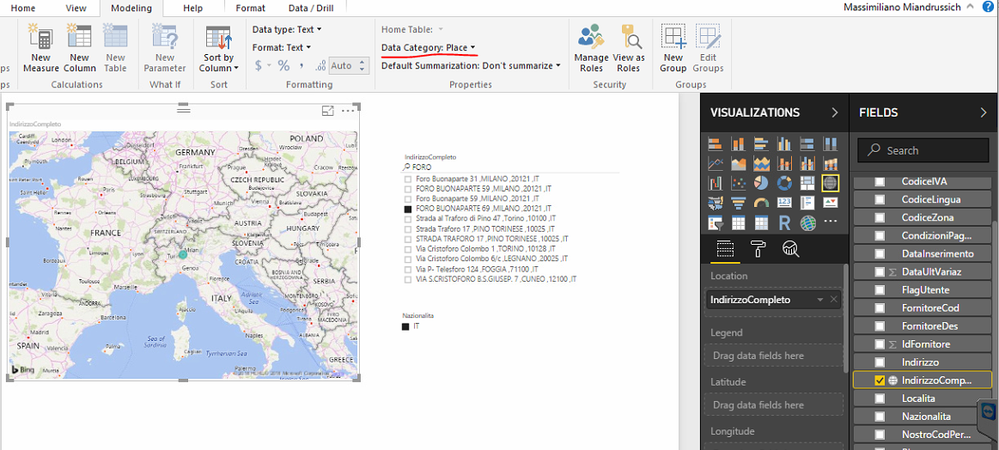
I tried your suggestions: if i query SS table via PowerBI i can change Data Category and whith category 'Place' the map shows well:
while others categories fail.
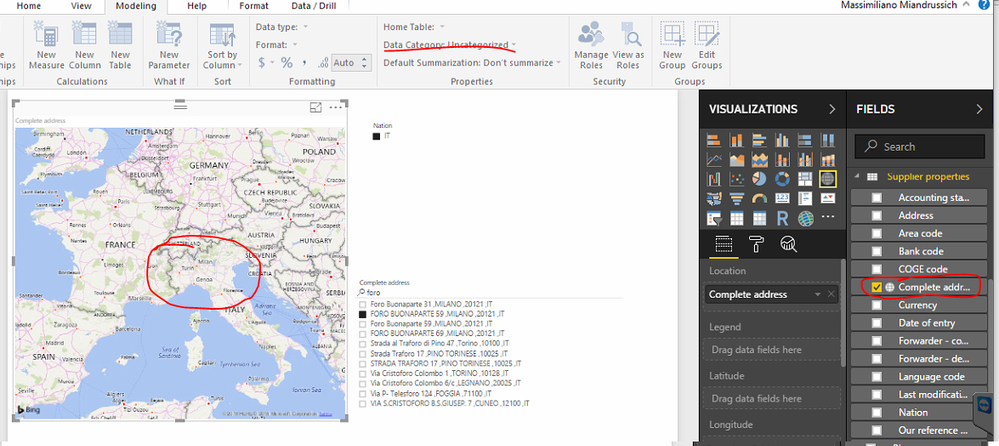
Then, via SSDT, i tryed several categories for that field, but in PowerBI always show 'uncategorized' (and i can't change it) and the map doesn't showes the location:
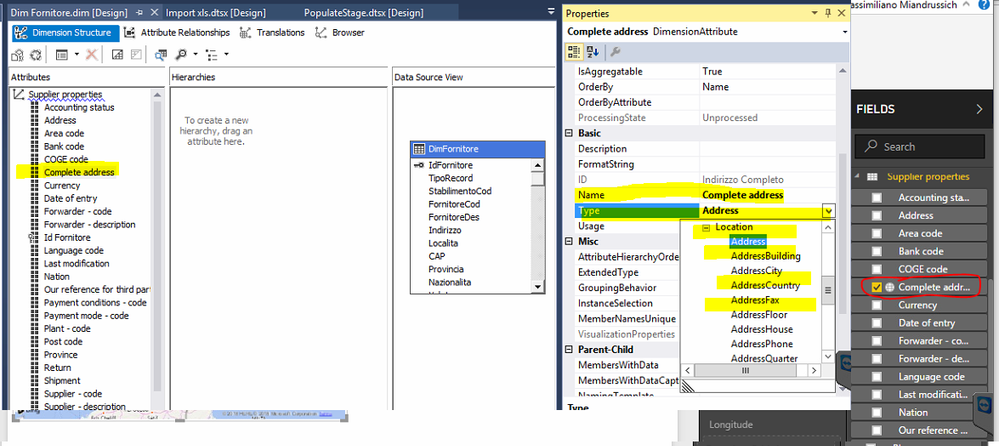
Here where i set in SSDT the category:
Maybe i made any mistake? I deployed the cube each time after modify....
My enviroment:
SS 2016 with AS
PowerBI: 2.51.4885.543 64-bit (October 2017)
Visual Studio SSDT: Microsoft SQL Server Integration Services Designer Version 12.0.2430.0
Thanks again for your help.
Check out the May 2026 Power BI update to learn about new features.
Sign up to receive a private message when registration opens and key events begin.
If you have recently started exploring Fabric, we'd love to hear how it's going. Your feedback can help with product improvements.
| User | Count |
|---|---|
| 27 | |
| 25 | |
| 22 | |
| 20 | |
| 14 |
| User | Count |
|---|---|
| 50 | |
| 47 | |
| 23 | |
| 18 | |
| 18 |