Forum Discussion
RafaelKnuth
Advocate I
8 years agoM Power Query: Removing entire rows based on condition
I want to remove entire rows IF both horizontally adjacent cells in the last two columns are empty (hence rows 4, 6, 7, 9 should be removed). How can I do this? Not sure by the way whether I should d...
- 8 years ago
HI RafaelKnuth
With Power Query...
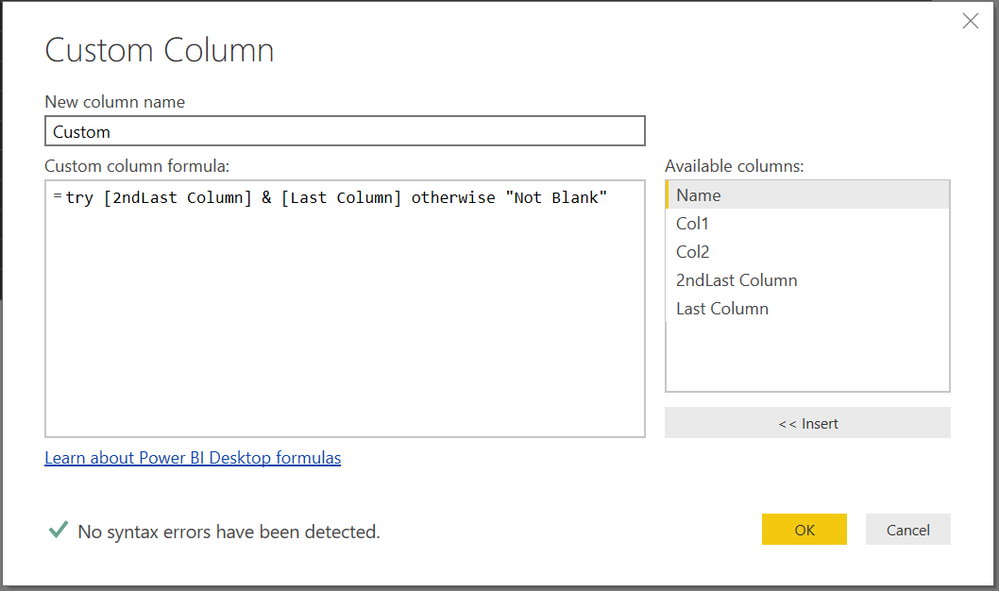
You can add a Custom Column....>>>>then filter out the Null values in that column and then delete this Custom Column
Zubair_Muhammad
Community Champion
8 years agoHi RafaelKnuth
Try this Calculated Table
From the Modelling Tab>>>NEW TABLE
(Replace TableName and Column names with actual names of your Table and Columns)
New Table =
FILTER (
ADDCOLUMNS (
TableName,
"Remove Rows?", IF (
ISBLANK ( TableName[Last Column] ) && ISBLANK ( TableName[2ndLast Column] ),
"Yes",
"No"
)
),
[Remove Rows?] = "No"
)RafaelKnuth
Advocate I
8 years agoThanks, awesome! Any idea how to do that in the Excel source file? (it's not possible to create new tables in Excel Power Query ... in contrast to Power BI).