cancel
Showing results for 
Search instead for 
Did you mean: 

Learn from the best! Meet the four finalists headed to the FINALS of the Power BI Dataviz World Championships! Register now

Reply
smjzahid
Helper V
Helper V

Line and Stacked Column Sorting Issue

Hi 


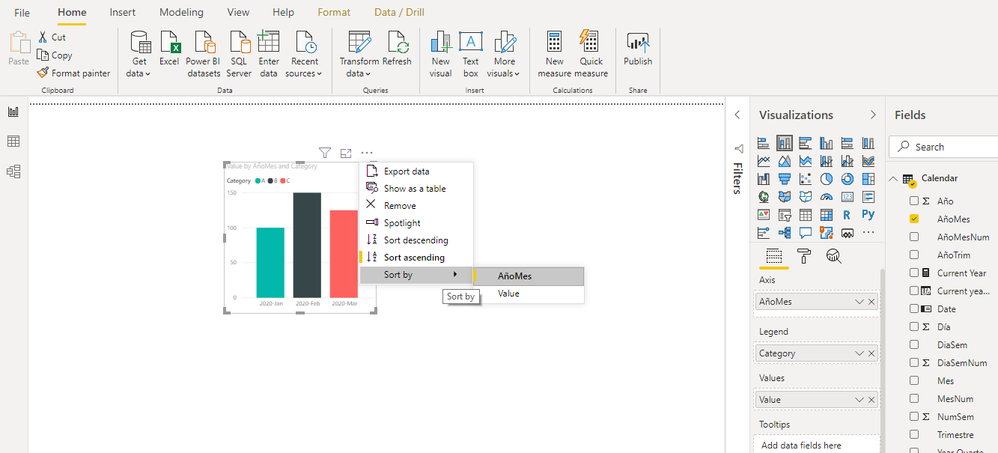
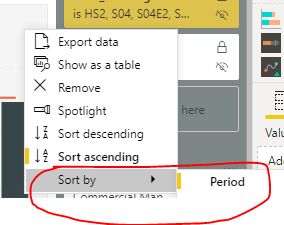
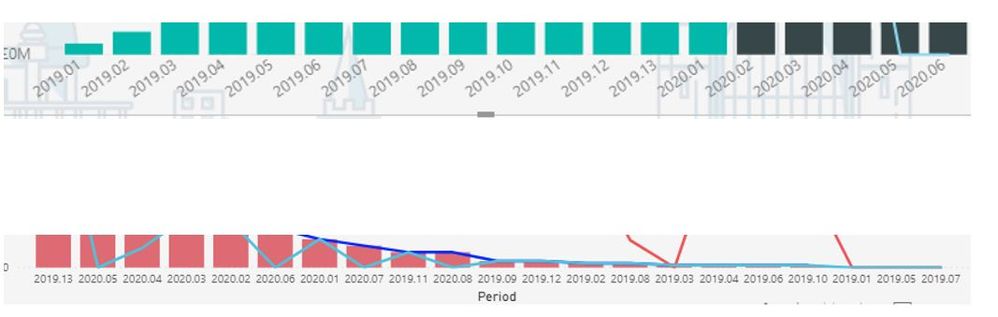
I have a Period from my Period table of type (Decimal Number) on the Shared Axis on the Line and Stacked Column Sorting in PBI desktop. I am on the June 2020 PBI Desktop edition. I want to sort my period in ASCENDING order meaning like this the first image below. I do know the way to do this is clicking on the ... (ellipses) on top of the chart and then selecting the sort order and sort by field as shown below which sorts the chart. 


However, for my second chart in below snip I do not see those 3 ellipses on top right hand corner of the chart. How do I get this sorted as per the first chart any hint. I tried sorting it in from the Query editor and it does not sorts the period in ascending order on the chart.


smjzahid_0-1593976136941.png


Line and Stacked.JPG


3 REPLIES 3
calerof
Impactful Individual

Hi @smjzahid,


Make sure you have a Date Table.


Regards,


Fernando

Didn't quite get what you mean, That table is a data tble itself. I cant sort the period numer field on the chart as per the second image.

calerof
Impactful Individual

@smjzahid ,


It's difficult to help if you don't share a sample of your data. But do this:

Creat a new table and insert this code:

Calendar = ADDCOLUMNS(
                    CALENDAR(DATE(2010, 1, 1), DATE(2020, 12, 31) ),
                    "Year", YEAR([Date] ),
                    "Quarter", "Q" & FORMAT( [Date], "Q" ),
                    "MonthNum", FORMAT( [Date], "MM" ),
                    "Month", FORMAT( [Date], "mmm" ),
                    "YearMonth", FORMAT( [Date], "YYYY-MMM" ),
                    "YearMonthNum", FORMAT([Date], "YYYYMM"),
                    "WeekDayNum", WEEKDAY( [Date], 2 ),
                    "WeekDay", FORMAT( [Date], "ddd" ),
                    "WeekNum", WEEKNUM( [Date], 2 ),
                    "Day", DAY( [Date] ),
                    "YearQuarter", FORMAT( [Date], "YYYY" ) & "/Q" & FORMAT( [Date], "Q" ),
                    "YearQuarterNumber", FORMAT( [Date], "YYYY" ) & FORMAT( [Date], "Q" )
)


Mark it as Date Table.

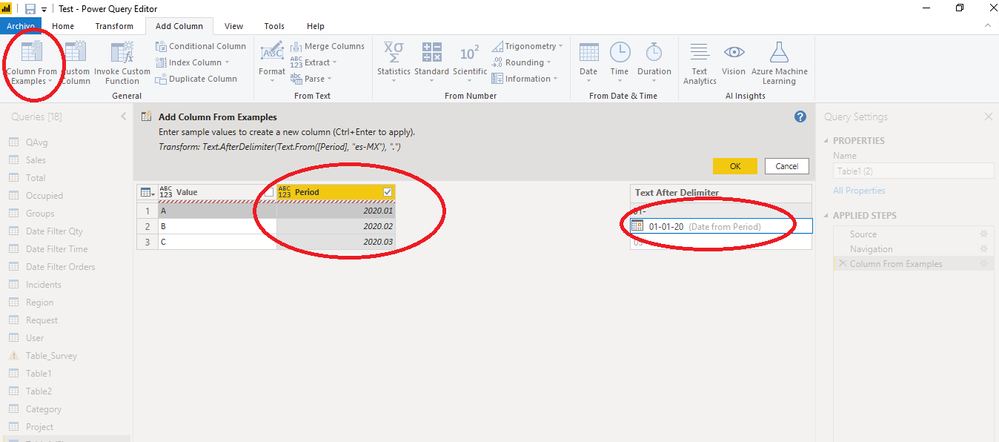
Then make the relationship from the Date field to your table where the date is. If you don't have a date, only the period, i.e. 2020-01, then you go to the Query Editor and create a column from example selecting the Period Column, like this:
transformColumntoDatefromExample.png


Make sure that new column is Date format. Close and apply.

That would be your Date key field from which you need to create a relationship with the date table.
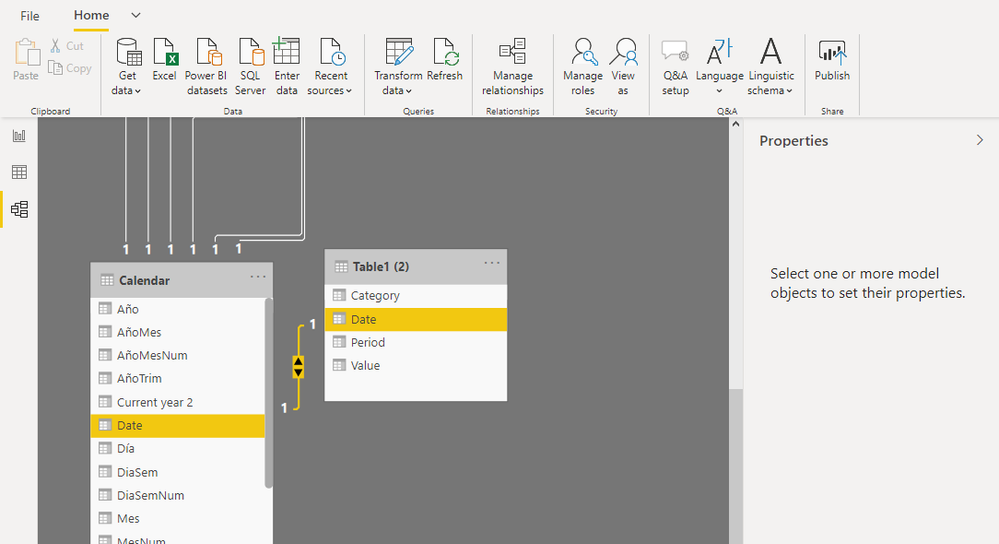
DateRelationship.png


Create your visual with your values and use from the Calendar table Year Month in the X axis.
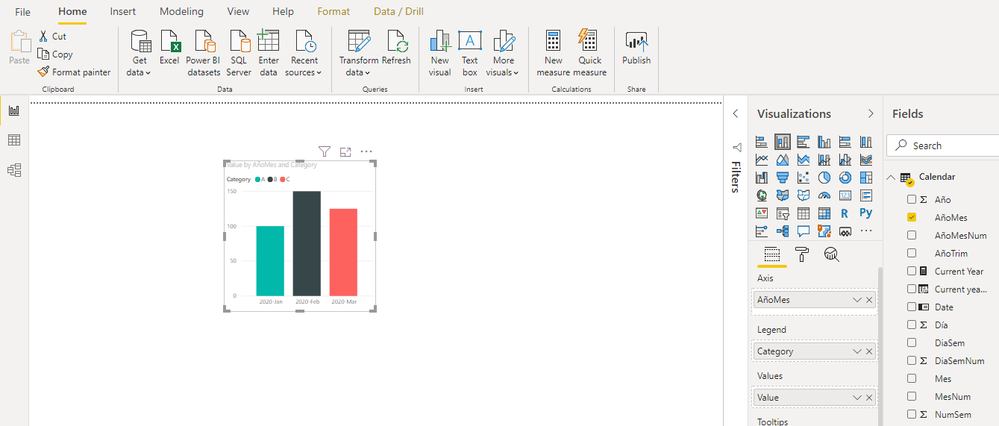
 

YYYYMM.png


And sort that field ascending.

SortAscend.png


And there you go.


Hope it helps.

Regards,

Fernando


Helpful resources

Announcements
Join our Fabric User Panel

Join our Fabric User Panel

Share feedback directly with Fabric product managers, participate in targeted research studies and influence the Fabric roadmap.

February Power BI Update Carousel

Power BI Monthly Update - February 2026

Check out the February 2026 Power BI update to learn about new features.