cancel
Showing results for 
Search instead for 
Did you mean: 

Vote for your favorite vizzies from the Power BI Dataviz World Championship submissions. Vote now!

Reply
Anonymous
Not applicable

Line Chart with multiple value selections

Hi,


Need help 


I want to know if is it possible to make a value selections within a line chart

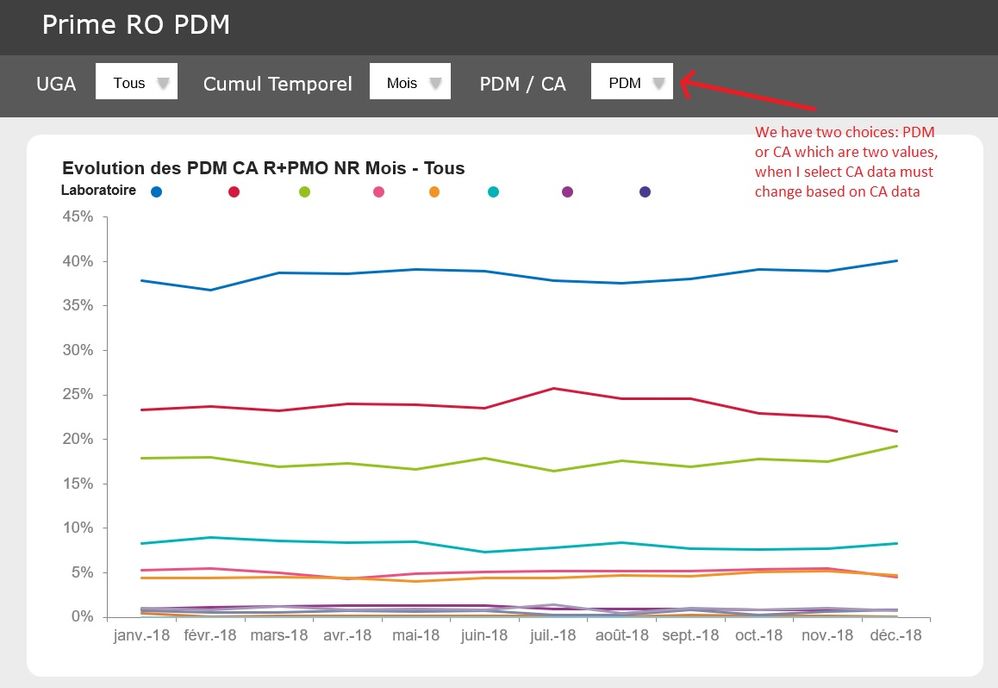
Please follow screenshots below 


Graph4.jpg

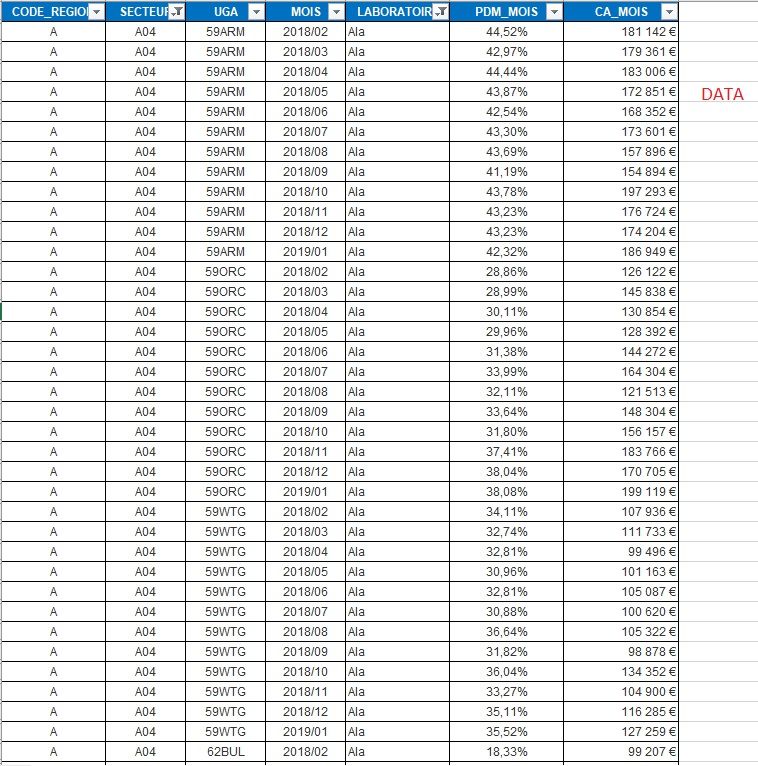
here is some of the data

Data.jpg

What i did now is just a line graph based only on PDM data, i need a dropdown list with PDM and CA that allow me to change the graph depending on the data selected.


Thanks

1 ACCEPTED SOLUTION
Arul
Super User
Super User

Hi @Anonymous ,

You can do it with bookmarks, for that first you need to create two charts (one for PDM and other for CA)  on the same page of the report and then create bookmarks based on your requirement.


Kindly refer this link for bookmarks.

https://docs.microsoft.com/en-us/power-bi/desktop-bookmarks


If you have any queries reply me back. 


Did I answer your question? Mark my post as a solution!

Proud to be a Super User!


LinkedIn


View solution in original post

2 REPLIES 2
Arul
Super User
Super User

Hi @Anonymous ,

You can do it with bookmarks, for that first you need to create two charts (one for PDM and other for CA)  on the same page of the report and then create bookmarks based on your requirement.


Kindly refer this link for bookmarks.

https://docs.microsoft.com/en-us/power-bi/desktop-bookmarks


If you have any queries reply me back. 


Did I answer your question? Mark my post as a solution!

Proud to be a Super User!


LinkedIn


Anonymous
Not applicable

Thanks a lot

Helpful resources

Announcements
Power BI DataViz World Championships

Power BI Dataviz World Championships

Vote for your favorite vizzies from the Power BI World Championship submissions!

Sticker Challenge 2026 Carousel

Join our Community Sticker Challenge 2026

If you love stickers, then you will definitely want to check out our Community Sticker Challenge!

January Power BI Update Carousel

Power BI Monthly Update - January 2026

Check out the January 2026 Power BI update to learn about new features.

FabCon Atlanta 2026 carousel

FabCon Atlanta 2026

Join us at FabCon Atlanta, March 16-20, for the ultimate Fabric, Power BI, AI and SQL community-led event. Save $200 with code FABCOMM.