Join us at FabCon Atlanta from March 16 - 20, 2026, for the ultimate Fabric, Power BI, AI and SQL community-led event. Save $200 with code FABCOMM.
Register now!The Power BI Data Visualization World Championships is back! Get ahead of the game and start preparing now! Learn more
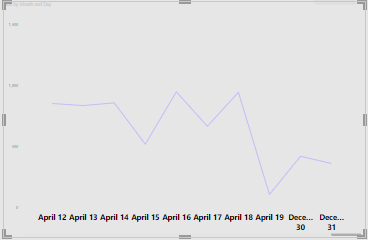
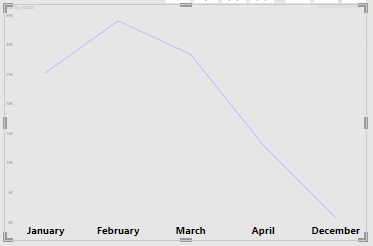
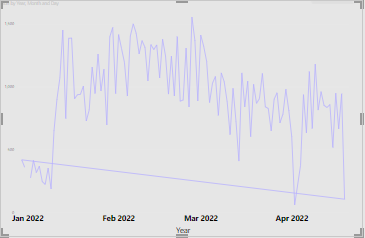
Halo im new here, i have a data from december 21 - april 22, when i visualize it with line chart, december 2021 come after april 2022, how to fix it? i have visualized it before and it work fine, but when i do it again it show like this:
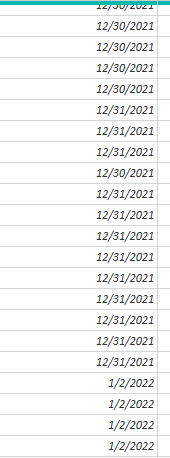
here's the data
Solved! Go to Solution.
@Anonymous , if toy have month year column
Month Year = FORMAT([Date],"mmm-yyyy")
you need a sort column
Month Year sort = FORMAT([Date],"yyyymm")
mark Month Year sort as sort column for Month Year from column tools
https://docs.microsoft.com/en-us/power-bi/desktop-sort-by-column
@Anonymous , if toy have month year column
Month Year = FORMAT([Date],"mmm-yyyy")
you need a sort column
Month Year sort = FORMAT([Date],"yyyymm")
mark Month Year sort as sort column for Month Year from column tools
https://docs.microsoft.com/en-us/power-bi/desktop-sort-by-column
The Power BI Data Visualization World Championships is back! Get ahead of the game and start preparing now!
| User | Count |
|---|---|
| 56 | |
| 45 | |
| 35 | |
| 34 | |
| 21 |
| User | Count |
|---|---|
| 143 | |
| 122 | |
| 100 | |
| 80 | |
| 57 |