Join us at FabCon Atlanta from March 16 - 20, 2026, for the ultimate Fabric, Power BI, AI and SQL community-led event. Save $200 with code FABCOMM.
Register now!The Power BI Data Visualization World Championships is back! Get ahead of the game and start preparing now! Learn more
Hi all,
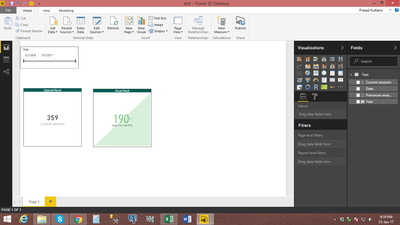
I am working on a dashboard, in which I am trying to implement a KPI visual for current period vs previous period values. The visual works correct for the end date upto 31st December 2016. But when I change my end date to any date from january 2017 KPI visual starts me showing values from 1st january to the selected end date from january 2017.Here I am attaching the
screenshots from the test file.So can any one please help me to find any solution on this..??
End date is of December 2016
After selecting End date from january 2017
Solved! Go to Solution.
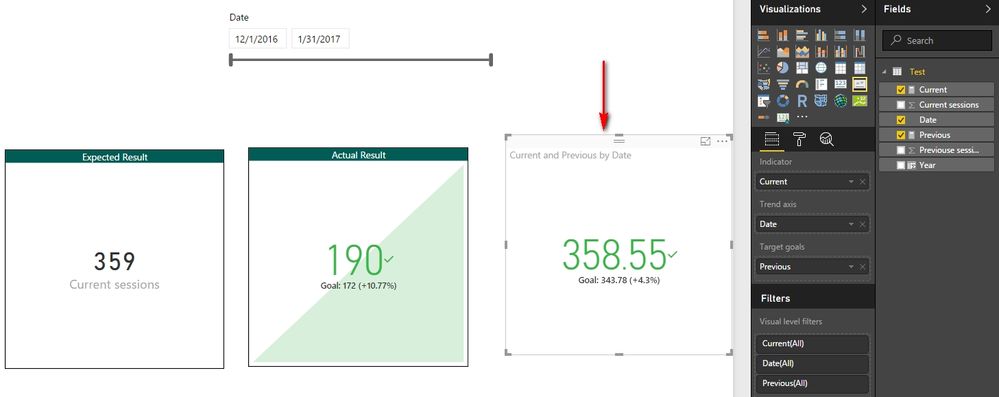
That’s just how the KPI visual works. In your case, you can create following two measures to replace the Current sessions and Previous sessions.
Current = CALCULATE ( SUM ( Test[Current sessions] ), ALLSELECTED ( Test[Date] ) )
Previous = CALCULATE ( SUM ( Test[Previouse sessions] ), ALLSELECTED ( Test[Date] ) )
Best Regards,
Herbert
That’s just how the KPI visual works. In your case, you can create following two measures to replace the Current sessions and Previous sessions.
Current = CALCULATE ( SUM ( Test[Current sessions] ), ALLSELECTED ( Test[Date] ) )
Previous = CALCULATE ( SUM ( Test[Previouse sessions] ), ALLSELECTED ( Test[Date] ) )
Best Regards,
Herbert
The Power BI Data Visualization World Championships is back! Get ahead of the game and start preparing now!
| User | Count |
|---|---|
| 39 | |
| 36 | |
| 33 | |
| 31 | |
| 28 |
| User | Count |
|---|---|
| 128 | |
| 88 | |
| 79 | |
| 68 | |
| 63 |