This time we’re going bigger than ever. Fabric, Power BI, SQL, AI and more. We're covering it all. You won't want to miss it.
Learn moreLevel up your Power BI skills this month - build one visual each week and tell better stories with data! Get started
Hi Guys
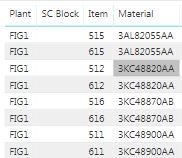
I did a kind of Pivot table on Power BI which I need to export on excel but it does not allow me. It allows me to export into CSV file which I try to open in excel but it messes the whole data. Is it possible to control c + control v the table below or just export it in excel directly?
Thanks
Solved! Go to Solution.
Hi @Anonymous ,
Actually, we could export data via csv in Power BI Desktop and open it in Excel.
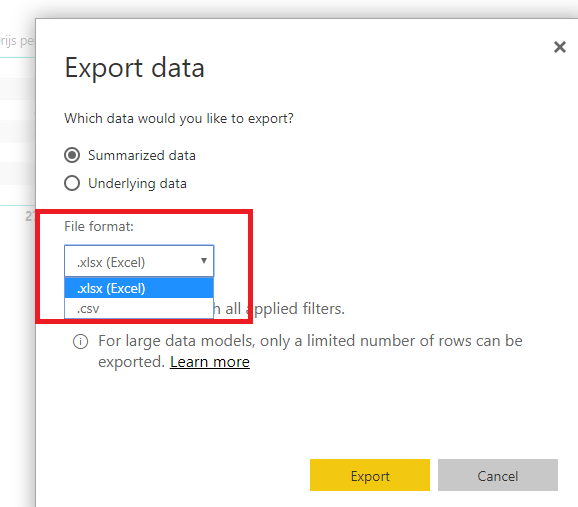
If you want to export as excel format directly, you could publish your report in power bi service and click export data option, there are two options for you choose, you could select excel and export it.
In addition, you could refer to this document or this video which should be helpful.
Best Regards,
Cherry
Hi @Anonymous ,
Actually, we could export data via csv in Power BI Desktop and open it in Excel.
If you want to export as excel format directly, you could publish your report in power bi service and click export data option, there are two options for you choose, you could select excel and export it.
In addition, you could refer to this document or this video which should be helpful.
Best Regards,
Cherry
Hi @Anonymous ,
Give it a try from Power BI Service.
Regards,
Fernando
Hi @Anonymous ,
When you sign in to powerbi.com instead of to the desktop. You've had to published your report first.
Kind regards,
Fernando
Check out the April 2026 Power BI update to learn about new features.
Sign up to receive a private message when registration opens and key events begin.
If you have recently started exploring Fabric, we'd love to hear how it's going. Your feedback can help with product improvements.
| User | Count |
|---|---|
| 36 | |
| 33 | |
| 31 | |
| 24 | |
| 18 |
| User | Count |
|---|---|
| 68 | |
| 50 | |
| 33 | |
| 24 | |
| 24 |