cancel
Showing results for 
Search instead for 
Did you mean: 

Get Fabric Certified for FREE during Fabric Data Days. Don't miss your chance! Request now

Reply
Eraclea
New Member

Import image with Python script

Hi,


I am looking for a method to load several image with Python scipt into Power BI desktop to create a dashboard. I don't want to manually select images and import them.  Here is my current code and the power bi failed to recognize the image. I am using Get Data with Python Script. Is there a way to solve this issue? Or is there any alternative detailed methods to import images with script into Power BI?


import pandas as pd
import json
import matplotlib.pyplot as plt 
import matplotlib.cbook as cbook


#ax=plt.gca()
with cbook.get_sample_data('D:/carapace/TableauChartDisplayTask/test.png') as image_file:
    image=plt.imread(image_file)

fig, ax = plt.subplots()
  
fig.figimage(image)
#fig.figimage(image, 10, 10, zorder = 3, alpha =.5)
  
plt.title('matplotlib.pyplot.imread() function Example', 
                                     fontweight ="bold")
plt.show()


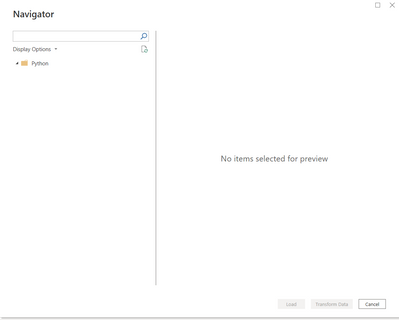
 And here is the result

Eraclea_0-1655480623660.png

Thank you

1 ACCEPTED SOLUTION
lbendlin
Super User
Super User

matplotlib.pyplot.imshow — Matplotlib 3.5.2 documentation


import matplotlib.pyplot as plt
import matplotlib.image as img
image = img.imread('c:\\users\\xxx\\downloads\\IMG_20180323_083209.jpg')
plt.imshow(image)
plt.show()

View solution in original post

2 REPLIES 2
v-chenwuz-msft
Community Support
Community Support

Hi @Eraclea ,


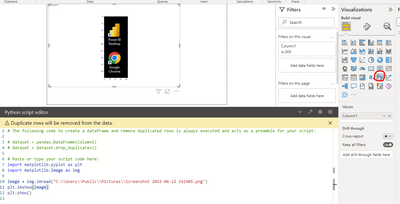
You should use the Python visual rather than python script.

vchenwuzmsft_0-1655887458307.png


Best Regards

Community Support Team _ chenwu zhu


If this post helps, then please consider Accept it as the solution to help the other members find it more quickly.

lbendlin
Super User
Super User

matplotlib.pyplot.imshow — Matplotlib 3.5.2 documentation


import matplotlib.pyplot as plt
import matplotlib.image as img
image = img.imread('c:\\users\\xxx\\downloads\\IMG_20180323_083209.jpg')
plt.imshow(image)
plt.show()

Helpful resources

Announcements
November Power BI Update Carousel

Power BI Monthly Update - November 2025

Check out the November 2025 Power BI update to learn about new features.

Fabric Data Days Carousel

Fabric Data Days

Advance your Data & AI career with 50 days of live learning, contests, hands-on challenges, study groups & certifications and more!

FabCon Atlanta 2026 carousel

FabCon Atlanta 2026

Join us at FabCon Atlanta, March 16-20, for the ultimate Fabric, Power BI, AI and SQL community-led event. Save $200 with code FABCOMM.

Top Solution Authors