Hello Community,
Thank you for your help! This should be a quick one.
I am working on an AR Aging report. I have a 'Cust. Name" column in Sheet1 and another sheet called "Collector". We have 3 collectors: Collector 1 is responsible for Cust. Names that start with a certain letter, Collector 2 is responsible for Cust. Names that start with a certain letter, and the same with Collector 3.
Well, we have introduced a "Contractor". This Contractor is responsible for 3 specific Cust. Names.
Here is how I am assigning a "First Letter" to a Collector... Here's a screenshot of my "Collector" sheet.

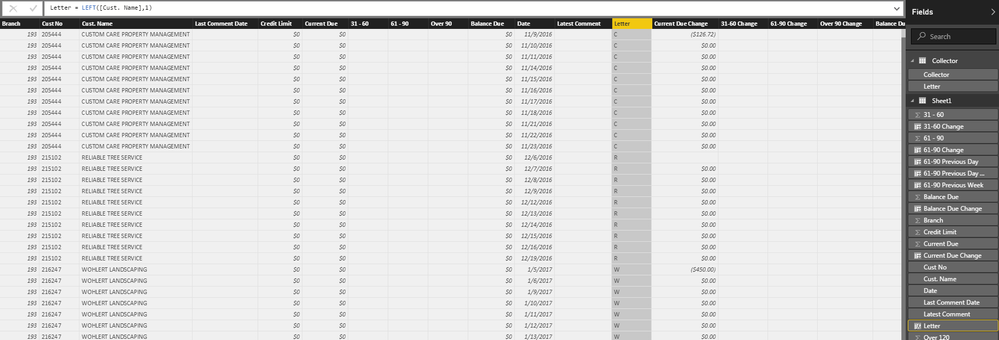
Then a created a Letter column in my Sheet1 with using the formula Letter = LEFT([Cust. Name],1)
So my end result is working:
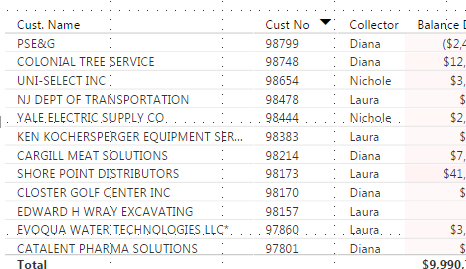
What do I need to do to "override" this and give the Contractor access to her 3 Customers? I was thinking of creating another Table and calling it "Contractor" with a Contractor Column and a Cust. Name column. But how would I relate everything?


