Join us at FabCon Atlanta from March 16 - 20, 2026, for the ultimate Fabric, Power BI, AI and SQL community-led event. Save $200 with code FABCOMM.
Register now!The Power BI Data Visualization World Championships is back! Get ahead of the game and start preparing now! Learn more
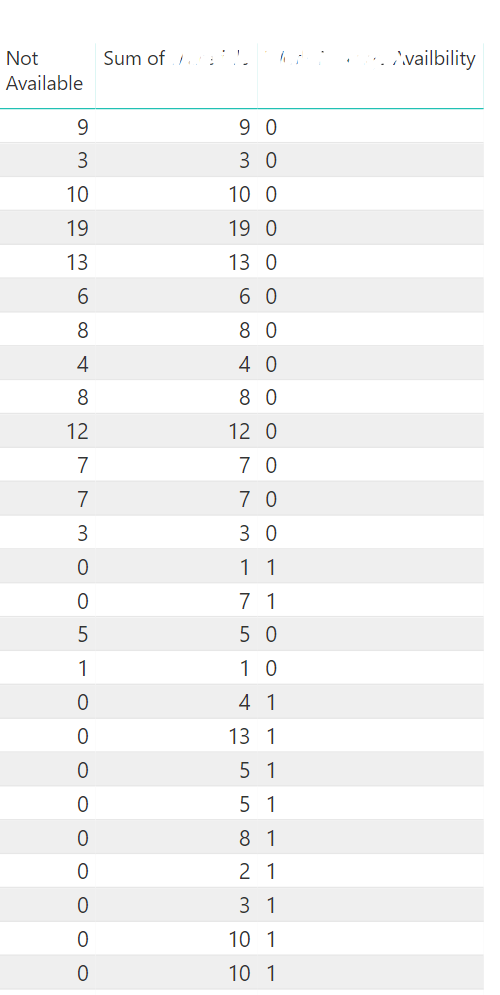
Hi, how can I calculated that how many value '1' and value '0' appears in the column?
Thanks for help!
Solved! Go to Solution.
Hi @Sisko ,
Calc_0_and_1 =
CALCULATE (
COUNT ( 'Table'[Column1] ),
'Table'[Column1] = 0
|| 'Table'[Column1] = 1
)This calculation does count of values in a field 'Table'[Column1] with either 0 either 1 value.
|| symbol is an equivalent of OR. So you can solve it in another way as well:
Calc_0_and_1 =
CALCULATE (
COUNT ( 'Table'[Column1] ),
OR ( 'Table'[Column1] = 0, 'Table'[Column1] = 1 )
)The only difference between OR and || symbol that, actually OR is limited to 2 arguments.
Regards,
Ruslan
-------------------------------------------------------------------
Did I answer your question? Mark my post as a solution!
Hi @Sisko ,
Calc_0_and_1 =
CALCULATE (
COUNT ( 'Table'[Column1] ),
'Table'[Column1] = 0
|| 'Table'[Column1] = 1
)This calculation does count of values in a field 'Table'[Column1] with either 0 either 1 value.
|| symbol is an equivalent of OR. So you can solve it in another way as well:
Calc_0_and_1 =
CALCULATE (
COUNT ( 'Table'[Column1] ),
OR ( 'Table'[Column1] = 0, 'Table'[Column1] = 1 )
)The only difference between OR and || symbol that, actually OR is limited to 2 arguments.
Regards,
Ruslan
-------------------------------------------------------------------
Did I answer your question? Mark my post as a solution!
Calc_0_and_1 =
CALCULATE (
COUNT ( 'Table'[Column1] ),
'Table'[Column1] IN {0,1}
)
Just to give some more options! 🙂
Robbe
You will have to Use CALCULATE:
CALCULATE( COUNT(XXX), Category =0 || 1 )
Check out the November 2025 Power BI update to learn about new features.
Advance your Data & AI career with 50 days of live learning, contests, hands-on challenges, study groups & certifications and more!
| User | Count |
|---|---|
| 169 | |
| 109 | |
| 91 | |
| 55 | |
| 44 |