
Join us at FabCon Atlanta from March 16 - 20, 2026, for the ultimate Fabric, Power BI, AI and SQL community-led event. Save $200 with code FABCOMM.
Register now!The Power BI Data Visualization World Championships is back! Get ahead of the game and start preparing now! Learn more
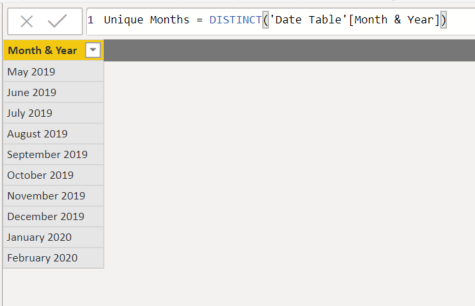
I have a table that gets distinct values from a date table in the order they'd go in a caledar (what I want). It looks like this
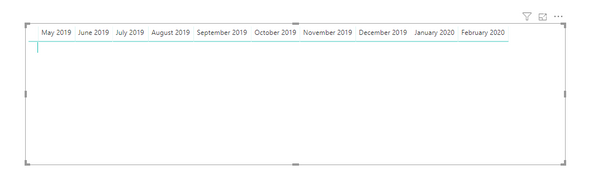
When I use Month & Year as Columns in the matrix, they appear in alphabetical order. How do I make it so that the order from the table carries down?
Solved! Go to Solution.
@Anonymous ,
Seems like the column is text type in your table so the matrix will sort the column by the first alphabet letter. You can click query editor and change the column type to date type like below then the matrix will be sorted by date.
Community Support Team _ Jimmy Tao
If this post helps, then please consider Accept it as the solution to help the other members find it more quickly.
@Anonymous ,
Seems like the column is text type in your table so the matrix will sort the column by the first alphabet letter. You can click query editor and change the column type to date type like below then the matrix will be sorted by date.
Community Support Team _ Jimmy Tao
If this post helps, then please consider Accept it as the solution to help the other members find it more quickly.
Hi @Anonymous
If you don't have it already create a numerical column YearMonth in your date table (ex. 201901 for Jan-2019) and use trhat column in the Sort by Column option
The Power BI Data Visualization World Championships is back! Get ahead of the game and start preparing now!
| User | Count |
|---|---|
| 64 | |
| 44 | |
| 41 | |
| 33 | |
| 23 |
| User | Count |
|---|---|
| 199 | |
| 124 | |
| 104 | |
| 74 | |
| 55 |