Join us at FabCon Atlanta from March 16 - 20, 2026, for the ultimate Fabric, Power BI, AI and SQL community-led event. Save $200 with code FABCOMM.
Register now!View all the Fabric Data Days sessions on demand. View schedule
Hi datanauts,
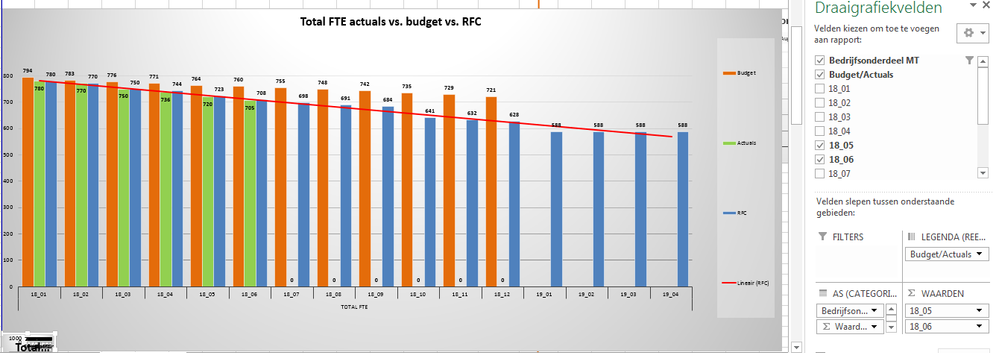
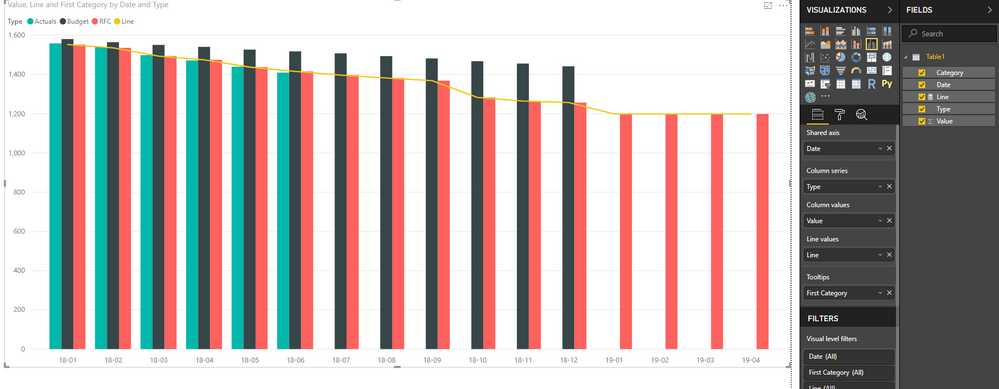
I'm trying to replicate the excel graph posted underneath in Power BI. It shows the actuals we have right now, the budget and the rolling forecast.
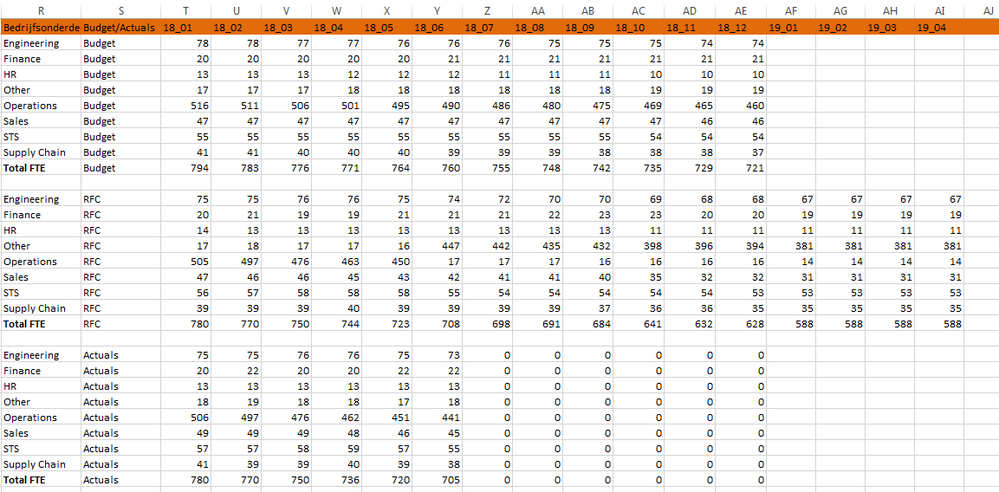
The data I have to reproduce this graph is as followed:
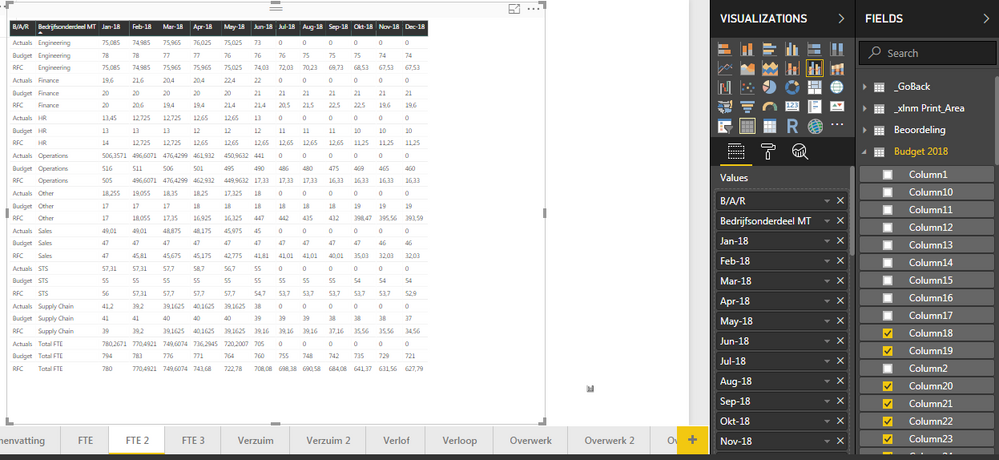
First thing I've tried was to build a matrix, showing the right numbers. However, it looks really messy:
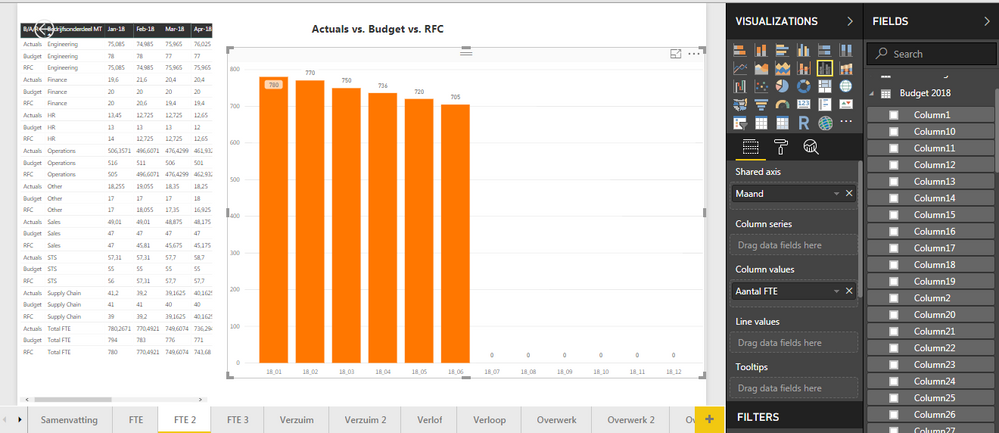
However, when I try to replicate the upmost picture in Power BI in a line and clustered column chart, I get stuck real quick:
Putting the months (which I'm taking out of a different query than the data showed in the second picture) works out fine, just as well as putting in the actuals (different query as well). However, all the right data is already provided, but it feels like I just need to 'rearrange' it the right way, in order to be able to build the chart I'm looking for.
Any help?
Thanks in advance!
Solved! Go to Solution.
Hi @Stevenrizado,
Please refer to below sample file if it suitable for your requirement:
I apply unpivot column on date columns.
Unpivot Data Using Excel Power Query
Regards,
Xiaoxin Sheng
Hi @Stevenrizado,
Please refer to below sample file if it suitable for your requirement:
I apply unpivot column on date columns.
Unpivot Data Using Excel Power Query
Regards,
Xiaoxin Sheng
Check out the November 2025 Power BI update to learn about new features.
Advance your Data & AI career with 50 days of live learning, contests, hands-on challenges, study groups & certifications and more!