Don't miss your chance to take exam DP-600 or DP-700 on us!
Request nowLearn from the best! Meet the four finalists headed to the FINALS of the Power BI Dataviz World Championships! Register now
Hi Experts,
While I am creating Power BI report template using JSON everything seems to be working except report title. In JSON I have enabled "Report Title" property, whenever my users import this JSON they should see a message in visual title saying "Enter Title". However when I import this theme, until I go to properties and enter some text in visual title, visual is not showing any title.
Can you please look at the below script and correct my mistake.
Thank you.
{
"name": "Custom",
"dataColors": [
"#006666",
"#008060",
"#56BAA4",
"#ED2525",
"#DB042C",
"#FF8526",
"#8D175F",
"#008AC2",
"#4CC6D9",
"#F7C233",
"#A3CC82",
"#A0DFEF",
"#DDB6C1",
"#EFEFEF"
],
"visualStyles": {
"*": {
"*": {
"title": [
{
"Show": true,
"titleText": "Enter Title",
"alignment": "center",
"fontColor": { "solid": { "color": "#FFFFFF" } },
"background": { "solid": { "color": "#006666" } },
"fontSize": 14,
"fontFamily": "Segoe (Bold)"
}
]
}
},
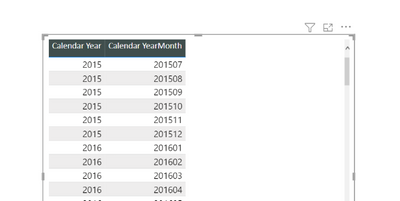
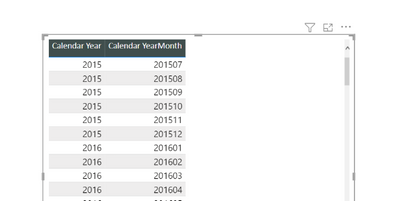
"tableEx": {
"*": {
"columnHeaders": [
{
"backColor": { "solid": { "color": "#404E4D" } },
"fontColor": { "solid": { "color": "#FFFFFF" } },
"alignment": "Center",
"fontFamily": "Calibri",
"fontSize": 10
}
],
"border": [
{
"show": true,
"radius": 5
}
]
}
}
}
}
Solved! Go to Solution.
I think I got answer to my question. I need to correct property name. Instead of using "text" as property name I was using "titletext" as property name. After correcting this property it worked. For others reference attached correct JSON card code.
"title": [{
"show": true,
"text": "Enter Title Using Title Property",
"alignment": "center",
"fontColor": { "solid": { "color": "#FFFFFF" } },
"background": { "solid": { "color": "#006666" } },
"fontSize": 14,
"fontFamily": "Segoe UI Bold"
}]
Regards
bvk
I think I got answer to my question. I need to correct property name. Instead of using "text" as property name I was using "titletext" as property name. After correcting this property it worked. For others reference attached correct JSON card code.
"title": [{
"show": true,
"text": "Enter Title Using Title Property",
"alignment": "center",
"fontColor": { "solid": { "color": "#FFFFFF" } },
"background": { "solid": { "color": "#006666" } },
"fontSize": 14,
"fontFamily": "Segoe UI Bold"
}]
Regards
bvk
Hi @itsmebvk ,
You can customize and standardize nearly all the elements that are listed in the Format section of the Visualizations pane, either through customizations made directly in Power BI Desktop, or through a report theme JSON file. Please refer to:Use report themes in Power BI Desktop - Power BI | Microsoft Learn
Best regards,
Yadong Fang
If this post helps, then please consider Accept it as the solution to help the other members find it more quickly.
Share feedback directly with Fabric product managers, participate in targeted research studies and influence the Fabric roadmap.
Check out the February 2026 Power BI update to learn about new features.
| User | Count |
|---|---|
| 51 | |
| 40 | |
| 37 | |
| 14 | |
| 14 |
| User | Count |
|---|---|
| 84 | |
| 69 | |
| 38 | |
| 29 | |
| 27 |