cancel
Showing results for 
Search instead for 
Did you mean: 

Get Fabric Certified for FREE during Fabric Data Days. Don't miss your chance! Request now

Reply
Anonymous
Not applicable

How can I have slicers zoom map to the location selected (State for example) but NOT filter the map

Example:

I have a business with 1,000 shops across the US. I have the Lat/Longs of each shop in a dataset.

I have plotted all the shops on a map visual.

What I am looking for is a way to have the user input something like a State and have the map zoom into that location, but still show all shops. A normal slicer would zoom to that state but filter to only shops in the state.

4 REPLIES 4
Anonymous
Not applicable

Hi BC,


I think i was unclear in my title. I adjusted it to hopefully be more clear.


My dataset is one table that has shopname, state, lat, and long as fields.

Hello 


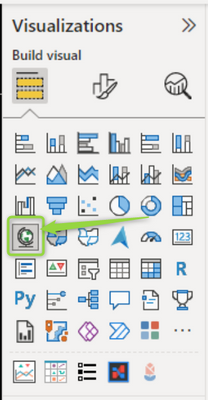
if you are using the Map 


onurbmiguel__0-1660856085359.png


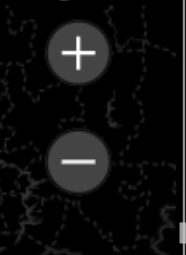
you can enable the zoom buttons: 

onurbmiguel__1-1660856127865.png


onurbmiguel__2-1660856164106.png


Did I answer your question? Mark my post as a solution! Appreciate your Kudos!! ;-
Best Regards
BC


Best regards


Bruno Costa | Super User


Did I help you to answer your question? Accepted my post as a solution! Appreciate your Kudos!! 


Take a look at the blog: PBI Portugal 


Anonymous
Not applicable

Hi BC,


Thanks for your continued assistance.

Unfortunately I don't think we're on the same page.


I have a similar map I made in Google. As you can see in the image below, I searched for Phoenix, AZ and the map zoomed to Phoenix, AZ but still is showing points outside of Phoenix. This is the functionality I am looking for. I understand that Power BI probably isn't going to have a way for me to search via a free text field so I think a slicer would be the best bet.

GMapsExample.png


onurbmiguel_
Power Participant
Power Participant

hello bend1234567


Strange, is your State on the same dimension of the latitude and longitude? how do you have the relationships between these attributes ?


Did I answer your question? Mark my post as a solution! Appreciate your Kudos!! ;-
Best Regards
BC


Best regards


Bruno Costa | Super User


Did I help you to answer your question? Accepted my post as a solution! Appreciate your Kudos!! 


Take a look at the blog: PBI Portugal 


Helpful resources

Announcements
November Power BI Update Carousel

Power BI Monthly Update - November 2025

Check out the November 2025 Power BI update to learn about new features.

Fabric Data Days Carousel

Fabric Data Days

Advance your Data & AI career with 50 days of live learning, contests, hands-on challenges, study groups & certifications and more!

FabCon Atlanta 2026 carousel

FabCon Atlanta 2026

Join us at FabCon Atlanta, March 16-20, for the ultimate Fabric, Power BI, AI and SQL community-led event. Save $200 with code FABCOMM.

Top Solution Authors
Top Kudoed Authors