Hi,
I am needing assistance with enbabling the ability for executive leadership to select, for example Category in a slicer and that slicer filters all rows that contain Category regardless of whether Cateogry is within that Column+Row singularly or amongst a list.
I've tried splitting the columns, unpivoting other columns, removing duplicates - I end up with a Many:Many relationship which skews the rest of the report and simply will not work.
Below is a snippet of the department slicer:
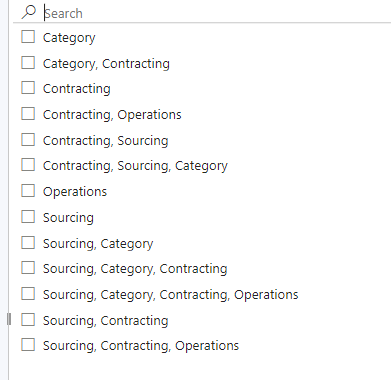
I've enabled the search feature within the slicer and below is what happens when I search for Contracting. As you can see, I then must go and individually select all 9 in order to return all rows that contain Contracting.
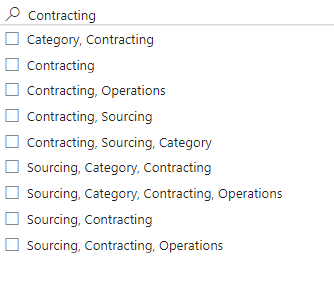
It's the exact same situation with the Stakeholder column - unfortunatley, due to privacy laws, I'm not able to share a snippet of that column. The only difference is that the names are separated by a semicolon. But the same concept applies. If I search for one persons name multiple selections appear like above and I must select all of them in order to return all rows that contain that persons name as a Stakeholder.
Thank you,
Scott


