cancel
Showing results for 
Search instead for 
Did you mean: 

Get Fabric Certified for FREE during Fabric Data Days. Don't miss your chance! Request now

Reply
Anonymous
Not applicable

Grouping in a pie chart to isolate a single category

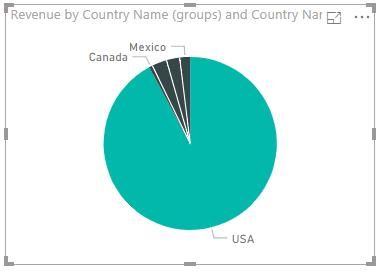
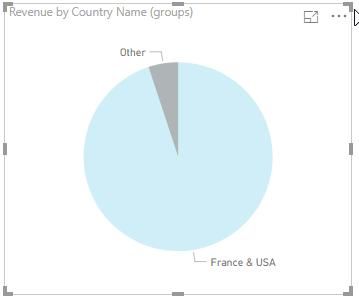
I just watched the Power BI training video on grouping and binning, and saw exactly what I want to do, but grouping works a little differently if you only group a single category.  The pie chart below reports sales by country.  I want the chart to display USA, and everything else as Other.  It does change the slice colors to all grey, but it keeps the slice lines and country names.  It should be a single slice called "Other".  It behaves correctly if there are two or more members of the group.  Is there a way other than grouping to group?


Thank you,


MIke Grammas

pie.jpgpie.jpg

1 ACCEPTED SOLUTION
dax
Community Support
Community Support

Hi mgrammas,

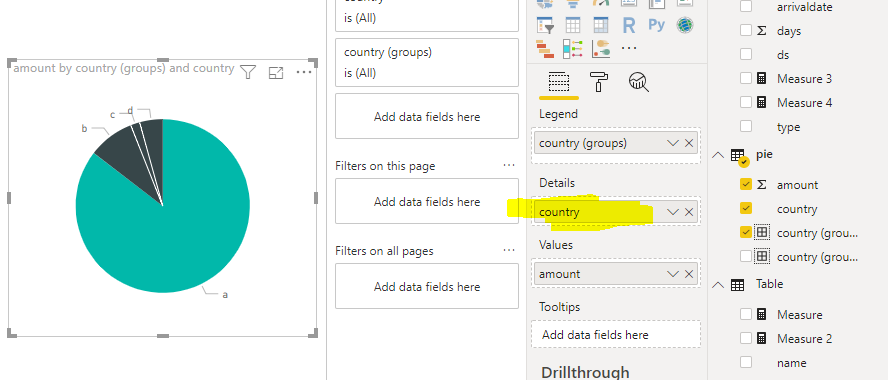
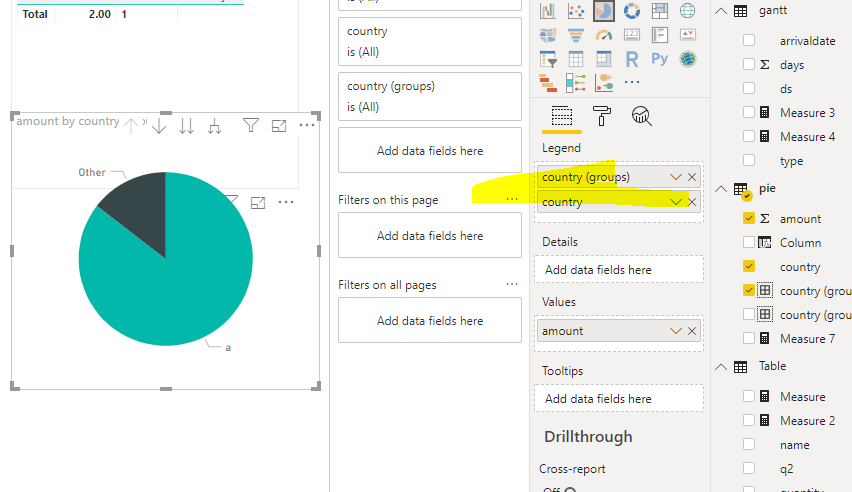
When you add field in legend, it will show like that

156.png

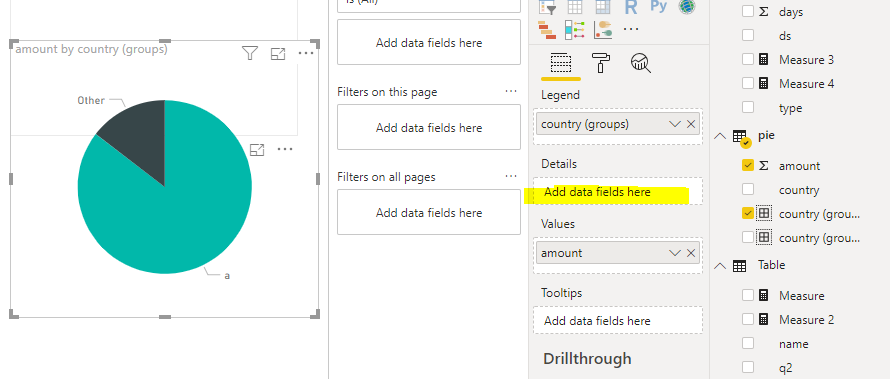
When you delete it , it will show like below

157.png

This is by design

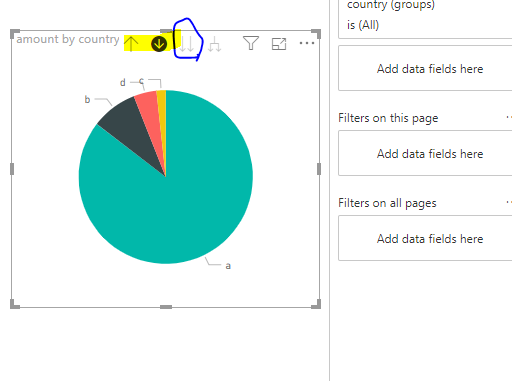
You also could design chart like below

158.png

When you click “do to next level”, it will show like below

159.png

Best Regards,

Zoe Zhi


If this post helps, then please consider Accept it as the solution to help the other members find it more quickly.

View solution in original post

2 REPLIES 2
dax
Community Support
Community Support

Hi mgrammas,

When you add field in legend, it will show like that

156.png

When you delete it , it will show like below

157.png

This is by design

You also could design chart like below

158.png

When you click “do to next level”, it will show like below

159.png

Best Regards,

Zoe Zhi


If this post helps, then please consider Accept it as the solution to help the other members find it more quickly.

Anonymous
Not applicable

dax,


That worked for me, but it isn't obvious to me why it works.  That's okay, it will hit me some day.  I am just beginning my Power BI journey.


Mike

Helpful resources

Announcements
November Power BI Update Carousel

Power BI Monthly Update - November 2025

Check out the November 2025 Power BI update to learn about new features.

Fabric Data Days Carousel

Fabric Data Days

Advance your Data & AI career with 50 days of live learning, contests, hands-on challenges, study groups & certifications and more!

FabCon Atlanta 2026 carousel

FabCon Atlanta 2026

Join us at FabCon Atlanta, March 16-20, for the ultimate Fabric, Power BI, AI and SQL community-led event. Save $200 with code FABCOMM.

Top Solution Authors
Top Kudoed Authors