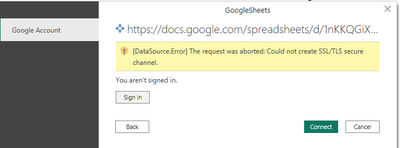
Hi @Anonymous ,
Firstly, please make sure your google account has access to your data source.
The Google Sheets connector supports connecting through an organizational (Google) account.
Here are some limitations and considerations when using the Google Sheets connector.
Shared drive support
This connector does support connecting to shared drives.
Multiple connections
This connector uses a different ResourcePath for every Google Sheet URL. You'll need to authenticate to every new resource path and URL, but you might not need to sign into Google multiple times if the previous sessions remain active.
Understanding URL parsing
The connector first checks for the signature of the URL, ensuring it starts with https://docs.google.com/spreadsheets/d/. The connector then parses the Google Spreadsheet ID from the URL to include in the Google Sheets API call. The rest of the URL isn't used. Each Google Sheet connection is tied to the submitted URL, which will act as the ResourcePath.
For reference: Google Sheets
Best Regards,
Rico Zhou
If this post helps, then please consider Accept it as the solution to help the other members find it more quickly.