cancel
Showing results for 
Search instead for 
Did you mean: 

The Power BI Data Visualization World Championships is back! Get ahead of the game and start preparing now! Learn more

Reply
Anonymous
Not applicable

Generate json data from web url stored in a table column

Hi,


On my report, I have many URLs such as https://jira.xxx.com/rest/api/2/issues/51557 or 51558, 51559 and so on.

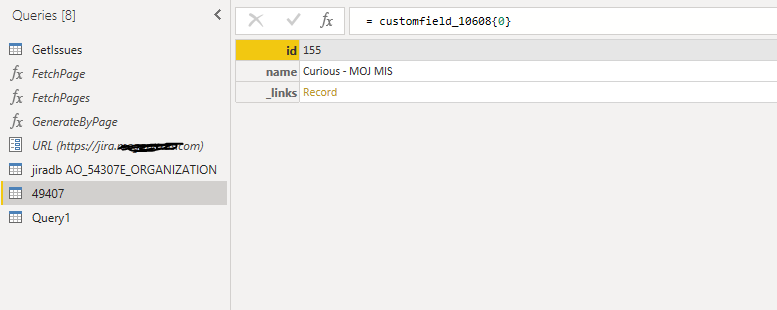
If I copy the URL to Get Data with Json connection, I can convert the value "customfield_10608":[{"id":"155","name":"MOX MIS","_links":{"self":"https://jira.xxx.com/rest/servicedeskapi/organization/155"}}] to a table.


10608.PNG


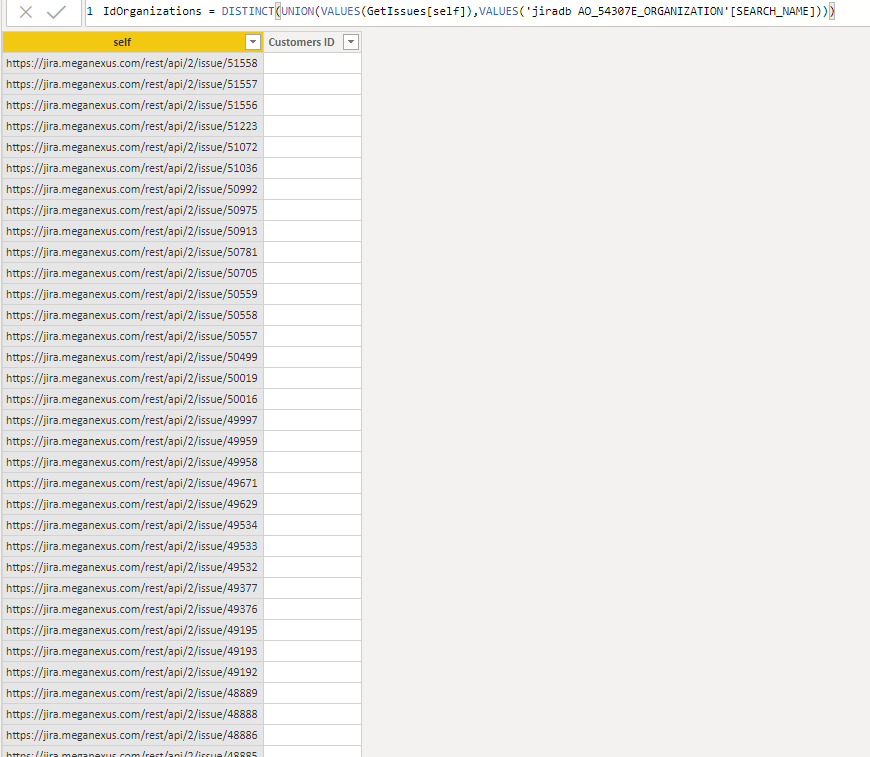
The report already generates a column with all the URLs in 'IdOrganisations[self]', and I am looking to get at least the id number from the customefiled_10608 for each row from the 'self' table and store the id result  ( in this case "id":"155") to another column called Customers ID. 


self.PNG


Please let me know if I explained myself correctly.

Thanks in advance for your help 


2 REPLIES 2
v-frfei-msft
Community Support
Community Support

Hi @Anonymous ,


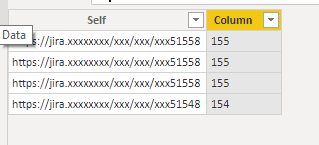
Is that your excepted reuslt? If it doesn't meet your requirement, kindly share your sample data and excepted result to me if you don't have any Confidential Information. Please upload your files to One Drive and share the link here.

Column = 
MID ( 'Table'[Self], LEN ( 'Table'[Self] ) - 3, 3 )

Capture.PNG


Community Support Team _ Frank
If this post helps, then please consider Accept it as the solution to help the others find it more quickly.
Anonymous
Not applicable

Thanks for your reply,

My report is full of confidential data, it is nearly impossible to remove them...

Anyway, I will show you a few examples:


Example 1

[self] column

https://jira.xxx.com/rest/api/2/issue/49407


json data

"customfield_10608":[{"id":"155","name":"Curious - MOX MIS","_links":{"self":"https://jira.xxx.com/rest/servicedeskapi/organization/155"}}]


[Column]

Id 155 (or name Curious - MOX MIS)


Example 2

https://jira.xxx.com/rest/api/2/issue/45442


json data

"customfield_10608":[{"id":"43","name":"West Essex","_links":{"self":"https://jira.xxx.com/rest/servicedeskapi/organization/43"}}]


[Column]

Id 43 (or name West Essex)


Example 3

https://jira.xxx.com/rest/api/2/issue/45421


json data

"customfield_10608":[{"id":"31","name":"RISE","_links":{"self":"https://jira.xxx.com/rest/servicedeskapi/organization/31"}}]


[Column]

Id 31 (or name Rise)


The column self contains the URL for the json data and on the new column, I need the ID customer name or the customer name.

If you need the report file I might able to send you directly without publishing here.

Thanks a lot for your help.


Helpful resources

Announcements
Power BI DataViz World Championships

Power BI Dataviz World Championships

The Power BI Data Visualization World Championships is back! Get ahead of the game and start preparing now!

December 2025 Power BI Update Carousel

Power BI Monthly Update - December 2025

Check out the December 2025 Power BI Holiday Recap!

FabCon Atlanta 2026 carousel

FabCon Atlanta 2026

Join us at FabCon Atlanta, March 16-20, for the ultimate Fabric, Power BI, AI and SQL community-led event. Save $200 with code FABCOMM.