Join us at FabCon Atlanta from March 16 - 20, 2026, for the ultimate Fabric, Power BI, AI and SQL community-led event. Save $200 with code FABCOMM.
Register now!Vote for your favorite vizzies from the Power BI Dataviz World Championship submissions. Vote now!
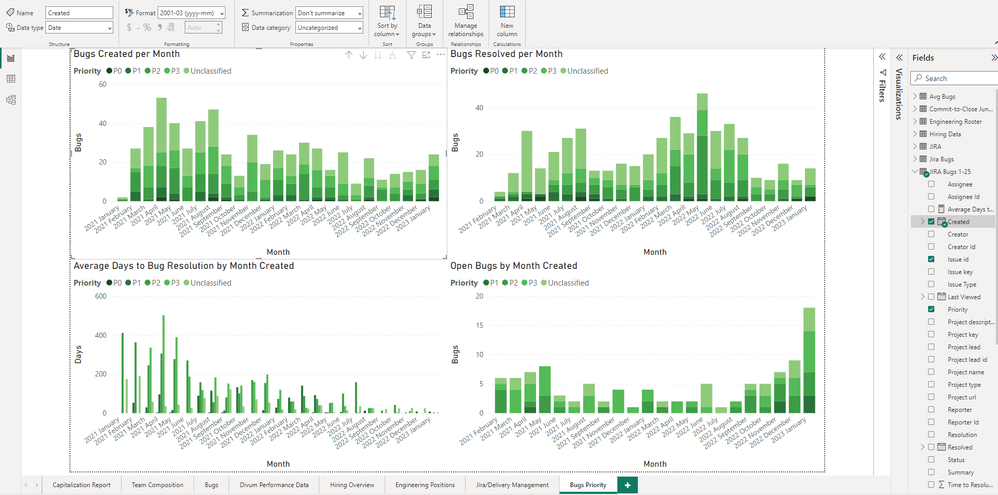
Hi! I'm trying to adjust the date-format for my x-axis, but when I do so it doesn't adjust the display of the date. I've tried restarting the software, opening and closing the file, I just can't get it to work. Can you help? Thanks!
I believe you are using the date heirarchy on your x-axis. This will not use the format you've applied on the columns in the formatting section. You can try right click on the "Created" and use the non-Heirarchy value, or use the FORMAT function to get the text you want. This post on SQLBI might be useful to you: https://www.sqlbi.com/articles/improving-temporal-line-charts-in-power-bi-with-dax/
Hello vicky_,
thanks for helping! I think I get what you're saying. However, because my data has repeated values as well as gaps, PowerBI indicates that I can't turn it into a Date Table. Could you provide advice as how to proceed from here? Thanks again!
Can you create your own date table using CALENDARAUTO()? Create a relationship between that one and the Created field in your data and then use that instead.
Vote for your favorite vizzies from the Power BI World Championship submissions!
If you love stickers, then you will definitely want to check out our Community Sticker Challenge!
Check out the January 2026 Power BI update to learn about new features.
| User | Count |
|---|---|
| 56 | |
| 52 | |
| 45 | |
| 17 | |
| 16 |
| User | Count |
|---|---|
| 108 | |
| 107 | |
| 39 | |
| 33 | |
| 25 |