Join us at FabCon Atlanta from March 16 - 20, 2026, for the ultimate Fabric, Power BI, AI and SQL community-led event. Save $200 with code FABCOMM.
Register now!Get Fabric Certified for FREE during Fabric Data Days. Don't miss your chance! Request now
Hi,
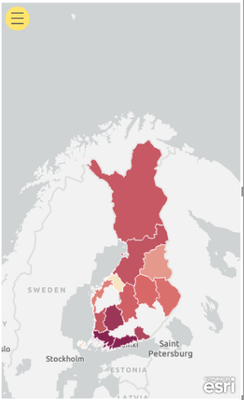
I am trying to visualize some data with ArcGis Maps per region in Finland.
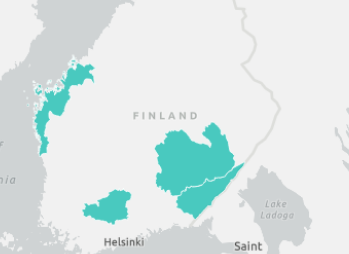
The map is locating most regions nicely, but some are missing.
The missing regions are the only ones containing special characters like "ä", so I'm fairly confindent that those are the root cause.
I am using the "Exact match" option as the "Closest match" option will produce incorrect results.
Tried using English translations with even worse results.
Tried replacing "ä" with "a" & "ae" --> no luck.
Anyone know a solution to this problem?
Thanks!
Missing regions & screenshot:
-Etelä-Pohjanmaa
-Kanta-Häme
-Päijät-Häme
-Etelä-Savo
-Etelä-Karjala
Hi @julle ,
Not certain what did your data source look like. Based on my test, if just use these regions as locations, the map would show it correctly.
Maybe you can consider sharing a sample file without any sesentive information for further discussion.
Best Regards,
Community Support Team _ Yingjie Li
If this post helps, then please consider Accept it as the solution to help the other members find it more quickly.
Check out the November 2025 Power BI update to learn about new features.
Advance your Data & AI career with 50 days of live learning, contests, hands-on challenges, study groups & certifications and more!