
This time we’re going bigger than ever. Fabric, Power BI, SQL, AI and more. We're covering it all. You won't want to miss it.
Learn moreLevel up your Power BI skills this month - build one visual each week and tell better stories with data! Get started
Hey guys,
I've apparently not found a similar post and kind of been banging my head against the wall about this.
What am I trying to accomplish?
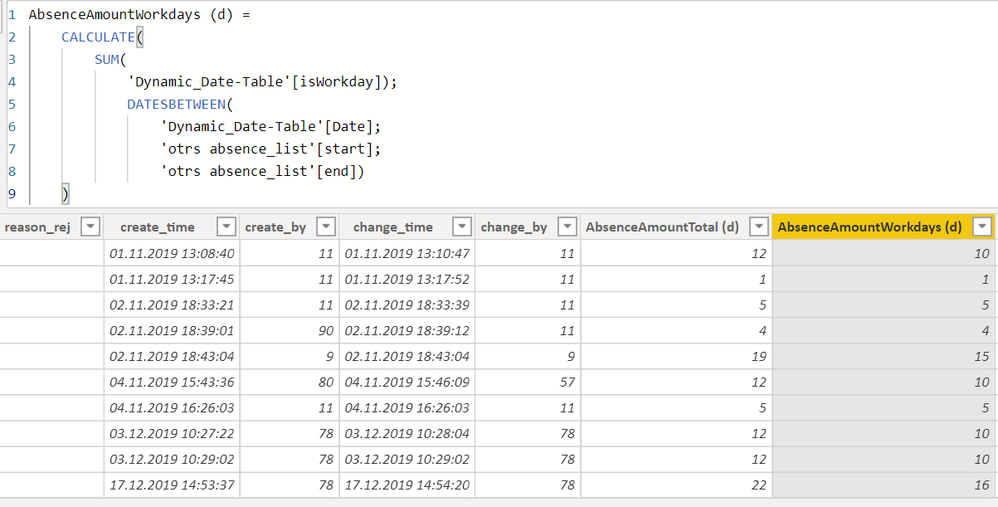
How have I been trying to solve this?
I hope this was not too complicated in explaination, dont know how to solve this at all anymore.
Screenshots:
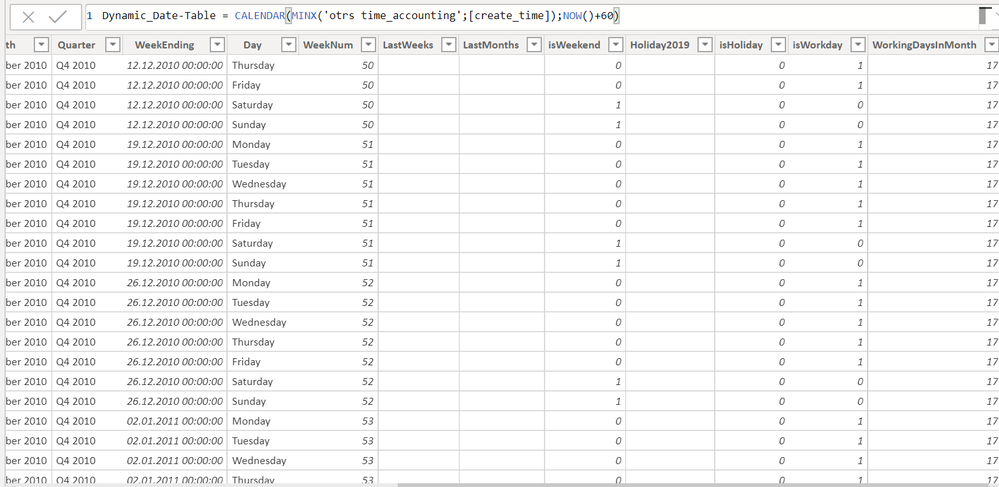
DimDates
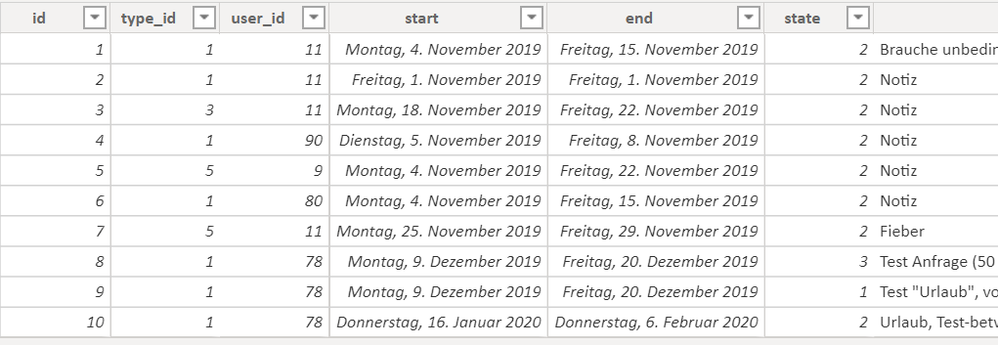
absence_list
Solved! Go to Solution.
Hello,
Generally when I have date intervals of any kind I always try to expand them:Starting table
Add a column for the duration:[End]-[Start]
Then add a list of dates dependant on the start end and duration:
List.Dates([Start],[Duration]+1,#duration(1, 0, 0, 0))
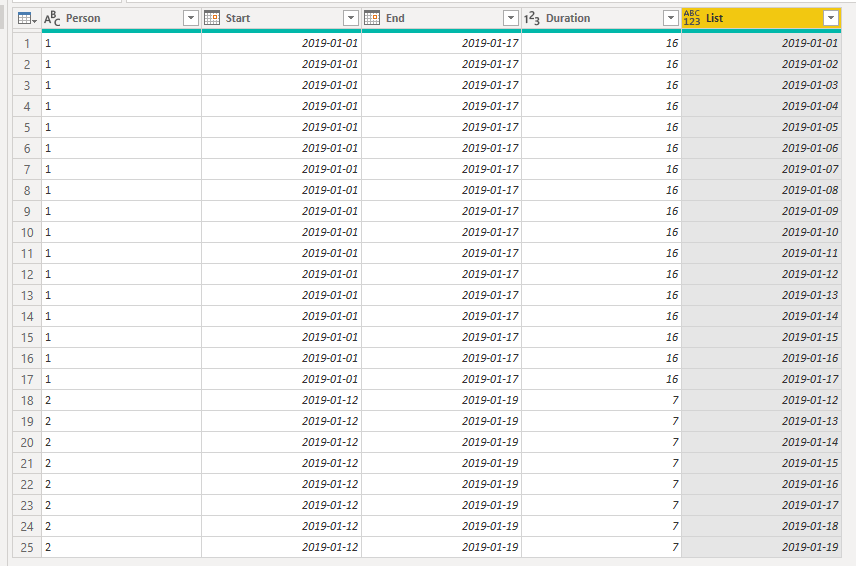
Expand the list and you have a row for each day of each interval:
By taking this approach you should always get the exact number of days as each row can be individually counted!
Hope this helps!
Br,
J
Hello,
Generally when I have date intervals of any kind I always try to expand them:Starting table
Add a column for the duration:[End]-[Start]
Then add a list of dates dependant on the start end and duration:
List.Dates([Start],[Duration]+1,#duration(1, 0, 0, 0))
Expand the list and you have a row for each day of each interval:
By taking this approach you should always get the exact number of days as each row can be individually counted!
Hope this helps!
Br,
J
Thank you very much!
I'll mark as solution as soon as I've tested out!
Check out the April 2026 Power BI update to learn about new features.
Sign up to receive a private message when registration opens and key events begin.
If you have recently started exploring Fabric, we'd love to hear how it's going. Your feedback can help with product improvements.
| User | Count |
|---|---|
| 36 | |
| 33 | |
| 26 | |
| 24 | |
| 17 |
| User | Count |
|---|---|
| 67 | |
| 49 | |
| 32 | |
| 27 | |
| 22 |