cancel
Showing results for 
Search instead for 
Did you mean: 

Get Fabric Certified for FREE during Fabric Data Days. Don't miss your chance! Request now

Reply
jurbano
Regular Visitor

Field Value Missing Maps

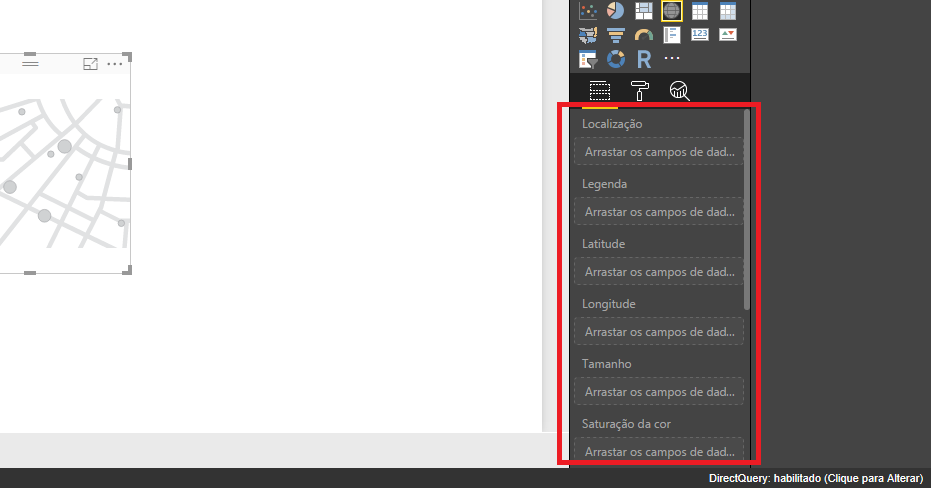
In my power bi desktop and web, my maps not have a field value.


powerbi.png

1 ACCEPTED SOLUTION

Hi jurbano,


There is no Value field under the Map visuals.

Power BI integrates with Bing to provide default map coordinates (a process called geo-coding) so it's easier for you to create maps.

To increase the likelihood of correct geo-coding, you can use the following tips:

  1. Use Geo Location Terms
  2. Use a comma to add more context to the geo field
  3. Use specific Latitude and Longitude

For detailed steps, please check:

Tips and Tricks for Power BI Map visualizations

How to Use Map Visualizations

If any further help needed, please feel free to post back.

Regards

View solution in original post

4 REPLIES 4
Greg_Deckler
Community Champion
Community Champion

It looks for all the world that you do not have any data in your data model. The right-most pane should have a list of tables and columns in it that you pick from in order to populate the fields in the area you have highlighted.


Follow on LinkedIn
@ me in replies or I'll lose your thread!!!
Instead of a Kudo, please vote for this idea
Become an expert!: Enterprise DNA
External Tools: MSHGQM
YouTube Channel!: Microsoft Hates Greg
Latest book!:
DAX For Humans

DAX is easy, CALCULATE makes DAX hard...

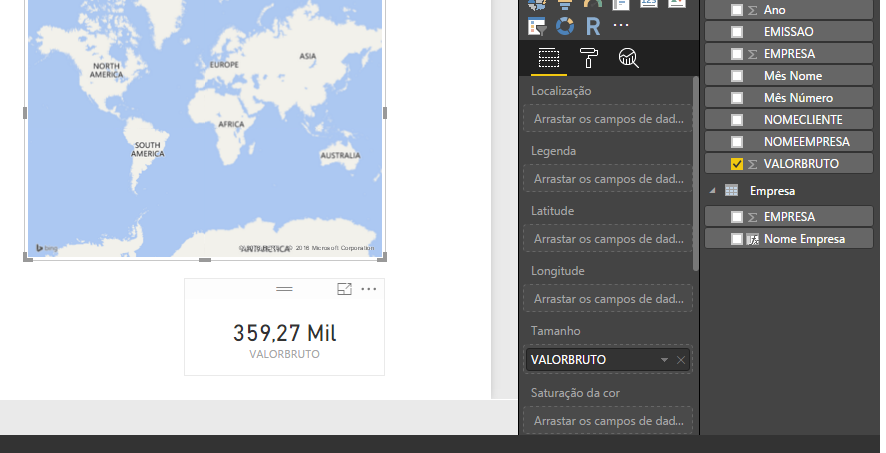
See with data

powerbi2.png

Hi jurbano,


There is no Value field under the Map visuals.

Power BI integrates with Bing to provide default map coordinates (a process called geo-coding) so it's easier for you to create maps.

To increase the likelihood of correct geo-coding, you can use the following tips:

  1. Use Geo Location Terms
  2. Use a comma to add more context to the geo field
  3. Use specific Latitude and Longitude

For detailed steps, please check:

Tips and Tricks for Power BI Map visualizations

How to Use Map Visualizations

If any further help needed, please feel free to post back.

Regards

Helpful resources

Announcements
November Power BI Update Carousel

Power BI Monthly Update - November 2025

Check out the November 2025 Power BI update to learn about new features.

Fabric Data Days Carousel

Fabric Data Days

Advance your Data & AI career with 50 days of live learning, contests, hands-on challenges, study groups & certifications and more!

FabCon Atlanta 2026 carousel

FabCon Atlanta 2026

Join us at FabCon Atlanta, March 16-20, for the ultimate Fabric, Power BI, AI and SQL community-led event. Save $200 with code FABCOMM.

Top Solution Authors
Top Kudoed Authors