Join us at FabCon Atlanta from March 16 - 20, 2026, for the ultimate Fabric, Power BI, AI and SQL community-led event. Save $200 with code FABCOMM.
Register now!The Power BI Data Visualization World Championships is back! Get ahead of the game and start preparing now! Learn more
Hi Experts,
I have a dashboard, the data is populated in the dashboard by stored procedure (SP). SP contains 3 parameters which need to pass ‘Store Code’,’Date1’,’Date 2’
Is it possible to execute SP on-demand in power bi by giving an option to users to click the button and execute the SP?? Or is there way to handle this problem.
Solved! Go to Solution.
Hi @PSan1979 ,
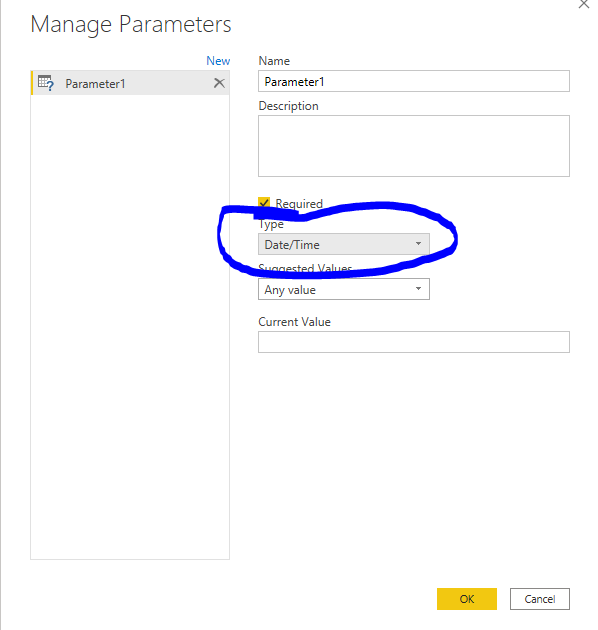
Would you please check if the data type of parameter is the same as it in the sql database?
If this post helps, then please consider Accept it as the solution to help the other members find it more quickly.
Best Regards,
Dedmon Dai
Hi @PSan1979 ,
Would you please check if the data type of parameter is the same as it in the sql database?
If this post helps, then please consider Accept it as the solution to help the other members find it more quickly.
Best Regards,
Dedmon Dai
@amitchandak getting an error
DataSource.Error: Microsoft SQL: Error converting data type varchar to datetime.
Details:
DataSourceKind=SQL
DataSourcePath=desktop-tjk1uhp\san; Test
Message=Error converting data type varchar to datetime.
ErrorCode=-2146232060
Number=8114
Class=16
@PSan1979 , refer this old thread
https://community.powerbi.com/t5/Desktop/Use-SQL-Store-Procedure-in-Power-BI/td-p/20269
@amitchandak User to pass parameters (‘Store Code’,’Date1’,’Date 2’) based on the user input we need to execute the SP and fetch data
Check out the November 2025 Power BI update to learn about new features.
Advance your Data & AI career with 50 days of live learning, contests, hands-on challenges, study groups & certifications and more!
| User | Count |
|---|---|
| 58 | |
| 43 | |
| 41 | |
| 23 | |
| 17 |
| User | Count |
|---|---|
| 188 | |
| 118 | |
| 96 | |
| 64 | |
| 45 |