Join us at FabCon Atlanta from March 16 - 20, 2026, for the ultimate Fabric, Power BI, AI and SQL community-led event. Save $200 with code FABCOMM.
Register now!The Power BI Data Visualization World Championships is back! It's time to submit your entry. Live now!
Hi All,
I currently have an excel datasheet that holds various data, one of the columns holds ID numbers but all of these numbers are hyperlinks to PDF's located in my SharePoint.
When I upload to Power BI via the web import function I can no longer see these hyperlinks.
Is it possible to upload these into Power BI?
Cheers,
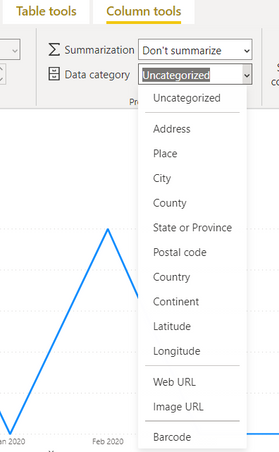
@Anonymous You can show hyerplinks in powerbi. Change the data category to Web-URL in the power bi desktop. These links should be able to take the users to the PDF links
Proud to be a Super User!
@negi007 thanks for your response.
I have put the URL column in a table and changed the column 'data category' to web URL but nothing has changed and nothing is clickable.
Any tips?
Cheers
Hi , @Anonymous
Nothing is clickable in data view ,even you changed the column 'data category' to web URL.
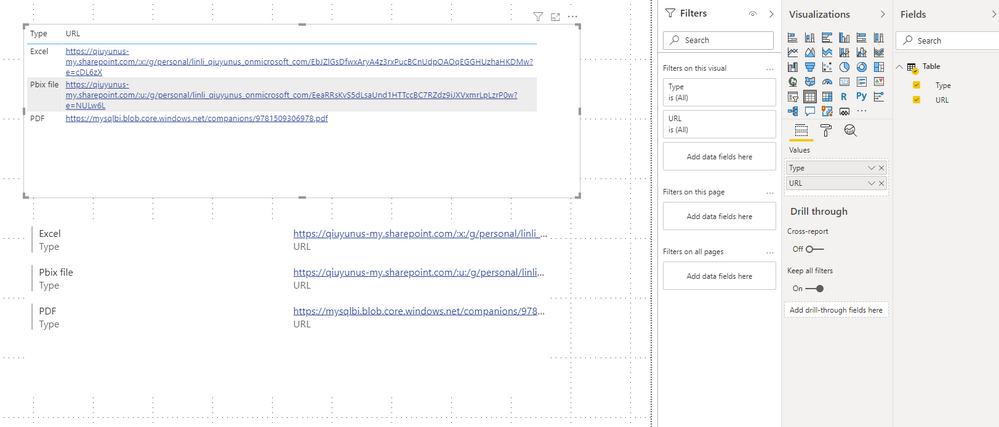
You need to apply the column field to create a visualization (table,matrix....) in report view .
For more detail,please check the attached file and this document
Best Regards,
Community Support Team _ Eason
If this post helps, then please consider Accept it as the solution to help the other members find it more quickly.
The Power BI Data Visualization World Championships is back! It's time to submit your entry.
Check out the January 2026 Power BI update to learn about new features.
| User | Count |
|---|---|
| 61 | |
| 48 | |
| 35 | |
| 25 | |
| 23 |
| User | Count |
|---|---|
| 134 | |
| 110 | |
| 59 | |
| 39 | |
| 32 |