Join us at FabCon Atlanta from March 16 - 20, 2026, for the ultimate Fabric, Power BI, AI and SQL community-led event. Save $200 with code FABCOMM.
Register now!The Power BI Data Visualization World Championships is back! Get ahead of the game and start preparing now! Learn more
Dear colleagues,
We use Power BI Desktop and don`t have troubles getting data from our database via xls-file (around 10 sheets) and than upload data to Power BI.
But when we try to get data directry via SQL Server using the same sets from xls-file (ip-adress, port, password), we see only one empty table. What is a problem?
Thank you,
What do you mean "get data directory via SQL Server"?
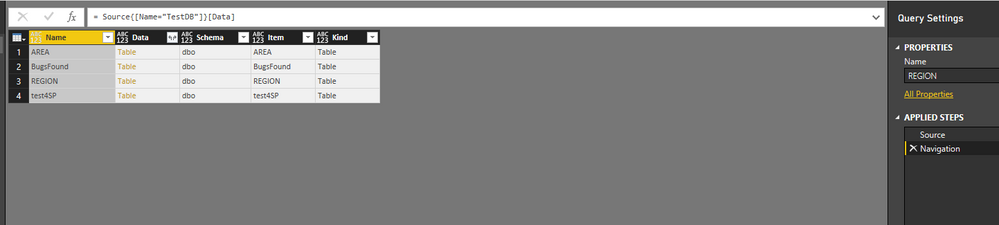
If you directly connect SQL Server in Power BI Desktop, you should be able to see the all tables under databases with schema info in Navigation step.
Regards,
The Power BI Data Visualization World Championships is back! Get ahead of the game and start preparing now!
Check out the November 2025 Power BI update to learn about new features.
| User | Count |
|---|---|
| 66 | |
| 44 | |
| 40 | |
| 29 | |
| 19 |
| User | Count |
|---|---|
| 200 | |
| 129 | |
| 102 | |
| 72 | |
| 56 |