cancel
Showing results for 
Search instead for 
Did you mean: 

Get Fabric Certified for FREE during Fabric Data Days. Don't miss your chance! Request now

Reply
shavora
New Member

Emojis showing up as squares

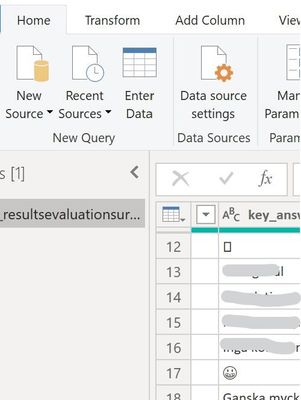
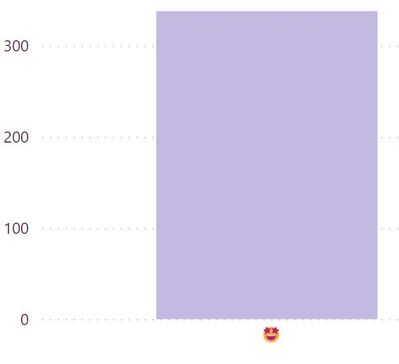
I have a dataset which includes emojis. It is a survey to measure satisfaction. Some of the emojis shows up as squares or unrecognizeable characters in Power Bi in the transform data view. When I create it the only one that appears is the heart-eyed emoji, the other ones are missing.


Screenshot 2022-11-08 114250.jpg

Screenshot 2022-11-08 114728.jpg

 I'd like to solve this somehow. What do I do?


1 ACCEPTED SOLUTION
Anonymous
Not applicable

Hi @shavora ,

Yes, it might be (in the dataverse table I will not be able to see them as emojis anymore). Instead of change the emoji in the flow, you can consider to add another new column in the dataverse side with Unicode values that will be used to make it possible to display emojis in Power BI.

Best Regards

View solution in original post

3 REPLIES 3
Anonymous
Not applicable

Hi @shavora ,

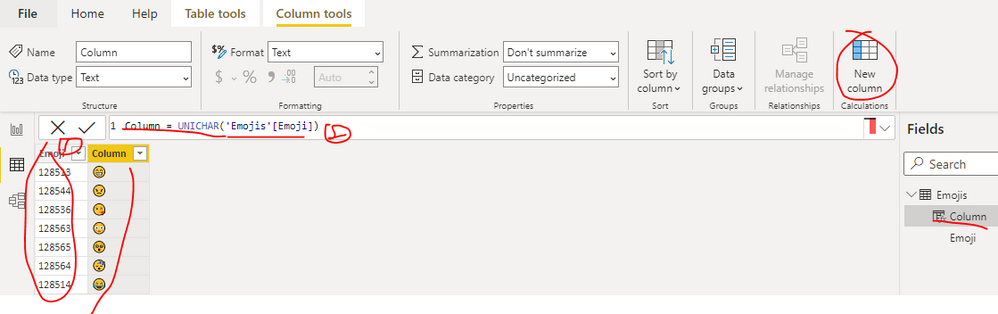
What data source you are connecting to? What the field including the emojis looks like? You can consider changing the field values to unicode values which can be identified by Power BI first, then create a calculated column as below to get the emoji. You can find the details in the attachment.


Column = UNICHAR('Emojis'[Emoji]) 


yingyinr_0-1667977236777.png

How to Add Emojis to a Power BI Report

Best Regards

Hi, thanks for replying. It is a dataverse column, text column. Sometimes it contains text and sometimes these emojis. If I change in the flow and make a Replace for the emoji to become unicode, in the dataverse table I will not be able to see them as emojis anymore right?

Anonymous
Not applicable

Hi @shavora ,

Yes, it might be (in the dataverse table I will not be able to see them as emojis anymore). Instead of change the emoji in the flow, you can consider to add another new column in the dataverse side with Unicode values that will be used to make it possible to display emojis in Power BI.

Best Regards

Helpful resources

Announcements
November Power BI Update Carousel

Power BI Monthly Update - November 2025

Check out the November 2025 Power BI update to learn about new features.

Fabric Data Days Carousel

Fabric Data Days

Advance your Data & AI career with 50 days of live learning, contests, hands-on challenges, study groups & certifications and more!

FabCon Atlanta 2026 carousel

FabCon Atlanta 2026

Join us at FabCon Atlanta, March 16-20, for the ultimate Fabric, Power BI, AI and SQL community-led event. Save $200 with code FABCOMM.

Top Solution Authors
Top Kudoed Authors