Hi,
I am using Power BI desktop Version: 2.91.701.0 64-bit (March 2021) and have tried direct query to two remote datasets. For example, dataset A (workspace X) and dataset B (workspace Y). I have noticed that the relationship between the datasets disappear as soon as I switch the data source for dataset A from workspace X to workspace Z.
Please note that dataset A in the workspace X is identical to the dataset A in the workspace Z. The reason we have published it twice in two different workspaces is due to the deployment life cycle process (development to production). So the workspace X is our development workspace and the workspace Z is the production one.
I tested the relationship between the dataset A and dataset B (both getting data from development workspace dataflows). I then tried to edit data source setting for dataset A to point to the production workspace. All the relationship settings that I had made between the datasets previously were gone.
Below is the relationship settings I had before changing the data source for dataset A marked by red colour.
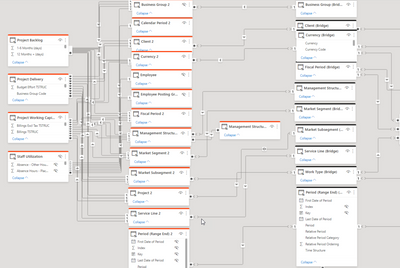
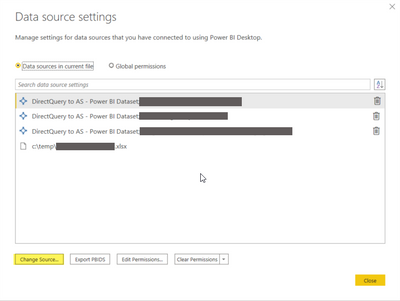
I then used the Data source setting window to pick the production dataset.
After changing the data source, previous relationships missing as shown below.

I would appreciate if this issue is fixed in the GA of the composite models.


