cancel
Showing results for 
Search instead for 
Did you mean: 

Join the FabCon + SQLCon recap series. Up next: Power BI, Real-Time Intelligence, IQ and AI, and Data Factory take center stage. All sessions are available on-demand after the live show. Register now

Reply
Anonymous
Not applicable

Dynamic parametric calculated column

Hello, I have been working in Tableau and I can't find a way to do a quite useful functionality in Power BI. 


The help I need is the following:

I want to make a calculated column in Power BI which in turn is based on a list of paremeters. I need this parameter list to be able to be used as a slicer.


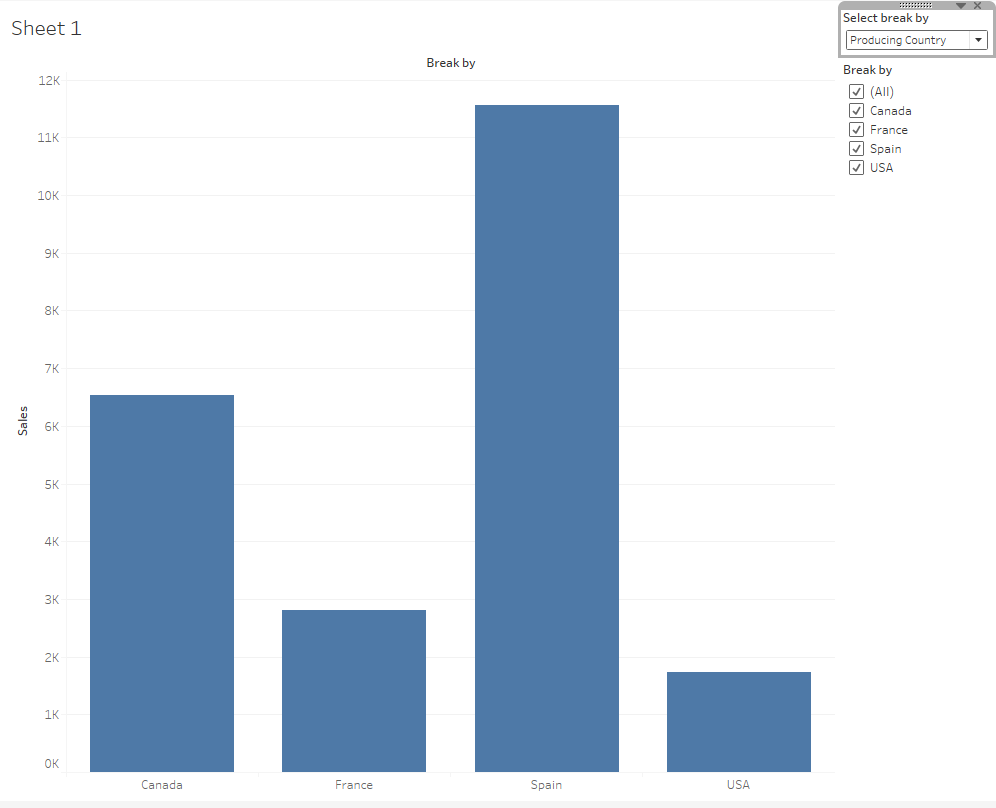
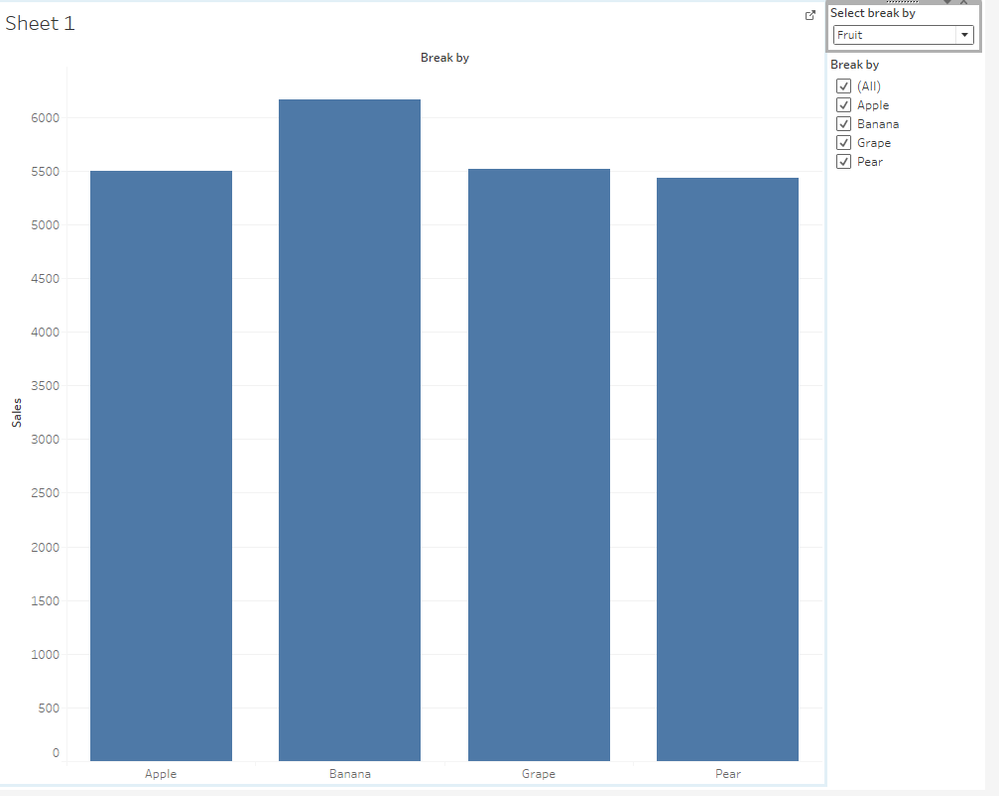
Example: If I select "Fruit" in my slicer, the calculated column shall be populated with the values from the original "Fruit" column. If "Country" is selected in the slicer, the calculated column shall be populated with the values from the original "Country" column... and so on.

This dynamic way of populate a calculated column (at least as I do i Tableau) makes a powerful way for the end user to use the report as an analyzing tool. I need only one vizualisation instead of multiple pages/vizualisations


Is there a way to do this calculated paremtric column and not using the "Query parameters" which is useless for the ned user?


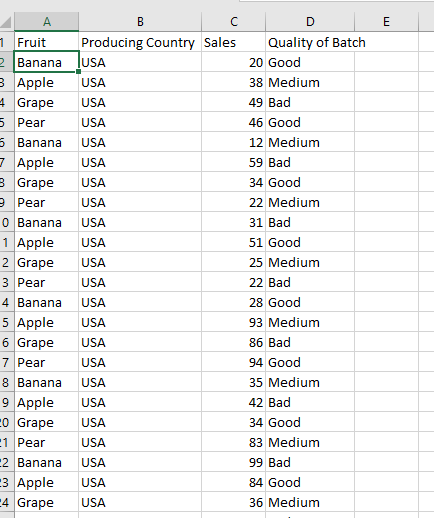
The example in photos are the sales, which in turn is breaked withinthe different attributes (fruit, Country, batch quality) when I use my longed after solution in Tableau

Breakby4.PNGBreakby1.PNGBreakby3.PNGBreakby2.PNG

2 REPLIES 2
parry2k
Super User
Super User

@Anonymous there is no direct way to do this, to change X-AXIS dynamically based on selection in the Slicer. There are few posts available which can do to achieve this with DAX technique or you can create bookmarks and based on selection (using buttons), you can switch to different bookmarks.


Subscribe to the @PowerBIHowTo YT channel for an upcoming video on List and Record functions in Power Query!!

Learn Power BI and Fabric - subscribe to our YT channel - Click here: @PowerBIHowTo

If my solution proved useful, I'd be delighted to receive Kudos. When you put effort into asking a question, it's equally thoughtful to acknowledge and give Kudos to the individual who helped you solve the problem. It's a small gesture that shows appreciation and encouragement! ❤


Did I answer your question? Mark my post as a solution. Proud to be a Super User! Appreciate your Kudos 🙂
Feel free to email me with any of your BI needs.

Anonymous
Not applicable

Hello @parry2k , thank you for your response.

Yes, I know bookmarks could be a solution, but it is an ugly and very time demanding solution to manage if there are up to 20-30 things to "break by".

I know as well I can unpivot to get my columns as attributes, but by doing so I would make datasets of original 10s of millions of rows to make my computer break

Helpful resources

Announcements
April Power BI Update Carousel

Power BI Monthly Update - April 2026

Check out the April 2026 Power BI update to learn about new features.

New to Fabric survey Carousel

New to Fabric Survey

If you have recently started exploring Fabric, we'd love to hear how it's going. Your feedback can help with product improvements.

Power BI DataViz World Championships carousel

Power BI DataViz World Championships - June 2026

A new Power BI DataViz World Championship is coming this June! Don't miss out on submitting your entry.

FabCon and SQLCon Highlights Carousel

FabCon &SQLCon Highlights

Experience the highlights from FabCon & SQLCon, available live and on-demand starting April 14th.