Get certified for free when you join Fabric Data Days 2026 and dive into Fabric, Power BI, SQL, AI, and other essential data skills.
Join nowTry your skills in the Power BI Dataviz World Championship! Round one ends June 26. Join now
Hello all.
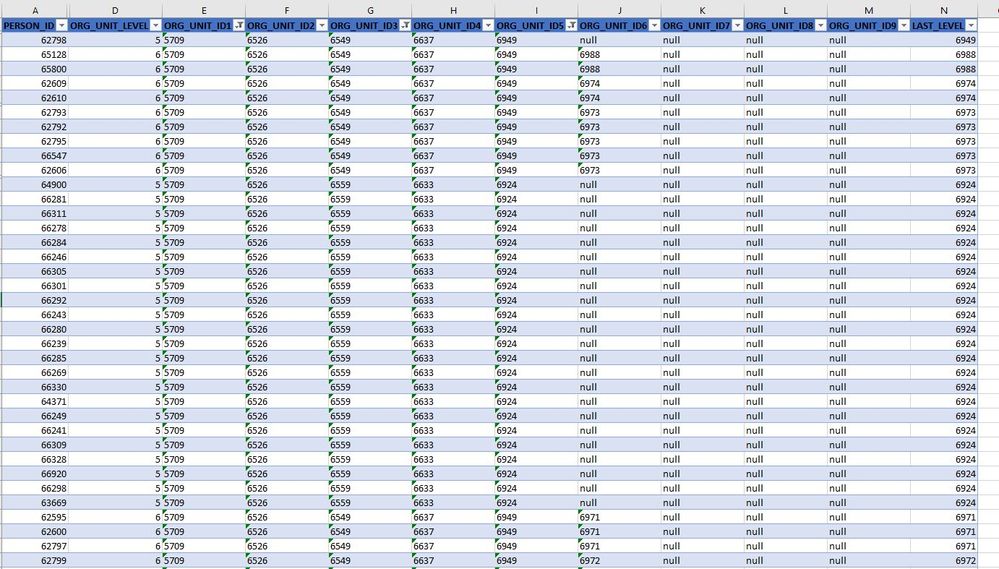
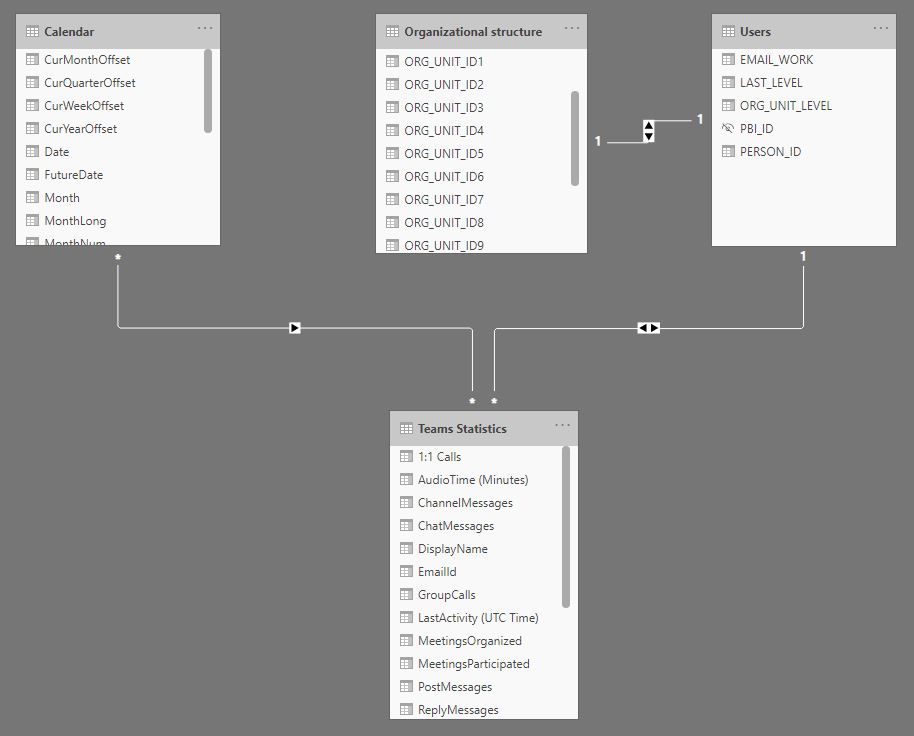
I am trying to implement DRLS without PATH (I have no manager or manager ID info) to filter report based on hierarchical structure (people see statistics only for themselves and people/departments reporting to them). I have 4 tables (see the screenshot). My concern is how to define the role in Manage roles using information from Organizational structure table and if relationships between tables are ok.
Any advice is much appreciated.
Solved! Go to Solution.
Unfortunatelly did not find any solution so used PATH function to implement it.
@Anonymous , refer if one of them can help. MBAS video is helpful.
https://community.powerbi.com/t5/MBAS-Gallery/Microsoft-Power-BI-Unleash-row-level-security-patterns...
https://radacad.com/dynamic-row-level-security-with-organizational-hierarchy-power-bi
https://www.blue-granite.com/blog/using-dynamic-row-level-security-with-organizational-hierarchies
https://docs.microsoft.com/en-us/power-bi/service-admin-rls
https://blog.tallan.com/2018/04/10/row-level-security-in-power-bi-part-1-roles-and-users/
https://radacad.com/what-do-you-need-to-implement-dynamic-row-level-security-in-power-bi
@Anonymous - Not sure if this will help, but see here: https://community.powerbi.com/t5/Quick-Measures-Gallery/Dynamic-Hierarchical-Row-Level-Security/m-p/...
Unfortunatelly (for me), it uses standard PATH example where manager information is present. I was hoping to get some insights if Hierarchical DRLS is possible without PATH, or somehow avoiding manager details.
| User | Count |
|---|---|
| 24 | |
| 22 | |
| 22 | |
| 21 | |
| 13 |
| User | Count |
|---|---|
| 67 | |
| 56 | |
| 45 | |
| 42 | |
| 30 |