cancel
Showing results for 
Search instead for 
Did you mean: 

We've captured the moments from FabCon & SQLCon that everyone is talking about, and we are bringing them to the community, live and on-demand. Starts on April 14th. Register now

Reply
Anonymous
Not applicable

Dynamic Bookmarks

hey guys, I am trying to see reports from many pages in a single page and I am using bookmarks for that. 


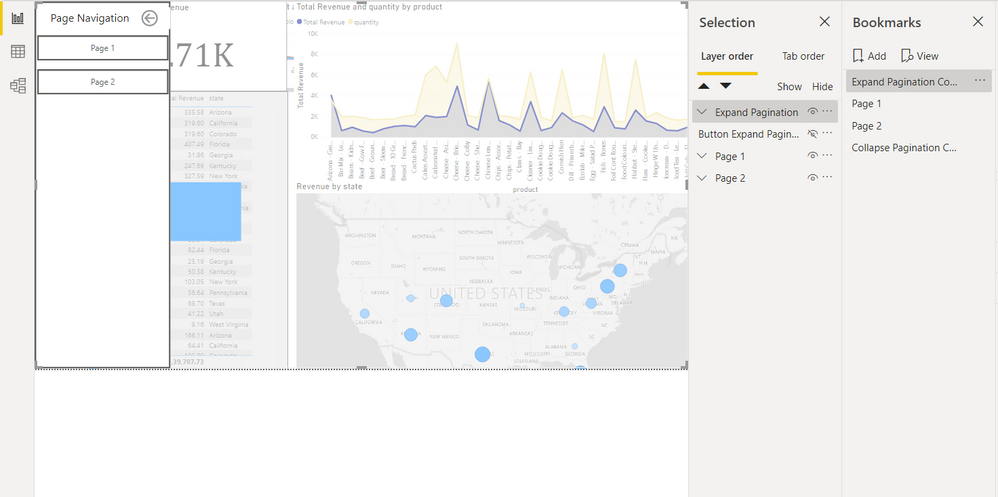
Page Navigation Expanded.png


This is my page navigation expanded bookmark where I have buttons to  around different pages.. 

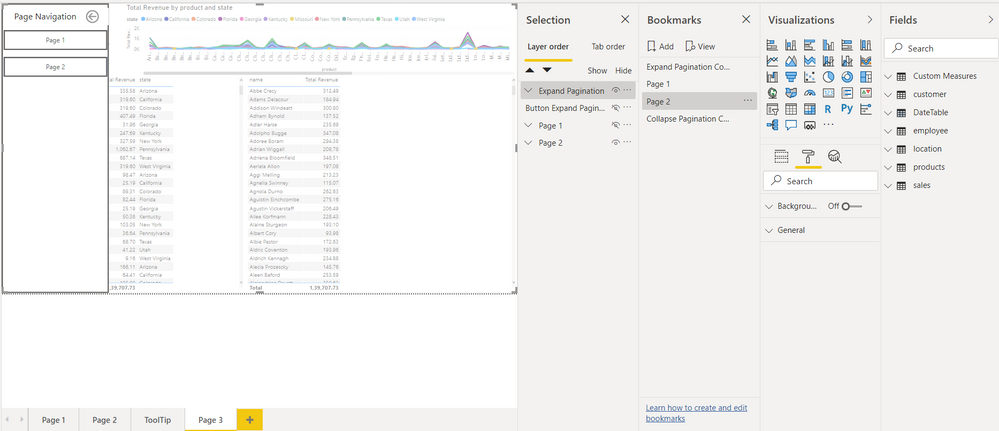
Now, If I select page 2 on the page navigation menu -


Page Navigation page 2 Selected.png


I get my report on Page2 where I have tables and all. 


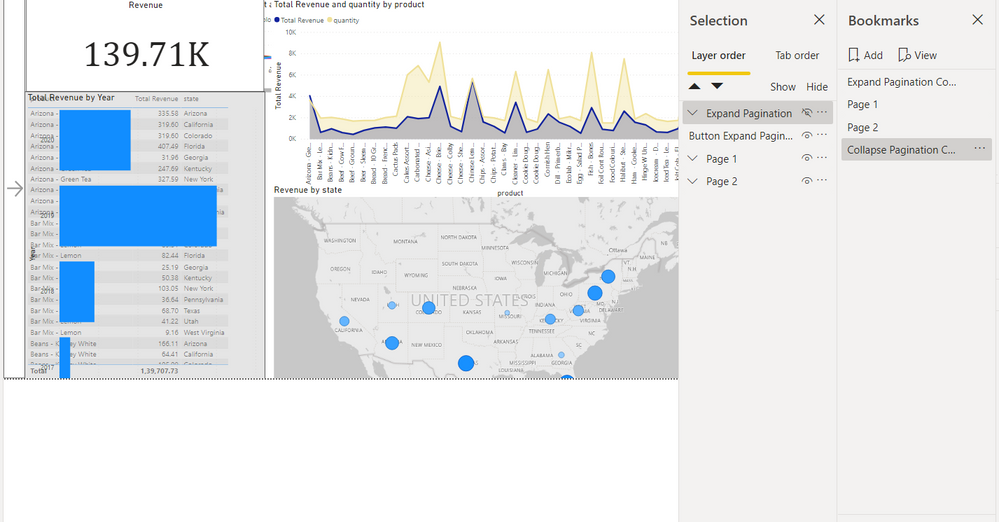
But now when I click on my Collapse button (which should collapse the expanded page navigation menu and also have the selected page) 


Collapse Pagination .png


I am able to hide the Page Navigation menu but I am not able to retain the selected page which is page 2 and not page 1. so, how should I add the selected page dynamically to my bookmark? please help.

1 ACCEPTED SOLUTION
v-lili6-msft
Community Support
Community Support

hi @Anonymous 

You'd better keep all the visual in one page to get it.

see more details as below:

https://radacad.com/bookmarks-and-buttons-making-power-bi-charts-even-more-interactive


Regards,

Lin

Community Support Team _ Lin
If this post helps, then please consider Accept it as the solution to help the other members find it more quickly.

View solution in original post

5 REPLIES 5
MFelix
Super User
Super User

Hi @Anonymous ,


This is related with the expand/colapse bookmark. Bookmark are made looking at a single report page so in this case when you go to the second page you need to add a new bookmark that hide the panel, since you only have one colapse bookmark related to first page you always return to the first page.


This type of setup need to have a copy of expand/colapse by the number of pages so in your case 2 expand and 2 colapse.


Regards

Miguel Félix


Did I answer your question? Mark my post as a solution!

Proud to be a Super User!

Check out my blog: Power BI em Português


v-lili6-msft
Community Support
Community Support

hi @Anonymous 

You'd better keep all the visual in one page to get it.

see more details as below:

https://radacad.com/bookmarks-and-buttons-making-power-bi-charts-even-more-interactive


Regards,

Lin

Community Support Team _ Lin
If this post helps, then please consider Accept it as the solution to help the other members find it more quickly.
amitchandak
Super User
Super User

@Anonymous , the bookmark is saving a state. and will not work across pages. You can sync slicer or you create everything on same page

https://docs.microsoft.com/en-us/power-bi/visuals/power-bi-visualization-slicers#sync-and-use-slicers-on-other-pages


refer

https://www.youtube.com/watch?v=PTOJC42rg_k

https://dataveld.com/2018/04/30/build-collapsible-slicer-pane-power-bi/

Share with Power BI Enthusiasts: Full Power BI Video (20 Hours) YouTube
Microsoft Fabric Series 60+ Videos YouTube
Microsoft Fabric Hindi End to End YouTube
Anonymous
Not applicable

Hi @Anonymous 


With the use of bookmark for page one and two, you have to create visuals on the same page and show and hide as applicable.

Anonymous
Not applicable

Yeah, but I am talking about the collapse button there which is beside my page navigation text box, or do you recommend me to remove the collapse button? 

Helpful resources

Announcements
New to Fabric survey Carousel

New to Fabric Survey

If you have recently started exploring Fabric, we'd love to hear how it's going. Your feedback can help with product improvements.

Power BI DataViz World Championships carousel

Power BI DataViz World Championships - June 2026

A new Power BI DataViz World Championship is coming this June! Don't miss out on submitting your entry.

Join our Fabric User Panel

Join our Fabric User Panel

Share feedback directly with Fabric product managers, participate in targeted research studies and influence the Fabric roadmap.

March Power BI Update Carousel

Power BI Community Update - March 2026

Check out the March 2026 Power BI update to learn about new features.