Join us at FabCon Atlanta from March 16 - 20, 2026, for the ultimate Fabric, Power BI, AI and SQL community-led event. Save $200 with code FABCOMM.
Register now!The Power BI Data Visualization World Championships is back! Get ahead of the game and start preparing now! Learn more
Hey all,
I have an aytpical problem where I am afraid there is not a good solution to, but I figured I would ask. Basically I have to Text Filters on the same page, and would like whatever the typed text is to be duplicated between the two text filters.
I would try to simply combine the tables, or create some relationship, but there is not a 1 to 1, or many to 1 match despite the fact that the same text automatically appearing in a second text filter would get the result I am looking for. Any other creative solutions are also welcome!
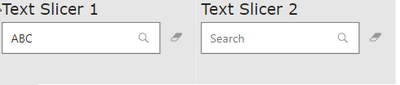
Here is a simple screeenshot, to help you understand: Basically after I typed ABC in text slicer 1, I would like that to automatically be the value in text slicer 2, so the user doesnt have to search the same thing twice.
Thanks for reading my post,
Andrew
Solved! Go to Solution.
Hi @andrewa521 ,
If you can accept the existence of only one slicer, and then filter one slicer to filter the two results, you can refer to the following method:
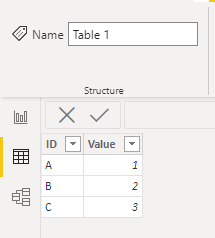
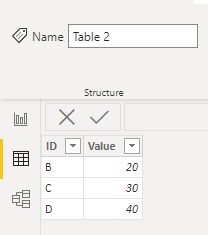
Sample data
Table 1:
Table 2:
Following your explanation, you want text filter 1 to put the ID column of Table 1 and text filter 2 to put the ID column of Table 2. Then Text Filter 1 can sync the entered text to Text Filter 2 after entering the text.
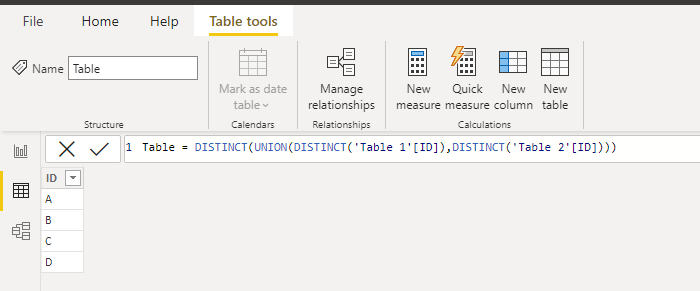
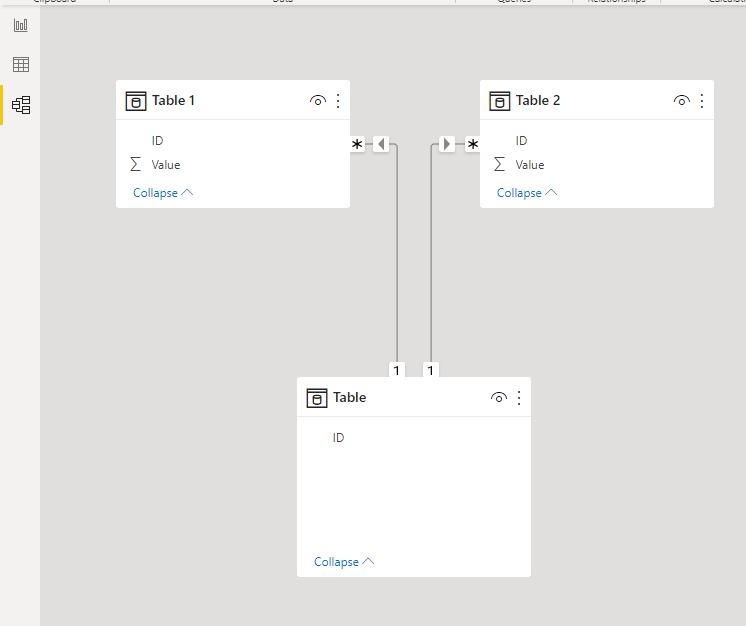
You can create a third table with distinct IDs to solve it.
Third table created using DAX:
Table =
DISTINCT ( UNION ( DISTINCT ( 'Table 1'[ID] ), DISTINCT ( 'Table 2'[ID] ) ) )
Create the relationships.
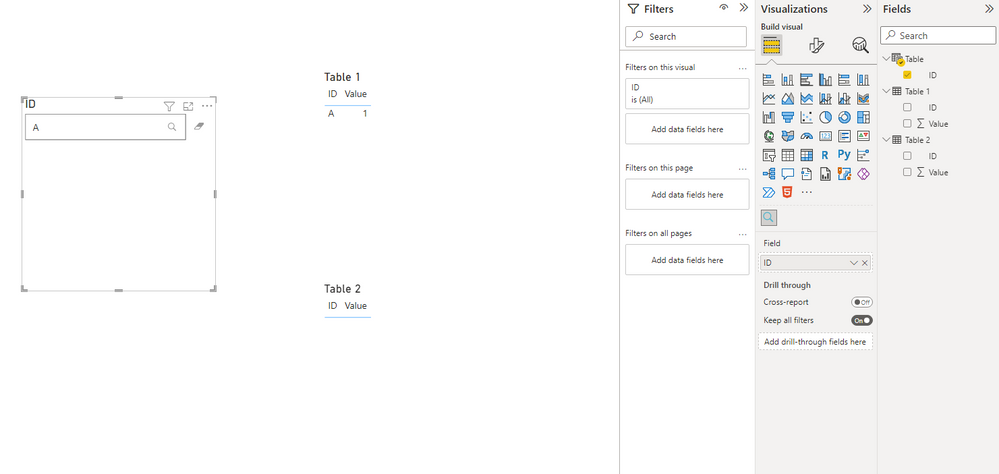
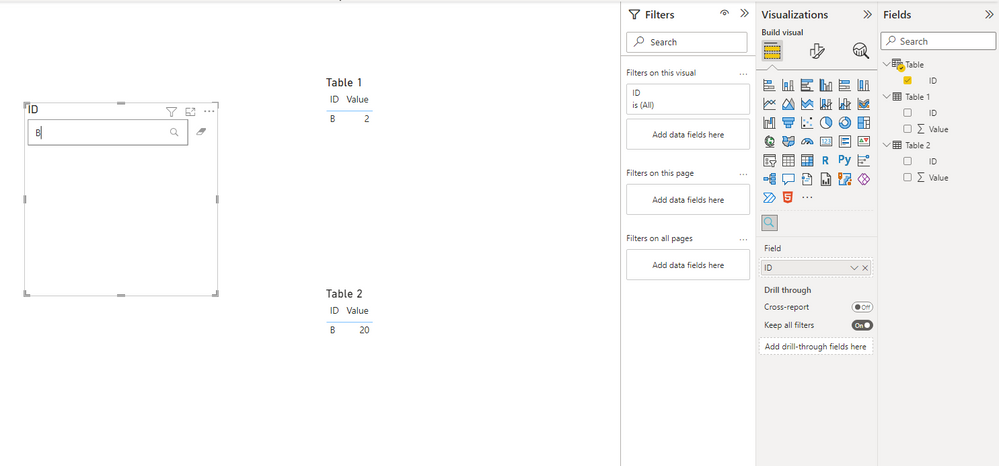
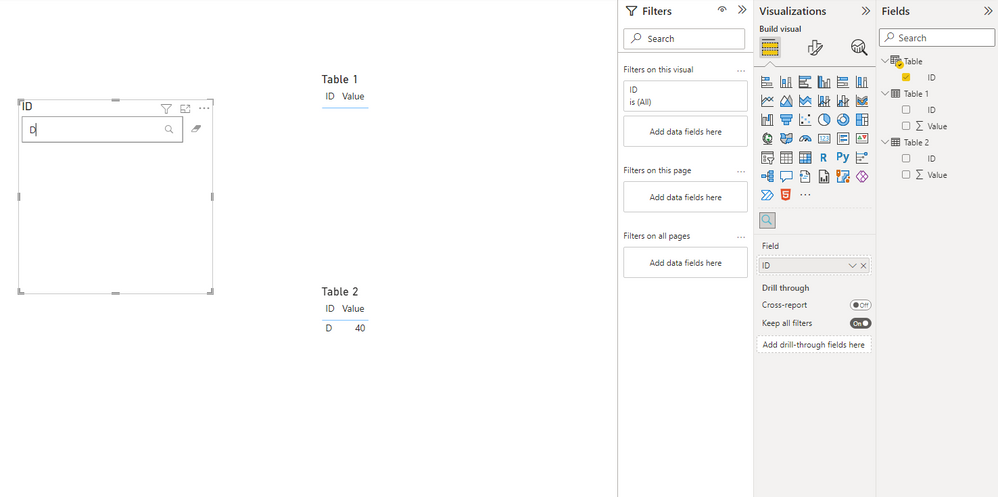
Now you can see the result. The field in the text filter visual is from the third table.
Best Regards,
Stephen Tao
If this post helps, then please consider Accept it as the solution to help the other members find it more quickly.
Hi @andrewa521 ,
If you can accept the existence of only one slicer, and then filter one slicer to filter the two results, you can refer to the following method:
Sample data
Table 1:
Table 2:
Following your explanation, you want text filter 1 to put the ID column of Table 1 and text filter 2 to put the ID column of Table 2. Then Text Filter 1 can sync the entered text to Text Filter 2 after entering the text.
You can create a third table with distinct IDs to solve it.
Third table created using DAX:
Table =
DISTINCT ( UNION ( DISTINCT ( 'Table 1'[ID] ), DISTINCT ( 'Table 2'[ID] ) ) )
Create the relationships.
Now you can see the result. The field in the text filter visual is from the third table.
Best Regards,
Stephen Tao
If this post helps, then please consider Accept it as the solution to help the other members find it more quickly.
Thanks so much, that worked!
The Power BI Data Visualization World Championships is back! Get ahead of the game and start preparing now!
Check out the November 2025 Power BI update to learn about new features.
| User | Count |
|---|---|
| 68 | |
| 46 | |
| 44 | |
| 29 | |
| 20 |
| User | Count |
|---|---|
| 202 | |
| 130 | |
| 102 | |
| 71 | |
| 55 |