Join us at FabCon Atlanta from March 16 - 20, 2026, for the ultimate Fabric, Power BI, AI and SQL community-led event. Save $200 with code FABCOMM.
Register now!Get Fabric Certified for FREE during Fabric Data Days. Don't miss your chance! Request now
Hi
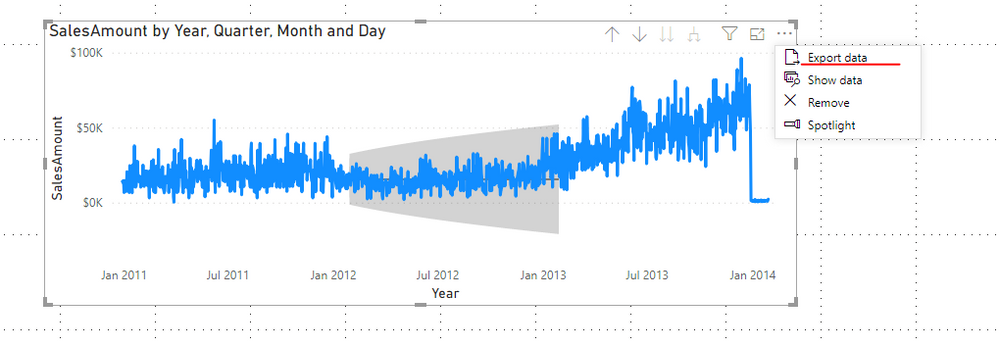
I have used the power BI forecast feature in a line chart to forecast a certain measure based on its past data points. I want to display the forecast values on the dashboard in a tabular form - table/matrix, for ease of viewing.
Currently, the values can be seen by either right clicking and going to "show data" or hovering over the forecast time period. The tabular form will make it easy to refer.
Will appreciate if someone can offer a solution.
Thanks
Hi @Anonymous ,
You can try to export the data on the upper-right corner three dots and re-import it.
Here's a similar post, you can take a look:
https://community.powerbi.com/t5/Desktop/Generate-Forecast-Value-in-a-Table/td-p/107638
Best Regards,
Community Support Team _ Joey
If this post helps, then please consider Accept it as the solution to help the other members find it more quickly.
Check out the November 2025 Power BI update to learn about new features.
Advance your Data & AI career with 50 days of live learning, contests, hands-on challenges, study groups & certifications and more!