Join us at FabCon Atlanta from March 16 - 20, 2026, for the ultimate Fabric, Power BI, AI and SQL community-led event. Save $200 with code FABCOMM.
Register now!The Power BI Data Visualization World Championships is back! Get ahead of the game and start preparing now! Learn more
Hi,
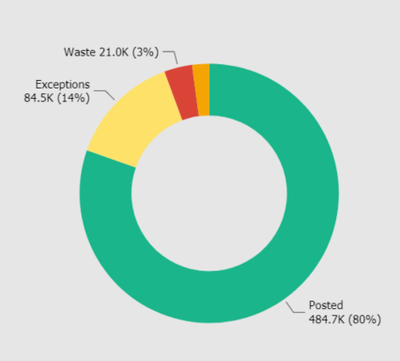
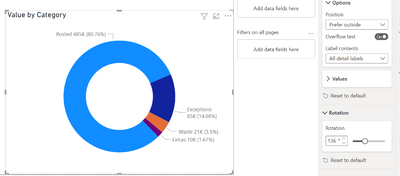
I am having issue regards labels. I would like to have labels outside of the chart, I have selected so, but not all labels are being displayed. Any way to solve it? Since if I am selecting that preferable outside, so Power BI automatically puts the 4th label inside, which look pretty ugly. I would like to have all labels outside of the visual.
Cheers,
Matas
Solved! Go to Solution.
Hi @Matas,
If you play around with the size of the visual and the Rotation of the chart you should be able to get the result you are after.
Hi @Matas,
If you play around with the size of the visual and the Rotation of the chart you should be able to get the result you are after.
The Power BI Data Visualization World Championships is back! Get ahead of the game and start preparing now!
| User | Count |
|---|---|
| 39 | |
| 37 | |
| 33 | |
| 32 | |
| 29 |
| User | Count |
|---|---|
| 133 | |
| 88 | |
| 85 | |
| 68 | |
| 64 |