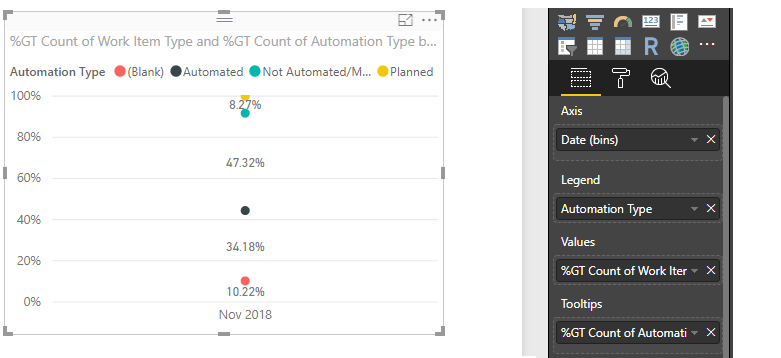
@v-yulgu-msft wrote:
Hi @Anonymous,
To achieve such a dynamical result, you may need to create measures. Please follow this blog to provide some dummy data and show us desired output so that we can test for you.
Best regards,
Yuliana Gu
Hi
here is some table data
| Title | Automated Status | Test Type | Created Date |
| Test 1 | Not Automated | Standard | 1/09/2018 |
| Test 2 | Planned | Regression | 2/09/2018 |
| Test 3 | Automated | Standard | 3/09/2018 |
| Test 4 | Not Automated | Regression | 4/09/2018 |
| Test 5 | Planned | Standard | 5/09/2018 |
| Test 6 | Automated | Regression | 6/09/2018 |
| Test 7 | Not Automated | Standard | 7/09/2018 |
| Test 8 | Planned | Regression | 1/10/2018 |
| Test 9 | Automated | Regression | 2/10/2018 |
| Test 10 | Not Automated | Regression | 3/10/2018 |
| Test 11 | Planned | Standard | 4/10/2018 |
| Test 12 | Automated | Regression | 5/10/2018 |
| Test 13 | Not Automated | Regression | 6/10/2018 |
| Test 14 | Planned | Regression | 7/10/2018 |
| Test 15 | Automated | Standard | 8/10/2018 |
| Test 16 | Not Automated | Regression | 1/11/2018 |
| Test 17 | Planned | Regression | 2/11/2018 |
| Test 18 | Automated | Regression | 3/11/2018 |
| Test 19 | Not Automated | Standard | 4/11/2018 |
| Test 20 | Planned | Regression | 5/11/2018 |
| Test 21 | Automated | Regression | 6/11/2018 |
| Test 22 | Automated | Regression | 7/11/2018 |
my desired output is
| Desired Output | | | |
| | New Regression Tests created per month | Regression Test Running Total per month | Automated Regression Running total per month | Accumulated Automation % (Regresion Status Only) |
| Sep | 3 | 3 | 1 | 33% |
| Oct | 6 | 9 | 3 | 33% |
| Nov | 6 | 15 | 6 | 40% |
New Regression Tests created per month= Count of created regression tests for that month
Regression Test Running Total per month= Running tally of regression tests per month
Automated Regression Running total per month= Running tally of Automated regressin tests per month
Automated Regression Test Running % = Automated Regression Test % per month
i was hoping to really just get the last option of Automated Regression Test Running % per month, so i can just get a trend line graph of the % going up or down of the past year (or specific timeline)
though if i need to do all 4 outputs and put in a new custom table, then happy to do that. was just trying to simplify if possible