
cancel
Showing results for 
Search instead for 
Did you mean: 

The Power BI Data Visualization World Championships is back! Get ahead of the game and start preparing now! Learn more

Reply
Shreeram04
Resolver III
Resolver III

Display Month Name

Hi All,


I want to display the month name on a card that has the largest value in the year. For example, January has a value of 20, Feb has 40 and march has 50 means I want to display march(Month name) on my data card.


Please help me figure out this one. Thanks in advance.

4 REPLIES 4
isabella
Microsoft Employee
Microsoft Employee

Hi @Shreeram04 


I did a local test ,you can take a reference 


Here is my test  table

isabella_0-1656399227480.png


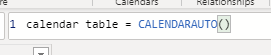
First I created a calendar table

isabella_1-1656399227480.png


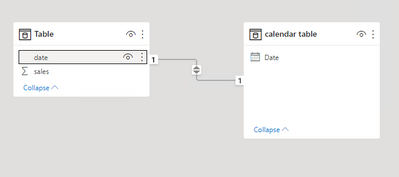
Then create a one-to-one relationship between these two tables

isabella_2-1656399227482.png


Then create another table like this:


month for maxsale = TOPN(1,VALUES('calendar table'[Date].[MonthNo]),CALCULATE(SUM('Table'[sales])))


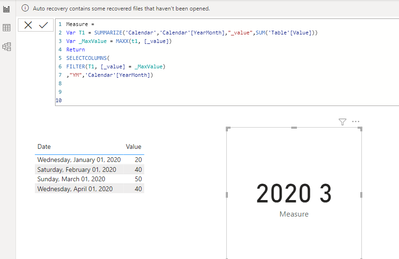
isabella_3-1656399227483.png


We can see that  month 6 has the max sales


Best Regards,

Community Support Team _Isabella

If this post helps, then please consider Accept it as the solution to help the other members find it more quickly.

PC2790
Community Champion
Community Champion

Hey @Shreeram04 ,


Try this:

MaxValueMonth = FIRSTNONBLANK(TOPN(1,VALUES(Table[MonthName]),[measuretogetthemaxvalue]),1)
NickolajJessen
Solution Sage
Solution Sage

Well, your solution may vary, as you provided very little information. I'm making the assumption, that your jan, feb, mar values are summations and i'm making the assumption, that you have a calendar table.

NickolajJessen_0-1655880968199.png


Please refer to this post:
How to Get Your Question Answered Quickly - Microsoft Power BI Community

If this post solves your problem, accept it as a solution
Appreciate your kudos

Anonymous
Not applicable

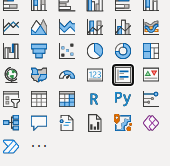
You can do this with Multi-row card visual.

MajeedKhan_0-1655880342978.png


set the values as follows:

MajeedKhan_1-1655880404992.png


Helpful resources

Announcements
Power BI DataViz World Championships

Power BI Dataviz World Championships

The Power BI Data Visualization World Championships is back! Get ahead of the game and start preparing now!

December 2025 Power BI Update Carousel

Power BI Monthly Update - December 2025

Check out the December 2025 Power BI Holiday Recap!

FabCon Atlanta 2026 carousel

FabCon Atlanta 2026

Join us at FabCon Atlanta, March 16-20, for the ultimate Fabric, Power BI, AI and SQL community-led event. Save $200 with code FABCOMM.