cancel
Showing results for 
Search instead for 
Did you mean: 

The Power BI Data Visualization World Championships is back! Get ahead of the game and start preparing now! Learn more

Reply
Rana34
New Member

Designing a report to compare month to month data

Table.jpg

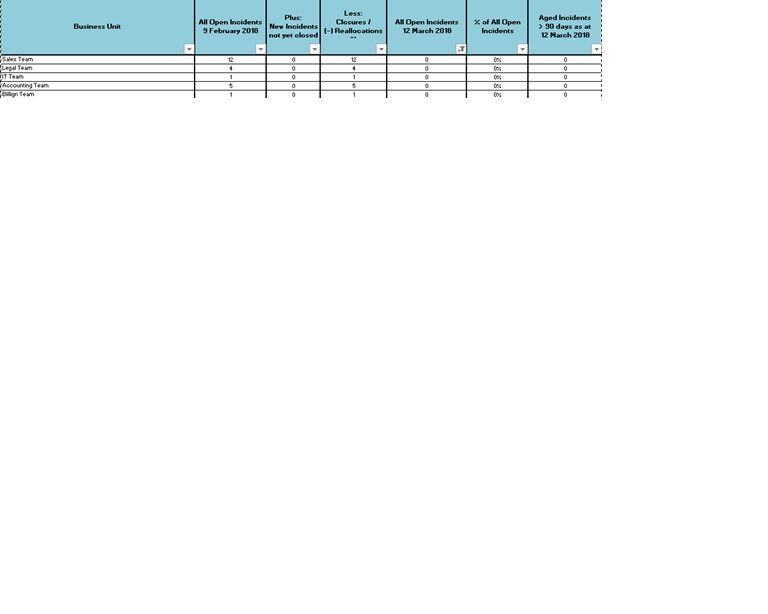
Hi All, I am new to Power BI. I need suggestion how I can create a report which will allow to compare month to month data. The goal is once I have designed the report the raw data will be populated and the report will autometically creat the information. Below is an example of what I want to design.


Thanks


I have incident data from previous month by department. I would like to show how many new incidents by the month and how many are closed from last month.


2 REPLIES 2
v-yuta-msft
Community Support
Community Support

Hi Rana34,


If you want to achieve the total of incident data amount (open, closed) every month, you can simply create a measure using DAX formula like pattern below:


Total =
CALCULATE (
    SUM ( table[incident_data] ),
    FILTER ( ALLEXCEPT ( table, table[month] ), table[status] = "open" )
)

If you have some other requirement or problem, please share some details of your logic and expected result.


Regards,

Jimmy Tao

rajulshah
Resident Rockstar
Resident Rockstar

Hello @Rana34,


You can create measures for the Last Year measure and This Year measure which calculates new incidents of last year and this year respectively.


Then, you can plot months as columns in matrix and your department as rows and your measures as values.


Hope this helps.


Helpful resources

Announcements
Power BI DataViz World Championships

Power BI Dataviz World Championships

The Power BI Data Visualization World Championships is back! Get ahead of the game and start preparing now!

December 2025 Power BI Update Carousel

Power BI Monthly Update - December 2025

Check out the December 2025 Power BI Holiday Recap!

FabCon Atlanta 2026 carousel

FabCon Atlanta 2026

Join us at FabCon Atlanta, March 16-20, for the ultimate Fabric, Power BI, AI and SQL community-led event. Save $200 with code FABCOMM.