Join us at FabCon Atlanta from March 16 - 20, 2026, for the ultimate Fabric, Power BI, AI and SQL community-led event. Save $200 with code FABCOMM.
Register now!The Power BI Data Visualization World Championships is back! Get ahead of the game and start preparing now! Learn more
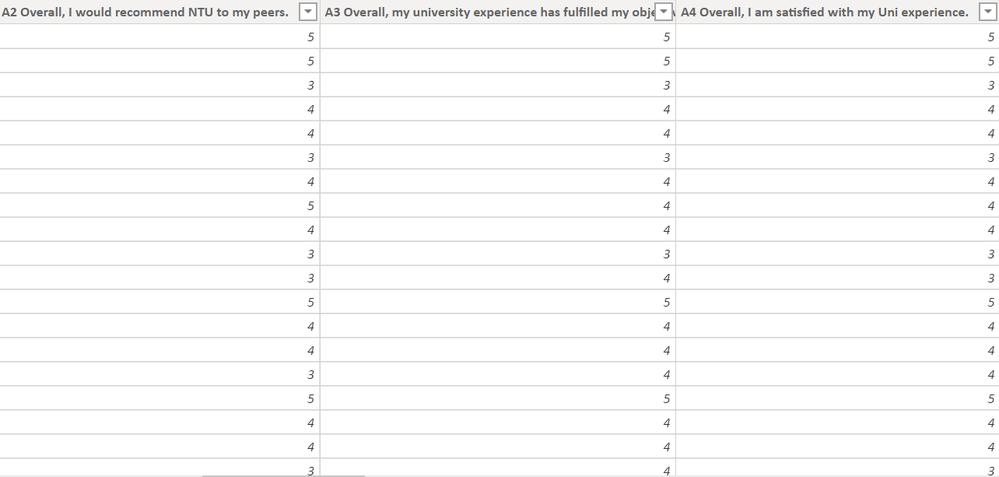
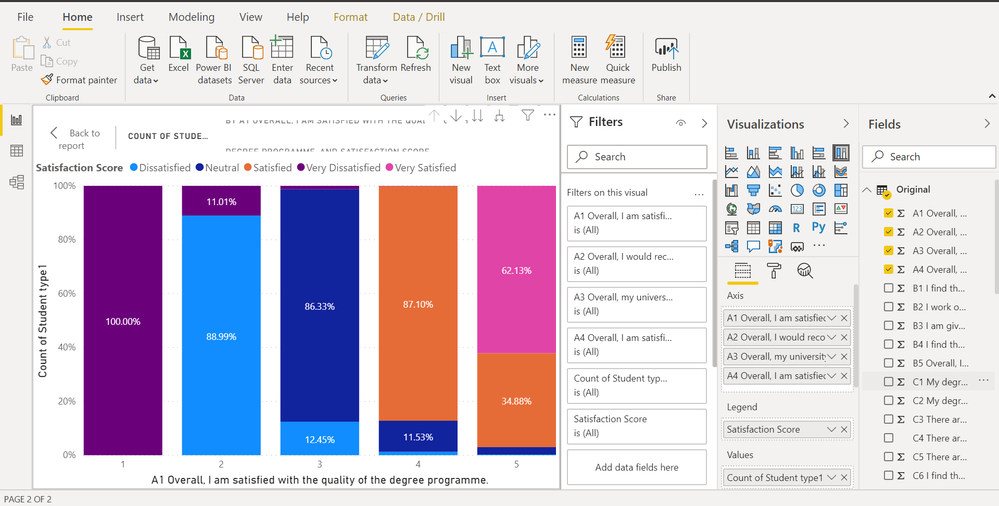
Hi all. I have encountered a problem. Attached is a sample data set and the chart that I get. As you can see the satisfaction score for all the qns are exactly the same. That should not be the case. I suspect it has to do with a problem in my "satisfaction score" column that I created. How i did this was to create a conditional column to define all the "1" in my data as "very dissatisfied" and all the "5" in my data as "very satisfied". Was this where i went wrong and is there a more efficient way to define all the "1" in QA1-A4 as "very dissatisfied" all at once? Many thanks!
Hi @cleolee123
you might consider creating pbix file that will contain some sample data (remove the confidential info), upload the pbix to onedrive for business and share the link to the file. Please do not forget to describe the expected results based on this sample data.
@cleolee123 , seems like you are using 100% stacked bar. Use the 2nd option in the same row and Try. Also, I did not see any attached data.
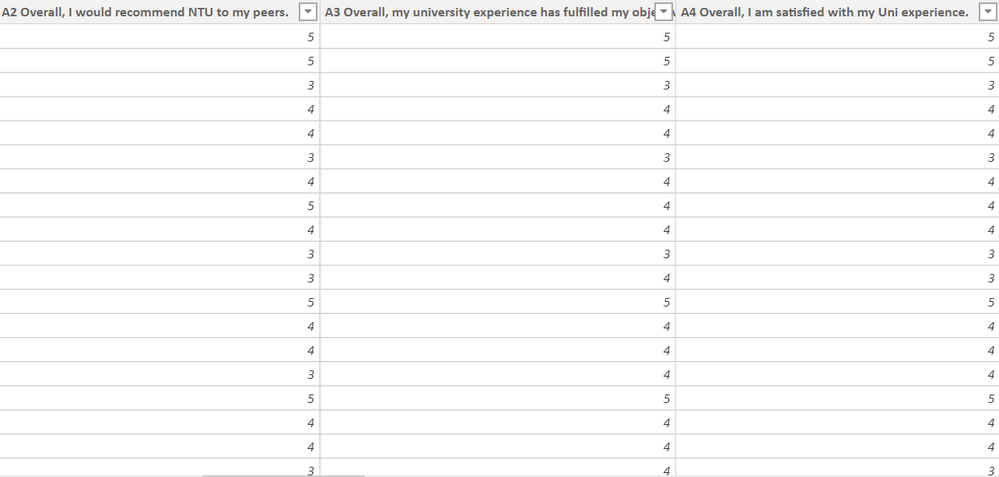
Hi @amitchandak apologies I attached the wrong picture. As seen by the picture below, the dataset for A2,A3,A4 is clearly different. However, when I plot the graphs, the proportion of satisfaction score for each qn is exactly the same which should not be the case.
The Power BI Data Visualization World Championships is back! Get ahead of the game and start preparing now!
| User | Count |
|---|---|
| 39 | |
| 37 | |
| 33 | |
| 32 | |
| 29 |
| User | Count |
|---|---|
| 133 | |
| 88 | |
| 85 | |
| 68 | |
| 64 |