Join us at FabCon Atlanta from March 16 - 20, 2026, for the ultimate Fabric, Power BI, AI and SQL community-led event. Save $200 with code FABCOMM.
Register now!The Power BI Data Visualization World Championships is back! Get ahead of the game and start preparing now! Learn more
Hi there,
When I compare the Power BI Desktop report to the report thats been published to Power BI Service, the Date slicer produces different results for the same date range.
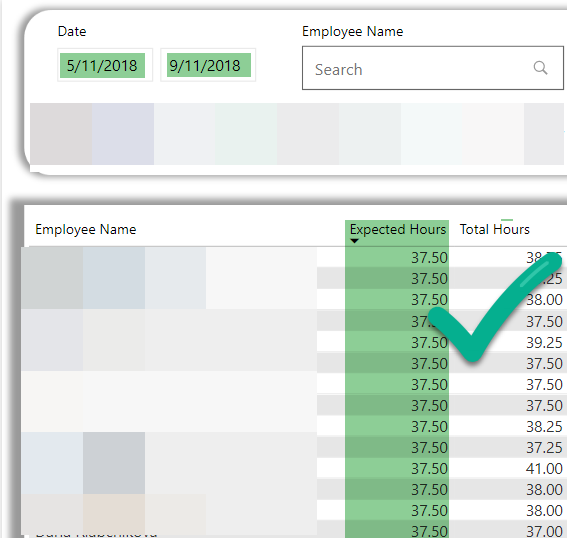
Power BI Desktop
I apply the date filter 5 Nov to 9 Nov and I correctly see 'Expected Hours' as 37.5 hours for each staff member.
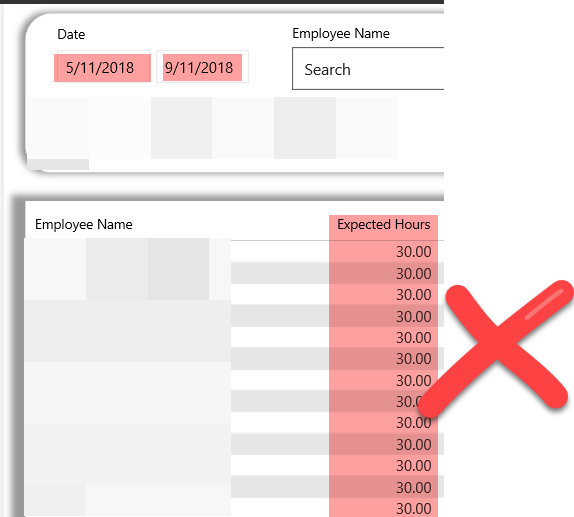
Power BI Service (Published report)
When I do the same Date filter in Power BI Service I get a different result for 'Expected Hours', now it show as 30 hours!! Why???
'Expected Hours' is a Measure defined as follows.
The 'StaffExpectedHours' table where "Expected Hours' is coming from has its own date column which is linked to the 'Date'[Date] column. The 'Date'[Date] is used as date slicer in the report.
Appreciate any suggestions as to what I might need to look at to fix this.
Thank you.
hi, @Landcrab
I have tested on my side, but not reproduce the issue.
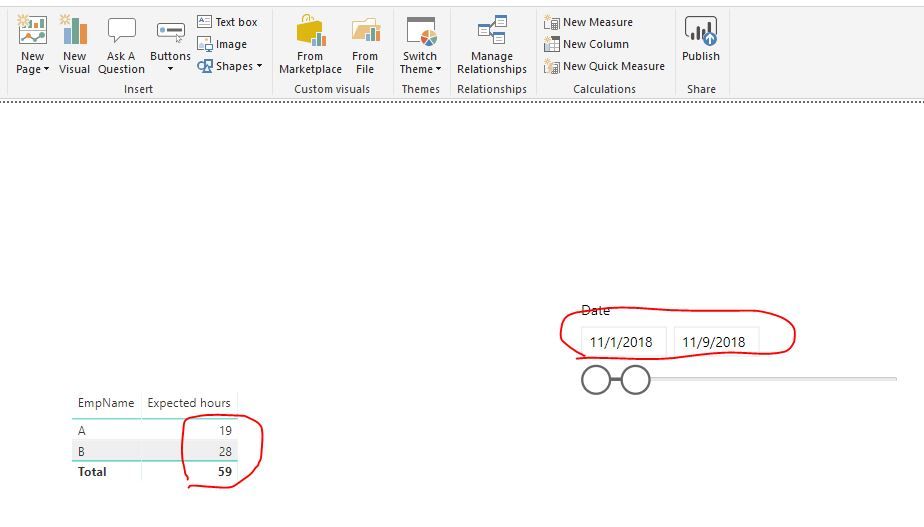
For example:
Power bi desktop
power bi service
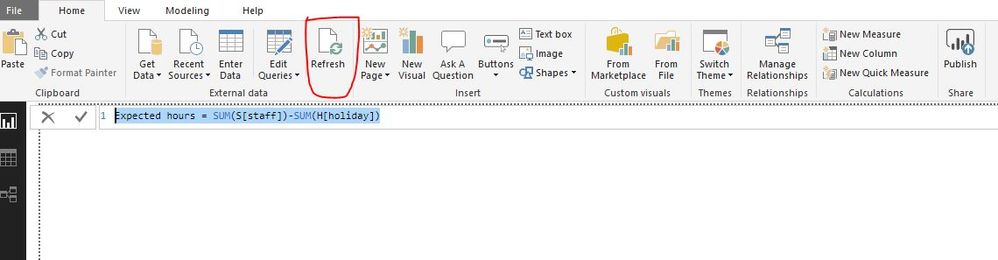
and the measure
Expected hours = SUM(S[staff])-SUM(H[holiday])
So please check the dataset in power bi service whether has been refreshed.
Please refresh the dataset and the report then try it.
https://docs.microsoft.com/en-us/power-bi/refresh-data
https://docs.microsoft.com/en-us/power-bi/refresh-desktop-file-local-drive
By the way, refresh the dataset in both power bi service and power bi desktop, then compare the result of them.
Best Regards,
Lin
The Power BI Data Visualization World Championships is back! Get ahead of the game and start preparing now!
| User | Count |
|---|---|
| 40 | |
| 38 | |
| 36 | |
| 29 | |
| 28 |
| User | Count |
|---|---|
| 127 | |
| 88 | |
| 78 | |
| 66 | |
| 64 |