
cancel
Showing results for 
Search instead for 
Did you mean: 

The Power BI Data Visualization World Championships is back! Get ahead of the game and start preparing now! Learn more

Reply
adarshmp8998
Frequent Visitor

Date Format Error

Hi All,


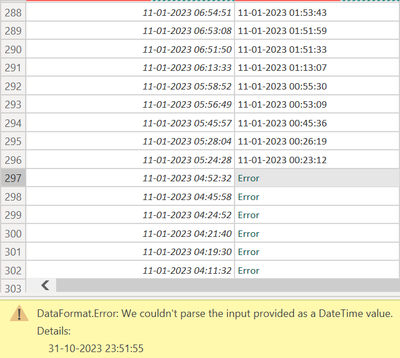
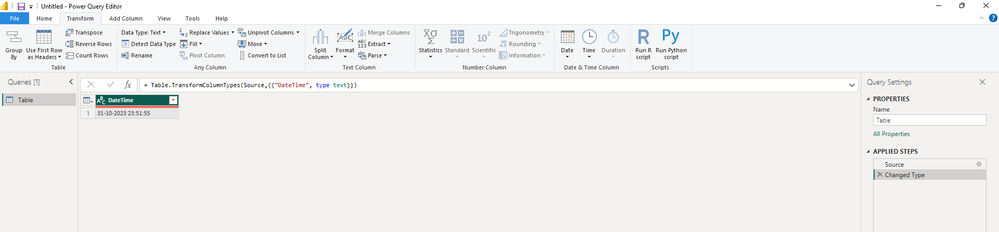
My date-time format is the same still getting an error.


adarshmp8998_0-1699168461744.png


Regional Setting:

adarshmp8998_0-1699168636963.png


1 ACCEPTED SOLUTION
Anonymous
Not applicable

Hi @adarshmp8998 ,


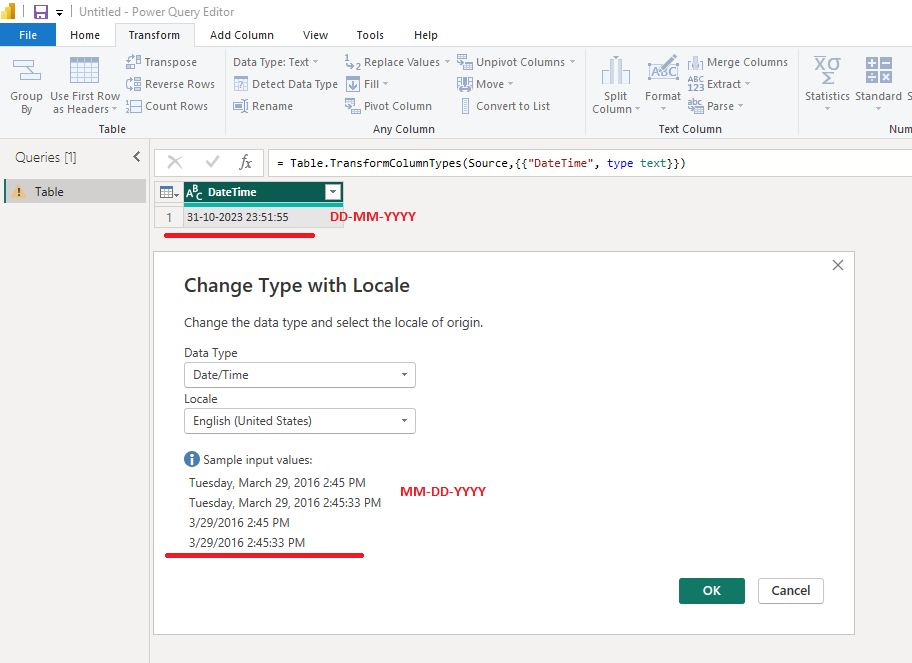
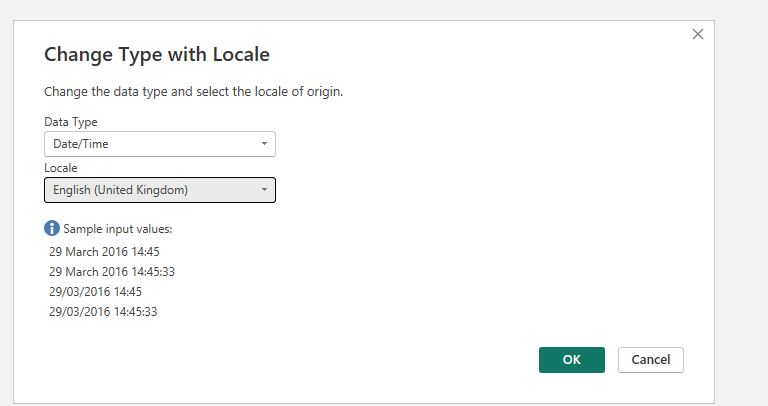
The locale(English United States) you selected doesn't work for dates in "DD-MM-YYYY" format.

Picture3.png

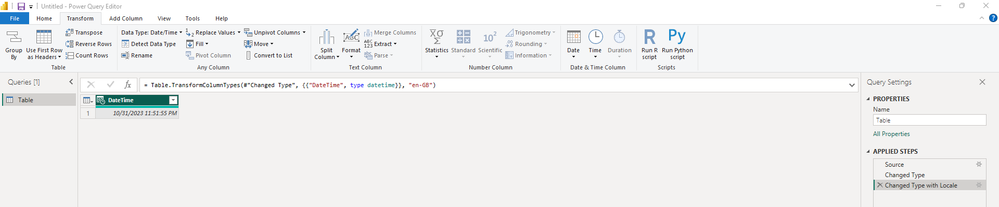
Try changing your locale as English (United Kingdom).

Picture4.png

Result:

vstephenmsft_0-1699321761444.png


Here's how to fix it:

1.Error Scenario for Reverting:

vstephenmsft_1-1699323022113.png

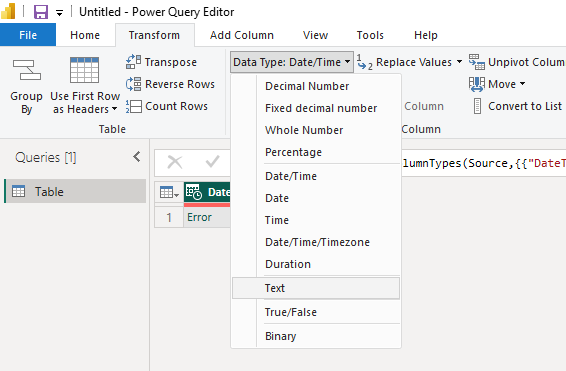
2.Convert the datetime column contains error to a text column.

vstephenmsft_2-1699323123663.png

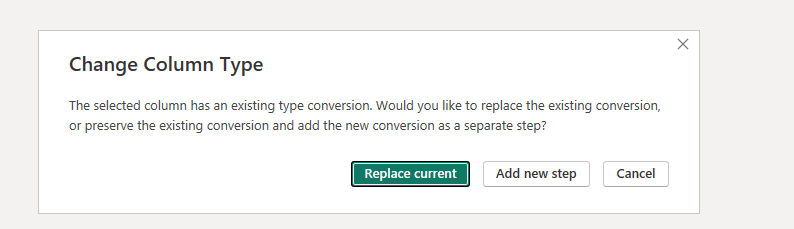
Select "Replace current".

vstephenmsft_3-1699323132518.png

vstephenmsft_4-1699323155984.png

3.Right click the column, Change Type, Using Locale...

vstephenmsft_5-1699323179490.png

Data Type: Date/Time, Locale: English (United Kingdom)

vstephenmsft_6-1699323209407.png

vstephenmsft_7-1699323241602.png


Of course, you can also set up a new local in the regional settings and then re-load it, which I think will work as well.


Best Regards,

Stephen Tao


If this post helps, then please consider Accept it as the solution to help the other members find it more quickly.           

View solution in original post

2 REPLIES 2
Anonymous
Not applicable

Hi @adarshmp8998 ,


The locale(English United States) you selected doesn't work for dates in "DD-MM-YYYY" format.

Picture3.png

Try changing your locale as English (United Kingdom).

Picture4.png

Result:

vstephenmsft_0-1699321761444.png


Here's how to fix it:

1.Error Scenario for Reverting:

vstephenmsft_1-1699323022113.png

2.Convert the datetime column contains error to a text column.

vstephenmsft_2-1699323123663.png

Select "Replace current".

vstephenmsft_3-1699323132518.png

vstephenmsft_4-1699323155984.png

3.Right click the column, Change Type, Using Locale...

vstephenmsft_5-1699323179490.png

Data Type: Date/Time, Locale: English (United Kingdom)

vstephenmsft_6-1699323209407.png

vstephenmsft_7-1699323241602.png


Of course, you can also set up a new local in the regional settings and then re-load it, which I think will work as well.


Best Regards,

Stephen Tao


If this post helps, then please consider Accept it as the solution to help the other members find it more quickly.           

Ahmedx
Super User
Super User

Share sample pbix file to help you.

Helpful resources

Announcements
Power BI DataViz World Championships

Power BI Dataviz World Championships

The Power BI Data Visualization World Championships is back! Get ahead of the game and start preparing now!

December 2025 Power BI Update Carousel

Power BI Monthly Update - December 2025

Check out the December 2025 Power BI Holiday Recap!

FabCon Atlanta 2026 carousel

FabCon Atlanta 2026

Join us at FabCon Atlanta, March 16-20, for the ultimate Fabric, Power BI, AI and SQL community-led event. Save $200 with code FABCOMM.