cancel
Showing results for 
Search instead for 
Did you mean: 

The Power BI Data Visualization World Championships is back! Get ahead of the game and start preparing now! Learn more

Reply
Sheref_Morad
Frequent Visitor

Date Column

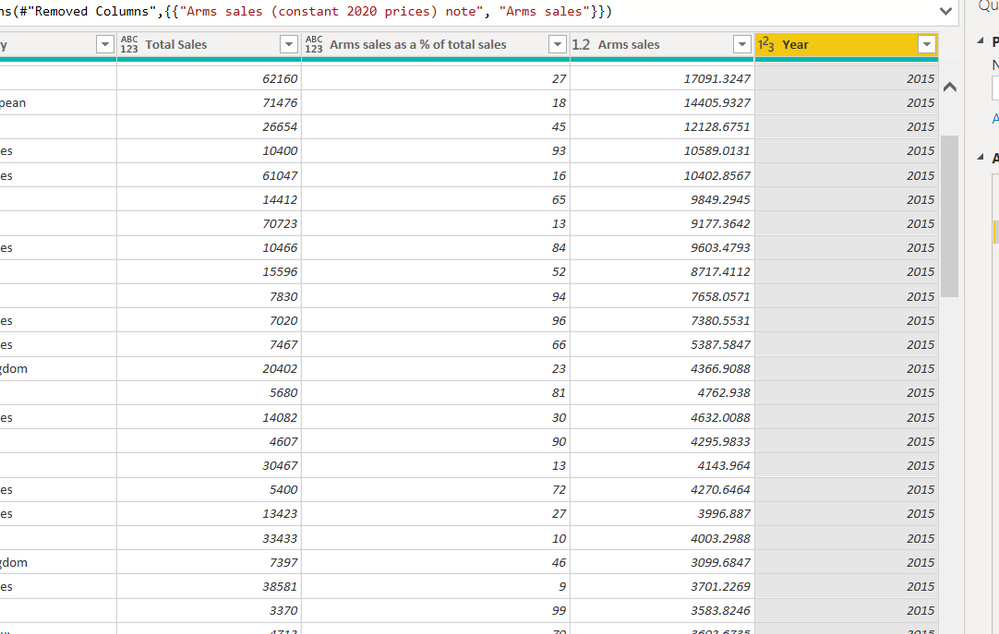
I have a column in Power Query that has a several years period as a Whole Number, I want to transfer it to a date column Screenshot 2022-04-19 111443.png


1 ACCEPTED SOLUTION
Anonymous
Not applicable

Hi @Sheref_Morad ,

First, change the data type of Year Column to Text.

And now , again change the data type to Date, it'll work.

#"Changed Type1" = Table.TransformColumnTypes(#"Replaced Value",{{"Year", type text}}),
    #"Changed Type2" = Table.TransformColumnTypes(#"Changed Type1",{{"Year", type date}})


View solution in original post

5 REPLIES 5
Anonymous
Not applicable

Hi @Sheref_Morad ,

First, change the data type of Year Column to Text.

And now , again change the data type to Date, it'll work.

#"Changed Type1" = Table.TransformColumnTypes(#"Replaced Value",{{"Year", type text}}),
    #"Changed Type2" = Table.TransformColumnTypes(#"Changed Type1",{{"Year", type date}})


mh2587
Super User
Super User

Just click on 123 with the year and convert the type to date


Did I answer your question? If so, please mark my post as a solution!


Proud to be a Super User!


LinkedIn Icon
Muhammad Hasnain


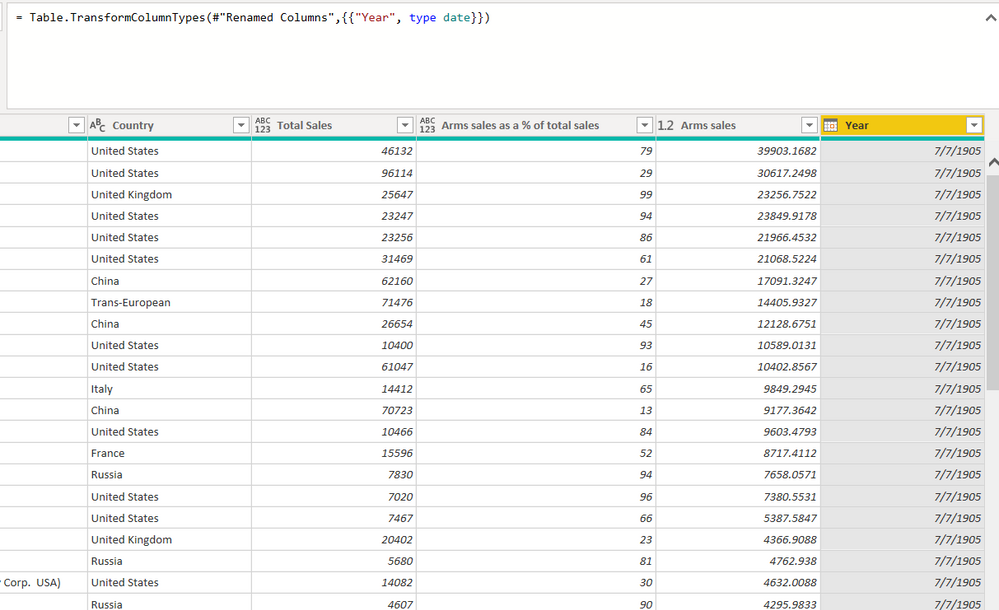
Thanks for Answering, I did that several times and it transformed into irrelevant dates, I just want the number 2015 to be treated as year  date

Step 1: Convert to date normally, power query code as below:


= Table.TransformColumnTypes(Table,{{"Year", type date}})


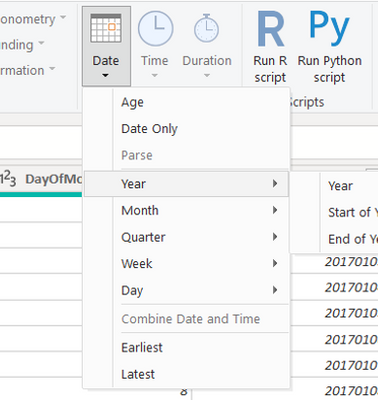
Step 2: From Transform --> Date & Time Column --> Select Date -- Year as shown below:

PC2790_0-1650364864816.png

Code as below:


= Table.TransformColumns(#"Changed Type",{{"Year", Date.Year, Int64.Type}})

However it will convert the year as Whole number only as this is Power BI interprets the year but it should not hamper any of your reporting and calculations


Thank you for Answering , it converted into irrelvant Date so i can't make the year data that was given in the source dataScreenshot 2022-04-19 .png

Helpful resources

Announcements
Power BI DataViz World Championships

Power BI Dataviz World Championships

The Power BI Data Visualization World Championships is back! Get ahead of the game and start preparing now!

December 2025 Power BI Update Carousel

Power BI Monthly Update - December 2025

Check out the December 2025 Power BI Holiday Recap!

FabCon Atlanta 2026 carousel

FabCon Atlanta 2026

Join us at FabCon Atlanta, March 16-20, for the ultimate Fabric, Power BI, AI and SQL community-led event. Save $200 with code FABCOMM.