Join us at FabCon Atlanta from March 16 - 20, 2026, for the ultimate Fabric, Power BI, AI and SQL community-led event. Save $200 with code FABCOMM.
Register now!The Power BI Data Visualization World Championships is back! Get ahead of the game and start preparing now! Learn more
Hello:
I have a large number of scripts that I am converting from a Viewpoint Sequel format that is using a DB2 connection and converting them to PowerBI. For the most part, I have been able to figure out the nuances between the DB2 code and the Power BI code. This is my first time working within PBI, but I am learning and driving to succeed in my new role.
I have come across a piece of code that I have tried everyway to figure out how to get PBI to do the same thing and I am not able to.
CASE WHEN Valid_Date(o1odte ,'*MDY')=1 THEN CVTDATE(o1odte ,MDY) ELSE null END NAME(date1) COLHDG("DATE" "ORDERED") EDTCDE(4)
Is there a way to do this in Power BI during data import?
Hi @leebaldwin ,
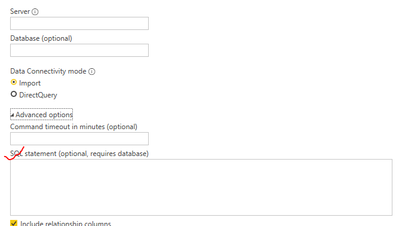
Please try to use database native queries when import data from DB2.
For more details, you can read related document: Import data from a database using native database query - Power Query | Microsoft Learn
You could also use "Switch()" DAX function in Power BI
For more details, you can read related document: SWITCH function (DAX) - DAX | Microsoft Learn
Best regards,
Community Support Team_Binbin Yu
If this post helps, then please consider Accept it as the solution to help the other members find it more quickly.
Unfortunately, I have to use an ODBC connection to our DB2 server, so using native queries is not an option.
The Power BI Data Visualization World Championships is back! Get ahead of the game and start preparing now!
| User | Count |
|---|---|
| 39 | |
| 37 | |
| 33 | |
| 32 | |
| 29 |
| User | Count |
|---|---|
| 133 | |
| 88 | |
| 85 | |
| 68 | |
| 64 |