cancel
Showing results for 
Search instead for 
Did you mean: 

Get Fabric Certified for FREE during Fabric Data Days. Don't miss your chance! Request now

Reply
smpa01
Super User
Super User

DAX to return the result of a lesser than equal to slicer upon selecting is equal to slicer

Hello experts,


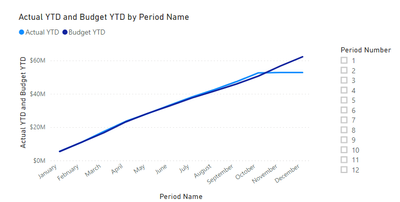
I am currently working on a viz as follwoing.


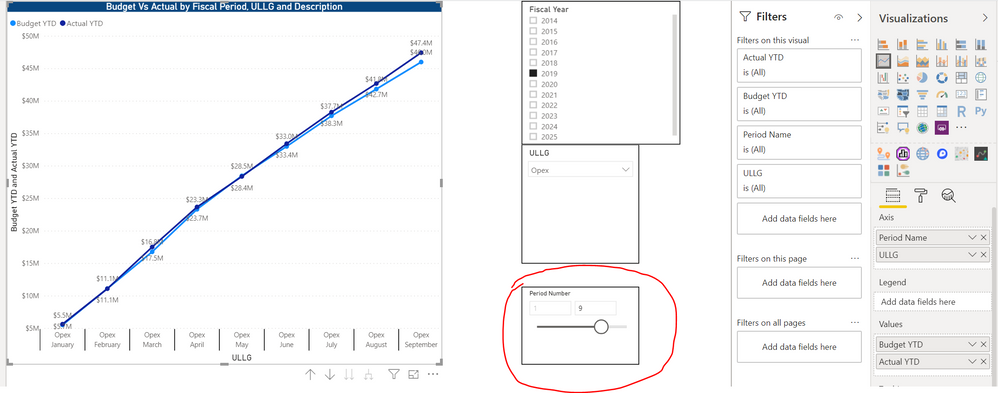
When I select the period as less than equal to I get this viz.


Capture.PNG

The measures are follwing


Budget YTD = 
VAR _1 = MAX(DateTbl[Period Number])
VAR _2 = CALCULATE(CALCULATE([Budget], DateTbl[Period Number]<=_1, ALL(DateTbl[Period Number])), ALL(DateTbl[Period Name]))
RETURN _2

Actual YTD = 
VAR _1 = MAX(DateTbl[Period Number])
VAR _2 = CALCULATE(CALCULATE([Actual], DateTbl[Period Number]<=_1, ALL(DateTbl[Period Number])), ALL(DateTbl[Period Name]))
RETURN _2

Budget = SUMX(Budget,Budget[Budget])

Actual = SUMX(Actuals,Actuals[Actual])


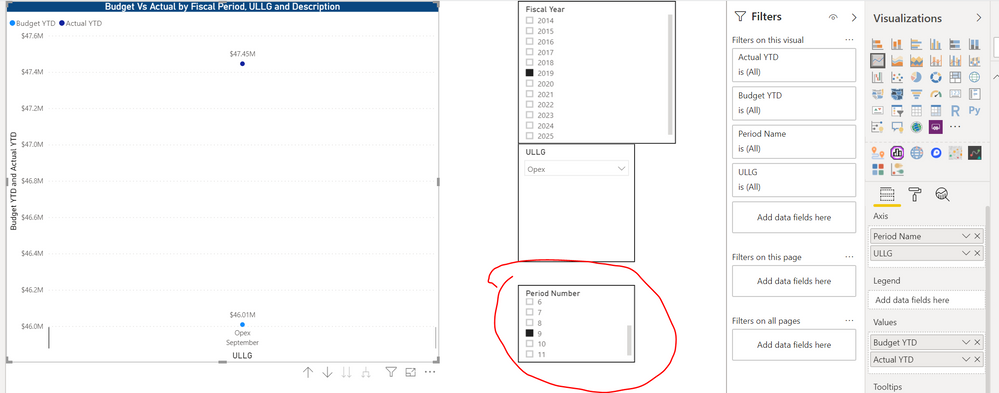
Is there any way to get the same viz as above when the user makes a single selection as follwoing.


Capture.PNGfds.PNG


There are other viz on the same table which might break if I let the user make a lesser than equal to slicer selection.


I can't figure out how can I feed in that condition in those two (Budget YTD and Actual YTD measure).


A sample data would be following


Period NameULLGBudgetDate
JanuaryOpex$5,535,316.161/1/2019
FebruaryOpex$5,595,571.342/1/2019
MarchOpex$5,662,290.423/1/2019
AprilOpex$6,542,861.364/1/2019
MayOpex$5,160,639.865/1/2019
JuneOpex$4,521,289.086/1/2019
JulyOpex$4,705,957.447/1/2019
AugustOpex$4,119,022.648/1/2019
SeptemberOpex$4,167,515.159/1/2019
OctoberOpex$4,826,702.2410/1/2019
NovemberOpex$6,086,002.7311/1/2019
DecemberOpex$5,500,882.3412/1/2019


Budget Table


Period NameULLGActualDate
JanuaryOpex$5,656,756.531/1/2019
FebruaryOpex$5,456,041.262/1/2019
MarchOpex$6,421,766.073/1/2019
AprilOpex$6,154,725.544/1/2019
MayOpex$4,697,044.685/1/2019
JuneOpex$5,053,559.266/1/2019
JulyOpex$4,854,606.807/1/2019
AugustOpex$4,403,921.728/1/2019
SeptemberOpex$4,748,459.559/1/2019
OctoberOpex$5,314,571.0310/1/2019
NovemberOpex$205,960.4311/1/2019
DecemberOpex 12/1/2019


Actual Table


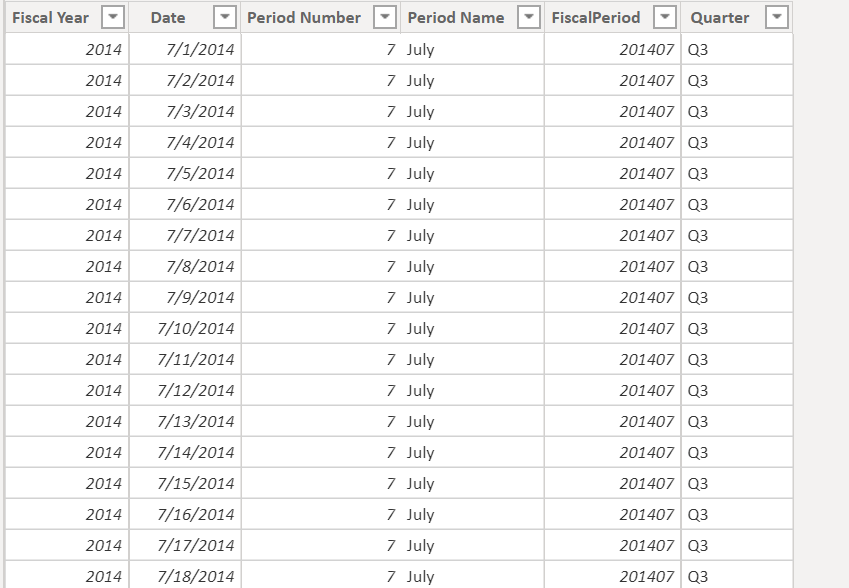
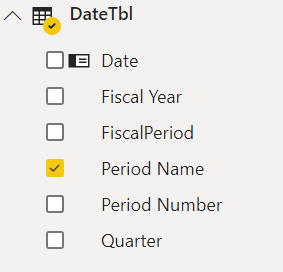
My date table is following


Capture.PNGCapture.PNGfds.PNG


Any help is greatly appreciated

Did I answer your question? Mark my post as a solution!
Proud to be a Super User!
My custom visualization projects
Plotting Live Sound: Viz1
Beautiful News:Viz1, Viz2, Viz3
Visual Capitalist: Working Hrs
1 ACCEPTED SOLUTION
Anonymous
Not applicable

Hi @smpa01 ,


In my opinion, there’re relationship between DateTbl, Actual and Budget, so you might need to create a calculated table as slicer.

Please check following steps as below and see if the result achieve your expectation:

1. Create calculated table and use Period Number as slicer:

    Table = DISTINCT(DateTbl[Period Number])

2. Create measure:

    Measure 2 =

    var sv = SELECTEDVALUE('Table'[Period Number])

    return

    IF(NOT(ISFILTERED('Table'[Period Number])),1,IF(MONTH(MAX(Actual[Date]))<=sv,1,BLANK()))

3. Add measure to filter:

1.PNG

4. Result would be shown as below:

3.png

2.PNG

BTW, Pbix as attached, hopefully works for you.


Best Regards,

Jay


Community Support Team _ Jay Wang

If this post helps, then please consider Accept it as the solution to help the other members find it more quickly.

View solution in original post

2 REPLIES 2
Anonymous
Not applicable

Hi @smpa01 ,


In my opinion, there’re relationship between DateTbl, Actual and Budget, so you might need to create a calculated table as slicer.

Please check following steps as below and see if the result achieve your expectation:

1. Create calculated table and use Period Number as slicer:

    Table = DISTINCT(DateTbl[Period Number])

2. Create measure:

    Measure 2 =

    var sv = SELECTEDVALUE('Table'[Period Number])

    return

    IF(NOT(ISFILTERED('Table'[Period Number])),1,IF(MONTH(MAX(Actual[Date]))<=sv,1,BLANK()))

3. Add measure to filter:

1.PNG

4. Result would be shown as below:

3.png

2.PNG

BTW, Pbix as attached, hopefully works for you.


Best Regards,

Jay


Community Support Team _ Jay Wang

If this post helps, then please consider Accept it as the solution to help the other members find it more quickly.

@Anonymousthanks for taking time out to look into this and providing a solution.


It made me realize that this requirement can only be achieved by using a disconnected table. I was hoping for a DAX magic to produce the result without having to do that but using the values in a slicer from the same table would filter out the rows that falls outside of "is equal" to range. So this requirement can't be met I gues the way I want it to happen.


Nevertheless thanks for showing me a workaround.


I also found a similar post in the community https://community.powerbi.com/t5/Desktop/Passing-Slicer-Selection-value-in-DAX-Filter/m-p/176312#M77068

Did I answer your question? Mark my post as a solution!
Proud to be a Super User!
My custom visualization projects
Plotting Live Sound: Viz1
Beautiful News:Viz1, Viz2, Viz3
Visual Capitalist: Working Hrs

Helpful resources

Announcements
November Power BI Update Carousel

Power BI Monthly Update - November 2025

Check out the November 2025 Power BI update to learn about new features.

Fabric Data Days Carousel

Fabric Data Days

Advance your Data & AI career with 50 days of live learning, contests, hands-on challenges, study groups & certifications and more!

FabCon Atlanta 2026 carousel

FabCon Atlanta 2026

Join us at FabCon Atlanta, March 16-20, for the ultimate Fabric, Power BI, AI and SQL community-led event. Save $200 with code FABCOMM.

Top Solution Authors
Top Kudoed Authors