cancel
Showing results for 
Search instead for 
Did you mean: 

The Power BI Data Visualization World Championships is back! Get ahead of the game and start preparing now! Learn more

Reply
Sean
Community Champion
Community Champion

DAX Studio - List of Measures

Hello ALL,


I've been extracting the Measures List per @MattAllington's very good and detailed instructions here for a while now


but have always had to copy them from the Results grid in DAX Studio and paste into Excel.


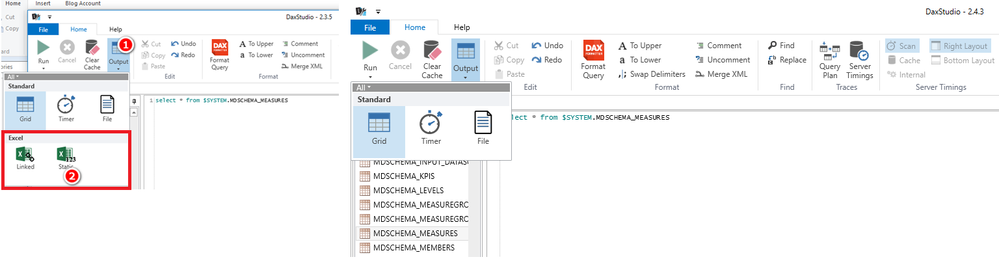
I never get the option to Output in Excel as seen in Matt's blog and in the picture below (in the Red rectangle)


I've tried with both Excel running and not running... Has anyone else encountered this? Any advice would be greatly appreciated!


2016-10-03 - DAX Studio.png

1 ACCEPTED SOLUTION
BhaveshPatel
Community Champion
Community Champion

Hi Sean,


The Excel buttons are available when you have installed the DAX Studio Add-in in Excel 2013 or 2016.


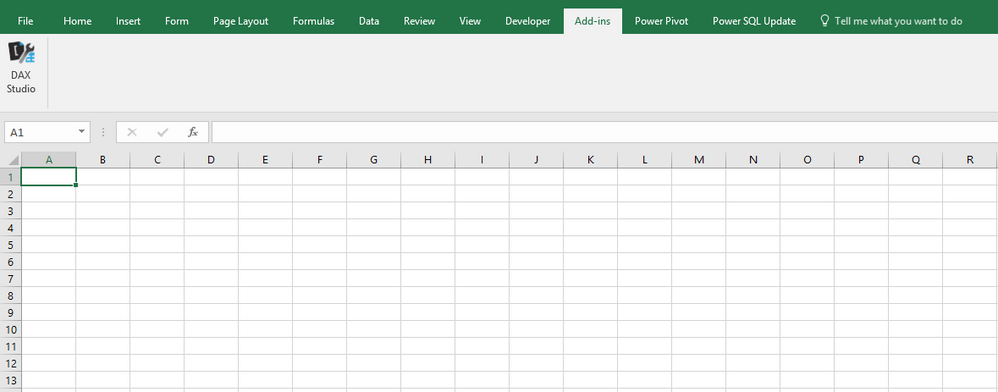
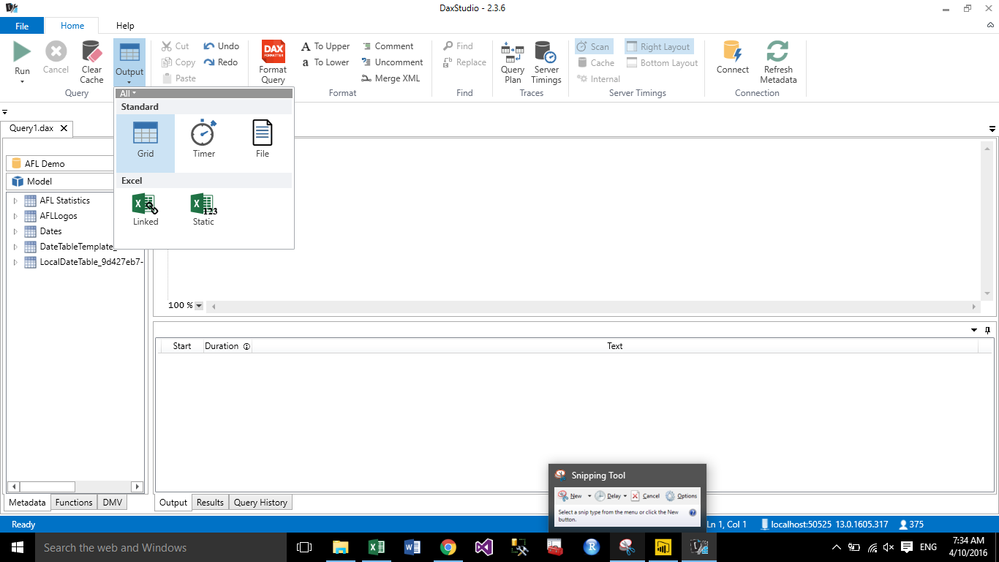
You should launch your dax studio from here and you can see both the buttons you are looking for. You can see attached screenshot and you can connect to your PowerBI or Tabular or PowerPivot model from here.

Dax Studio Add in in Excel 2016Dax Studio Add in in Excel 2016Excel ButtonsExcel Buttons

Thanks & Regards,
Bhavesh

Love the Self Service BI.
Please use the 'Mark as answer' link to mark a post that answers your question. If you find a reply helpful, please remember to give Kudos.

View solution in original post

2 REPLIES 2
BhaveshPatel
Community Champion
Community Champion

Hi Sean,


The Excel buttons are available when you have installed the DAX Studio Add-in in Excel 2013 or 2016.


You should launch your dax studio from here and you can see both the buttons you are looking for. You can see attached screenshot and you can connect to your PowerBI or Tabular or PowerPivot model from here.

Dax Studio Add in in Excel 2016Dax Studio Add in in Excel 2016Excel ButtonsExcel Buttons

Thanks & Regards,
Bhavesh

Love the Self Service BI.
Please use the 'Mark as answer' link to mark a post that answers your question. If you find a reply helpful, please remember to give Kudos.

@BhaveshPatel Thanks! I kind of expected this to be something small and that's why I didn't ask for so long Smiley Happy


You know I've had the Power Pivot Utilites tool for a long time...


I still keep it up to date but pretty much have stopped using it since I've transitioned almost entirely to PBI from PowerPivot!


So I never even thought about launching DAX Studio from there!?


Anyway Thanks again! Smiley Happy

Helpful resources

Announcements
Power BI DataViz World Championships

Power BI Dataviz World Championships

The Power BI Data Visualization World Championships is back! Get ahead of the game and start preparing now!

December 2025 Power BI Update Carousel

Power BI Monthly Update - December 2025

Check out the December 2025 Power BI Holiday Recap!

FabCon Atlanta 2026 carousel

FabCon Atlanta 2026

Join us at FabCon Atlanta, March 16-20, for the ultimate Fabric, Power BI, AI and SQL community-led event. Save $200 with code FABCOMM.