Join us at FabCon Atlanta from March 16 - 20, 2026, for the ultimate Fabric, Power BI, AI and SQL community-led event. Save $200 with code FABCOMM.
Register now!Get Fabric Certified for FREE during Fabric Data Days. Don't miss your chance! Request now
Hi,
I have a pretty simple Date table built through DAX, that is each date since 1/1/2010.
Date = CALENDAR(DATE(2010,1,1),TODAY())
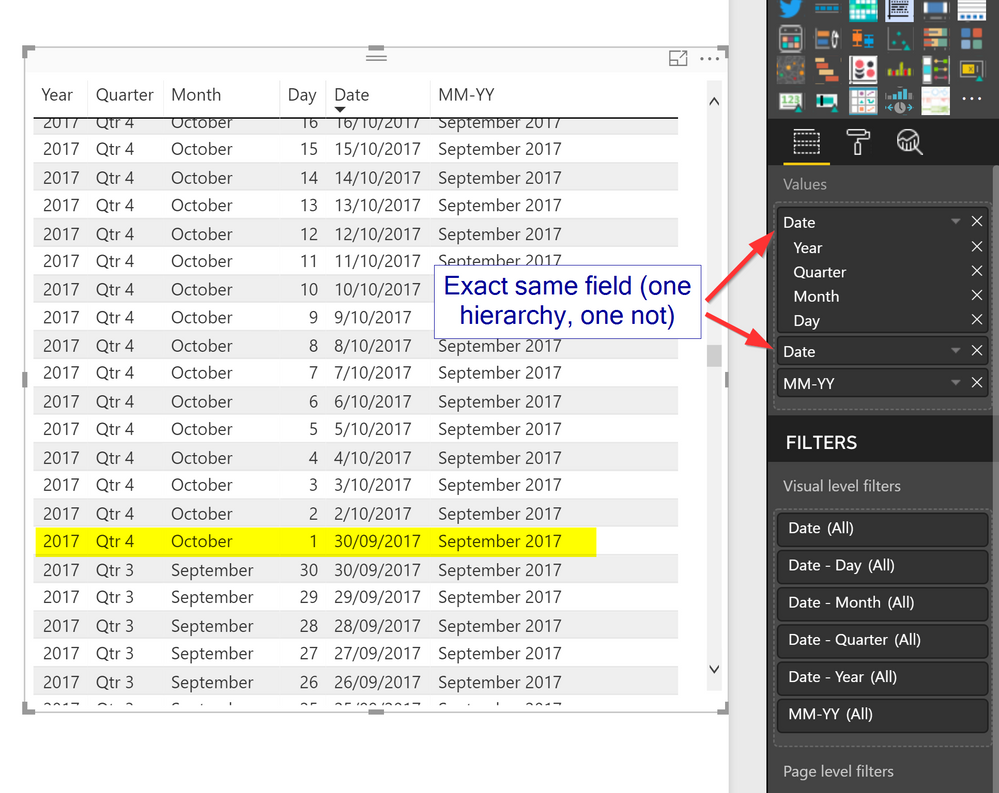
It has worked fine for many months, but for some bizarre reason, now there are two 30/9/2017 values, and no 1/10/2017 values. And it seems the hierarchy still works, but not the date itself.
Because I want to show graphs in years + months (i.e. monthly trends over 2 years), I have a formula that is MM-YY:
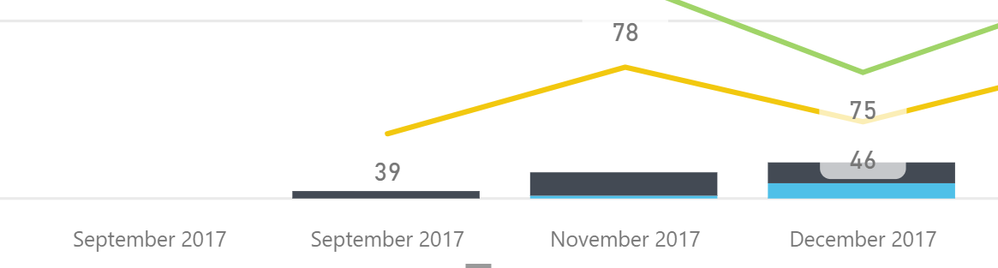
MM-YY = DATE(year('Date'[Date]),month('Date'[Date]),1)However, because of this odd error in the date, I get two September 2017s on the axis.
MM-YY - Two September 2017s
Any ideas? From memory this worked fine previously, but in the past couple months I've noticed the duplicate Septembers. It doesn't seem to do this with any other date in the table.
Hi @kyle,
I have made a test with the dax you provided, but I cannot reproduce your issue in my environment.
What version of Power BI do you use, please update it to the latest version.
I suggest you could create a new calendar table to test if it still has this issue.
Besides, what data source have you connected and how do you coonect it?
If it is convenient, could you share a dummy pbix file which can reproduce the scenario, so that I can test it in my environment? You can upload it to OneDrive or Dropbox and post the link here. Do mask sensitive data before uploading.)
Best Regards,
Cherry
Check out the November 2025 Power BI update to learn about new features.
Advance your Data & AI career with 50 days of live learning, contests, hands-on challenges, study groups & certifications and more!