Join us at FabCon Atlanta from March 16 - 20, 2026, for the ultimate Fabric, Power BI, AI and SQL community-led event. Save $200 with code FABCOMM.
Register now!The Power BI Data Visualization World Championships is back! Get ahead of the game and start preparing now! Learn more
Hello,
I've modified an existing visual (Enhanced Scatter by Microsoft) and I'm able to package and import the visual into my Power Bi dashboard. Although my added fields appear, the visual does not render when I place values into the chart. I also tried just changing the GUID and packaging, which results in the same error.
I'm using the January 2019 version of Power Bi desktop and I've downgraded my API version to 3.0.7 in hopes that the versions are compatible with each other.
Is there any way to fix this issue or is my best bet to just create a visual from scratch?
Thanks for any help!
Hi @Anonymous ,
Can you describe the information of additional field and the error message if don't have any Confidential Information?
Best regards,
Community Support Team _ DongLi
If this post helps, then please consider Accept it as the solution to help the other members find it more
Hi @v-lid-msft,
I've added a Shape Outline Color field to the Enhanced Scatter chart by Microsoft, which ideally should change the outline color of the shapes plotted in the chart depending on the group (ex. Group1 will have a blue border, Group2 will be green, etc.). I don't technically get any errors, but the chart visual does not render after it is done packaging.
I've tested with the marketplace version to ensure that I use the correct fields to get my desired display as well as confirm that the error is probably somewhere in my code.
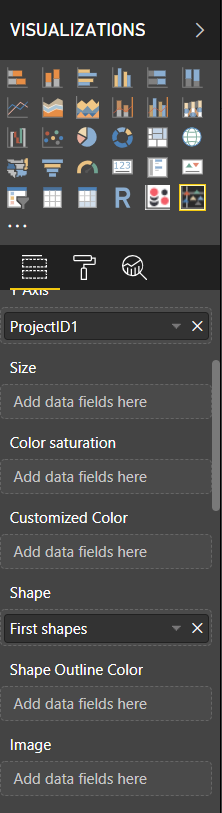
The field appears under the Visualizations tabs successfully.
The Power BI Data Visualization World Championships is back! Get ahead of the game and start preparing now!
| User | Count |
|---|---|
| 40 | |
| 35 | |
| 34 | |
| 31 | |
| 28 |
| User | Count |
|---|---|
| 136 | |
| 102 | |
| 68 | |
| 66 | |
| 58 |