Join us at FabCon Atlanta from March 16 - 20, 2026, for the ultimate Fabric, Power BI, AI and SQL community-led event. Save $200 with code FABCOMM.
Register now!The Power BI Data Visualization World Championships is back! Get ahead of the game and start preparing now! Learn more
Hi there
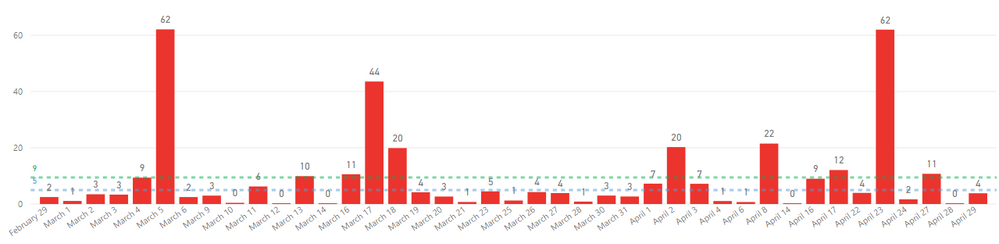
I currently have a combo chart that looks like this:
The chart is based on a measure "Hours Saved" and shows values for each transaction date.
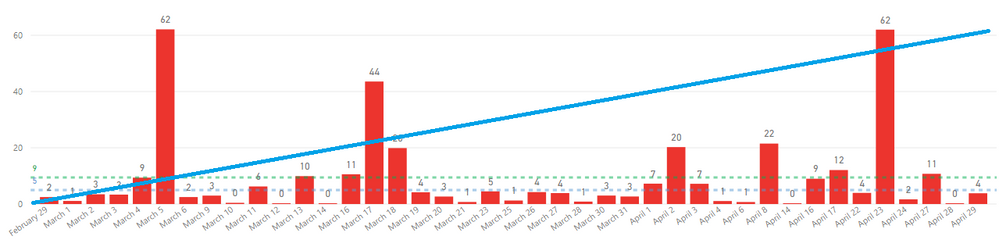
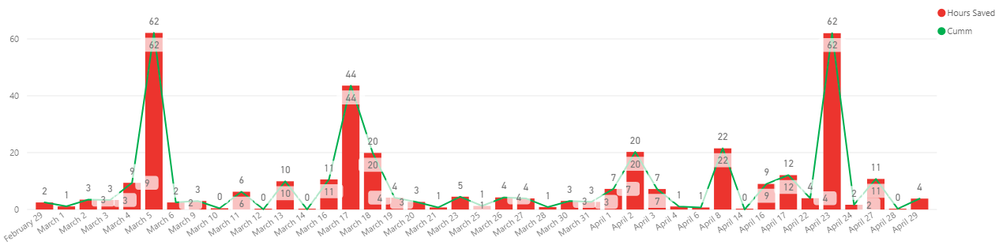
I would like to additionally have a line chart added that shows the cummulative value of hours saved up to that date.
Something like this:
Anyone know how this can be done?
Keep in mind that i do not have the values for hours saved each day in a table but it is made using a measure.
Thanks
Solved! Go to Solution.
@Anonymous
Create a cumulative measure like this
Cumm = CALCULATE(SUM(Table[hours]),filter(date,date[date] <=maxx(date,date[date])))
Cumm = CALCULATE(SUM(Table[hours]),filter(date,date[date] <=max(Table[Date])))
And use in combo chart like line and bar or line and clustered
Using your solution seems to just give the same result without accumulation.
Hi @Anonymous ,
Refer the formula below and see if it helps.
Measure = CALCULATE(SUM('Table'[value]),ALLEXCEPT('Table','Table'[date]))
Measure 2 = CALCULATE([Measure],FILTER(ALL('Table'),'Table'[date]<=SELECTEDVALUE('Table'[date])))
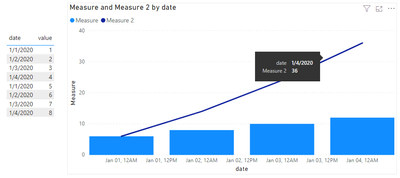
Here's the result about my sample data.
If this not help, please share some sample data if you don't have any Confidential Information.
Best Regards,
Jay
Community Support Team _ Jay Wang
If this post helps, then please consider Accept it as the solution to help the other members find it more quickly.
@Anonymous
How do I upload a data sample here for you to see?
The Power BI Data Visualization World Championships is back! Get ahead of the game and start preparing now!
Check out the November 2025 Power BI update to learn about new features.
| User | Count |
|---|---|
| 59 | |
| 43 | |
| 42 | |
| 23 | |
| 17 |
| User | Count |
|---|---|
| 190 | |
| 122 | |
| 96 | |
| 66 | |
| 47 |