Forum Discussion

Stuznet's avatar
Stuznet
Icon for Helper V rankHelper V
7 years ago
Solved

Cumulative Sum By Month

I'm pulling all my hairs out for this..


I have a static column value and I need to create a new measure to sum it. 

Sample.

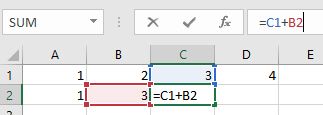
A2 is (=A)

B2 is (=B1 + A2) and so on


I know this looks easy but I'm not sure how hard to write the DAX function measure.

Measure = 
VAR A = CALCULATE([Total],FILTER(Data,Data[Column1] = "ABC" && Data[Month] = "January")) 
VAR B= CALCULATE([Total],FILTER(Data,Data[Column1]  = "ABC" && Data[Month] = "February"))
VAR C = CALCULATE([Total],FILTER(Data,Data[Column1] = "ABC" && Data[Month] = "March"))

RETURN 

CALCULATE(ABS(A),(B + A),(C + B)

I created this but I'm getting The True/False expression does not specify a column. Each True/False expressions used as a table filter expression must refer to exactly one column.

  • Stuznet's avatar
    Stuznet
    7 years ago

    v-yulgu-msftI figured it out. Thank you for looking into this.


    I turned the Month Name into Month number and changed the new calculated type to decimal/number.

    Month Num = 
                IF(Table1[Month] = "January","1",
                IF(Table1[Month] = "February","2",
                IF(Table1[Month] = "March","3",
                IF(Table1[Month] = "April","4",
                IF(Table1[Month] = "May","5",
                IF(Table1[Month] = "June","6",
                IF(Table1[Month] = "July","7",
                IF(Table1[Month] = "August","8",
                IF(Table1[Month] = "September","9",
                IF(Table1[Month] = "October","10",
                IF(Table1[Month] = "November","11",
                IF(Table1[Month] = "December","12"))))))))))))

    Then, I created a measure 

    Cumulative = CALCULATE([Total],FILTER(ALLSELECTED(Table1),Table1[Month Num] <= MAX(Table1[Month Num])))

    I changed ALL to ALLSELECTED otherwise the value will be static.

4 Replies

    • Stuznet's avatar
      Stuznet
      Icon for Helper V rankHelper V

      v-yulgu-msftI figured it out. Thank you for looking into this.


      I turned the Month Name into Month number and changed the new calculated type to decimal/number.

      Month Num = 
                  IF(Table1[Month] = "January","1",
                  IF(Table1[Month] = "February","2",
                  IF(Table1[Month] = "March","3",
                  IF(Table1[Month] = "April","4",
                  IF(Table1[Month] = "May","5",
                  IF(Table1[Month] = "June","6",
                  IF(Table1[Month] = "July","7",
                  IF(Table1[Month] = "August","8",
                  IF(Table1[Month] = "September","9",
                  IF(Table1[Month] = "October","10",
                  IF(Table1[Month] = "November","11",
                  IF(Table1[Month] = "December","12"))))))))))))

      Then, I created a measure 

      Cumulative = CALCULATE([Total],FILTER(ALLSELECTED(Table1),Table1[Month Num] <= MAX(Table1[Month Num])))

      I changed ALL to ALLSELECTED otherwise the value will be static.

      • Anonymous's avatar
        Anonymous
        Not applicable

        Thanks, it is almost can't get the results.  AllSelected (Table) Not AllSelected (Table.Column)

    • Stuznet's avatar
      Stuznet
      Icon for Helper V rankHelper V

      v-yulgu-msfthere is the dataset. The total is the Value. My desired output is create a Cumulative Sum field that adds up the "Value"


      MonthValueCumulative
      January6363
      February55118
      March30148
      April33181
      May50231
      June60291
      July69360
      August64424
      September60484
      October15499
      November14513
      December13526
       5263838