Don't miss your chance to take exam DP-600 or DP-700 on us!
Request nowLearn from the best! Meet the four finalists headed to the FINALS of the Power BI Dataviz World Championships! Register now
Hi im new to power bi, and im trying to create a dynamic price table.
where i have the list of the items, and the price.
now i want to ask the client for a number, and show in a card the calculated value of the client input * cost.
Hi @Anonymous . Power BI isn't really built to have input data and have instant outputs like excel. You can use "What if parameters" like @lbendlin has suggested or have seperate dax calculations. However, if the scenario is you want the viewer to freely update this number without your assistance, they will need to have an understanding of Power BI to do so.
Have you considered using "What-If?" parameters?
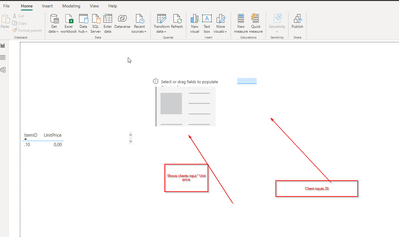
I found a solution creating a parameter as shown in the image,
like this i have input filed on the left, then created 4 parameters, the default and one for each column.
for now is working good.
Share feedback directly with Fabric product managers, participate in targeted research studies and influence the Fabric roadmap.
Check out the February 2026 Power BI update to learn about new features.
| User | Count |
|---|---|
| 51 | |
| 40 | |
| 37 | |
| 14 | |
| 14 |
| User | Count |
|---|---|
| 85 | |
| 69 | |
| 38 | |
| 29 | |
| 27 |