Join us at FabCon Atlanta from March 16 - 20, 2026, for the ultimate Fabric, Power BI, AI and SQL community-led event. Save $200 with code FABCOMM.
Register now!The Power BI Data Visualization World Championships is back! Get ahead of the game and start preparing now! Learn more
Hi all,
I have a shapefie that have linear geometries that represent roads. Power BI doesn't seem to support this...
Does anyone know a way around this? This seems to be fairly easily done in Tableau...
Solved! Go to Solution.
No Power BI map currently supports linestrings. If you want to try a potential workaround, you could try converting lines to polygons using a tool such as QGIS, then converting to TopoJSON and bringing it into the Shape Map. That *may* work.
@deldersveld Thanks for that! That worked! Now I have a second question (I am new to custom maps so please bare with me), how can I see all the attributes that is within the file that I have imported?
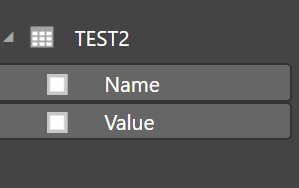
Right now, I only get 2 columns and I would like to join an exel spreadsheet to this spatial file so I am able to represent my data.
Thanks for your help!
Hi @ksan048,
Since your original problem has been resolved, please mark the helpful reply as solution. For any other question, please post a new thread on forum so that more community members can help you.
Thanks,
Yuliana Gu
The Power BI Data Visualization World Championships is back! Get ahead of the game and start preparing now!
| User | Count |
|---|---|
| 39 | |
| 37 | |
| 33 | |
| 32 | |
| 29 |
| User | Count |
|---|---|
| 132 | |
| 86 | |
| 85 | |
| 68 | |
| 64 |